A. Background
In modern and legacy Ember projects (3.28 or above), we can use <template> tags—files with the extension .gjs or .gts—to write components, routes, and tests with fewer Emberisms. For each new file type, however, we need to instruct IDEs how to deliver a good developer experience.
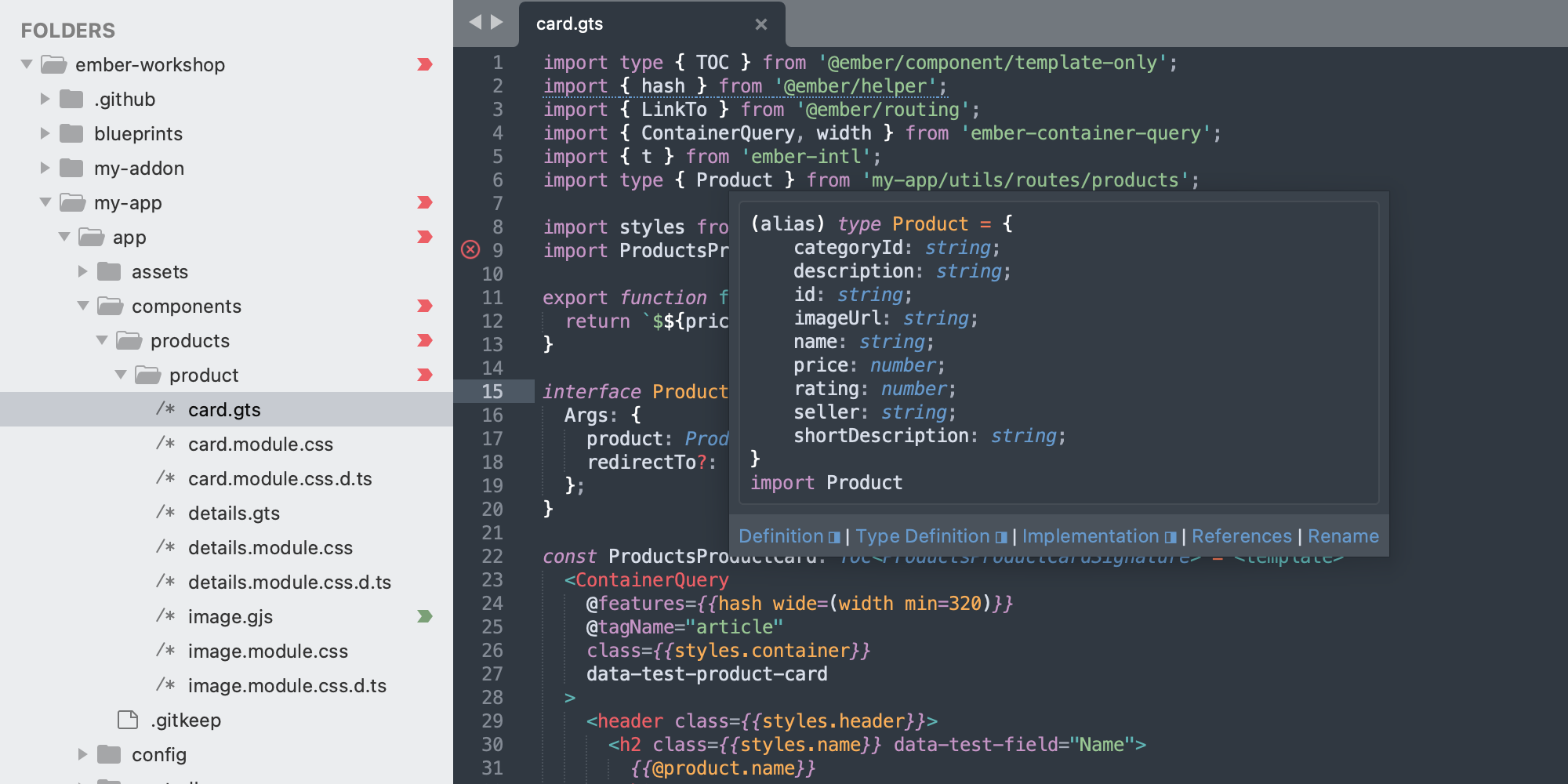
In May 2025, I had published Template Tag, which provides syntax highlighting in Sublime Text. Reading code became easy, but writing remained hard: As soon as a *.{js,ts} file turned *.{gjs,gts}, tools like autocompletion, go-to-definition, and hover became inaccessible. These tools are possible thanks to LSP (Language Server Protocol).
B. What's New?
Last week, I created LSP-ember to bridge the gap. The implementation (scaffolded with Claude Code) is rather straightforward, because Glint (@glint/ember-tsc and @glint/tsserver-plugin) takes care of the hard parts (e.g. talking to TypeScript). LSP-ember is simply a mediator between Sublime Text and Glint.
Thanks to the feedback from @rchl and @jwortmann, syntax highlighting is now done more correctly. Instead of 1 syntax definition (Template Tag) supporting .gjs and .gts, there are now 2 (Glimmer JS and Glimmer TS)—one for each type. You can install the package Template Tag to get both definitions.
name: Template Tag
scope: source.template-tag
extends:
- Packages/JavaScript/TypeScript.sublime-syntax
file_extensions:
- gjs
- gts
contexts:
# ... (misuses ts-type-parameter-list)name: Glimmer JS
scope: source.gjs
extends:
- Packages/JavaScript/JavaScript.sublime-syntax
file_extensions:
- gjs
contexts:
# ... (uses class-body-contents)name: Glimmer TS
scope: source.gts
extends:
- Packages/JavaScript/TypeScript.sublime-syntax
file_extensions:
- gts
contexts:
# ... (uses class-body-contents)Note, the separation allowed Glimmer JS and Glimmer TS to extend JavaScript and TypeScript, respectively. That is, the code matches how we think about .gjs and .gts: They are just .js and .ts with one or more <template> tags.
I still ran into trial and error, because I didn't know what files are needed for an LSP, how Sublime puts packages together, and how the two Glint packages work (to see if they need to be configured in LSP-ember). I wasn't also sure what's the best way to test an LSP locally; symlinks happened to work.
ln -s "$HOME/<path/to/my/repo>/LSP-ember" "$HOME/Library/Application Support/Sublime Text/Packages/LSP-ember"I hope to gain a better understanding over time.
C. Conclusion
LSP-ember helps Sublime Text be on par with VS Code and a couple of other IDEs. Moreover, the package Template Tag now provides 2 syntax definitions—one for .gjs and another for .gts. The separation will help us maintain code.
Since LSP-ember depends on the versions of TypeScript and Glint, I need your help with testing and reporting issues. You can also contribute by providing modern code snippets. The ones that exist for Sublime Text show patterns from Ember 0.x-2.x. The repo snippets may be a good place to start.
For instructions on installing LSP-ember, please check the README.