
Last year at EmberConf, I talked about small steps that we can take to make our projects maintainable and extensible. Today, I will describe one of these steps in detail. Namely, how to extract v1 addons from one repo to another, while converting them to v2.
Let me give you some context. Up until two years ago, at CLARK, we were facing several issues because we had too many packages. We couldn't move forward with introducing Ember v4, v5, Glint, Embroider app, and v2 addons.
I decided, we need to escape. I'm going to make a new repo, where we can do things right.
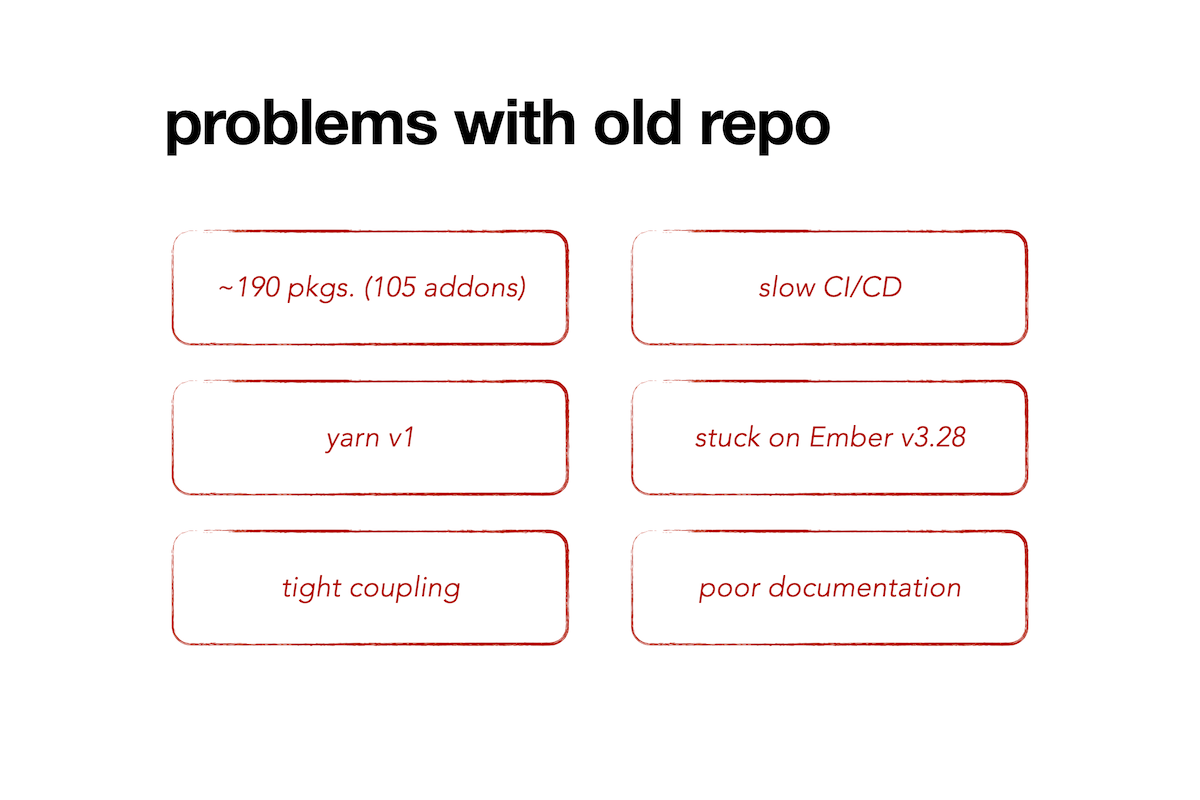
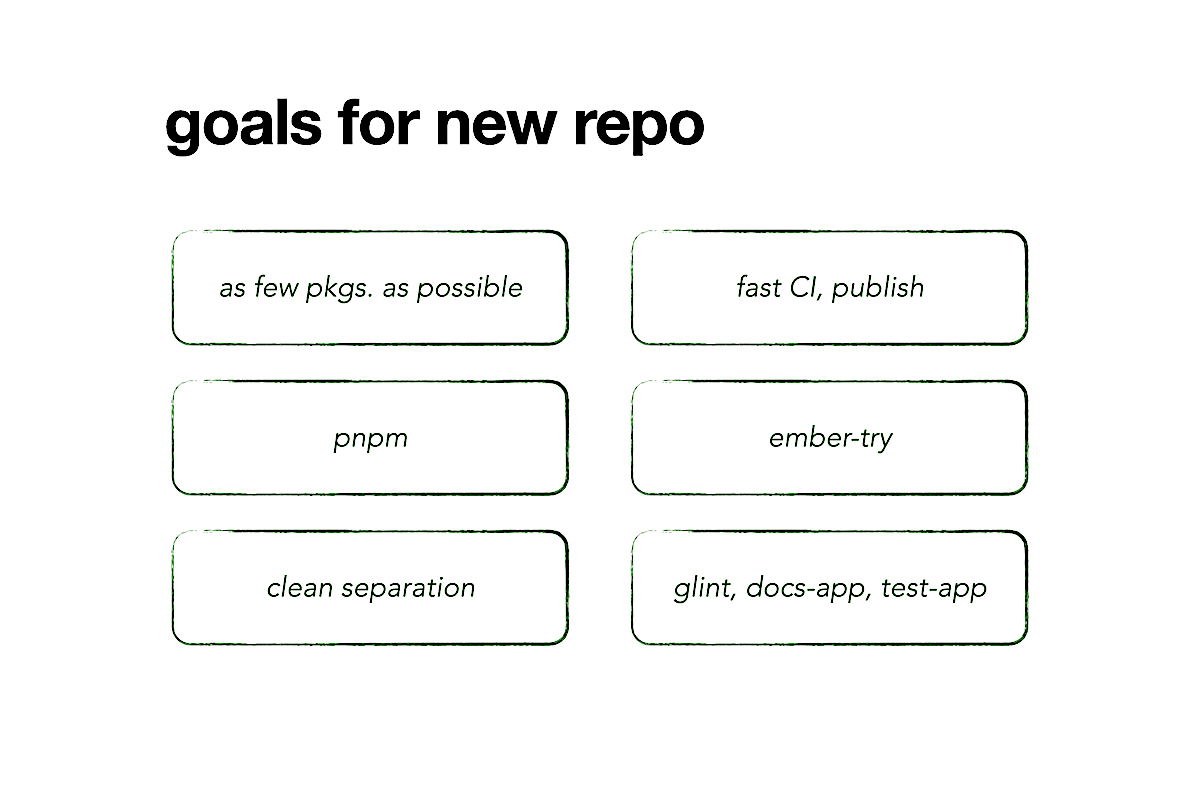
My solution is a paradox, isn't it? I'm asking my team (by extension, you the audience) to write addons, not in the repo where the app lives, but somewhere else. Shouldn't this extra step increase development time?
I claim that it's the opposite, because we can solve many tech debts at once by having a second repo. To prove this point, I'll show you how to create a monorepo with as many v2 addons as you want.
For this to work, you're going to need a package registry like npm, so that you can publish and install addons. For this talk, I'll assume that you have one already.
You'll also need to know a bit about how addons and monorepos work. That, I can teach you.
What you'll need the most is to believe in yourself and others. After all, moving a mountain of addons isn't a job that can be done alone. Together, with your team and this community that we have, you can move forward and bring a positive change to your projects.
I want to walk you through the solution step-by-step, so I divided my talk into three parts.
First, we'll start out simple and move just one v1 addon to a monorepo, then convert it to v2. Next, we'll create more v2 addons and see what problems arise. Finally, we'll see if all of us can create monorepos to replicate success.
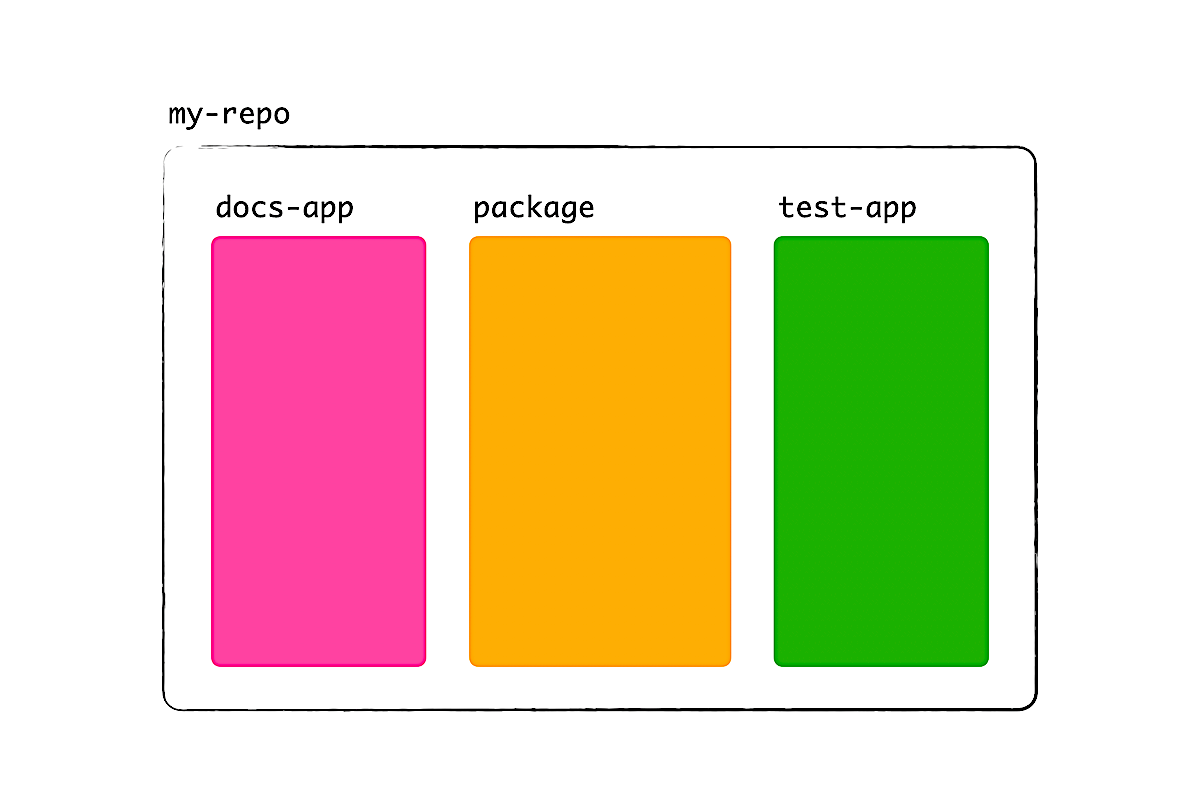
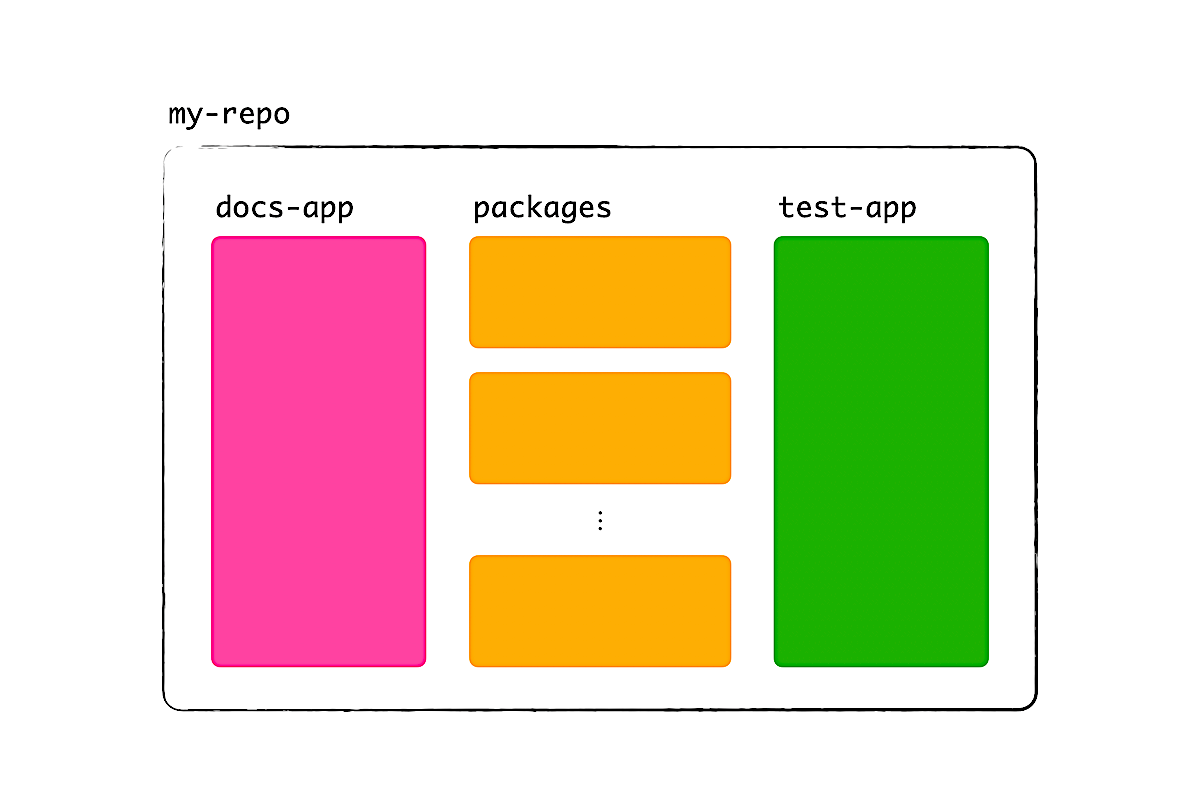
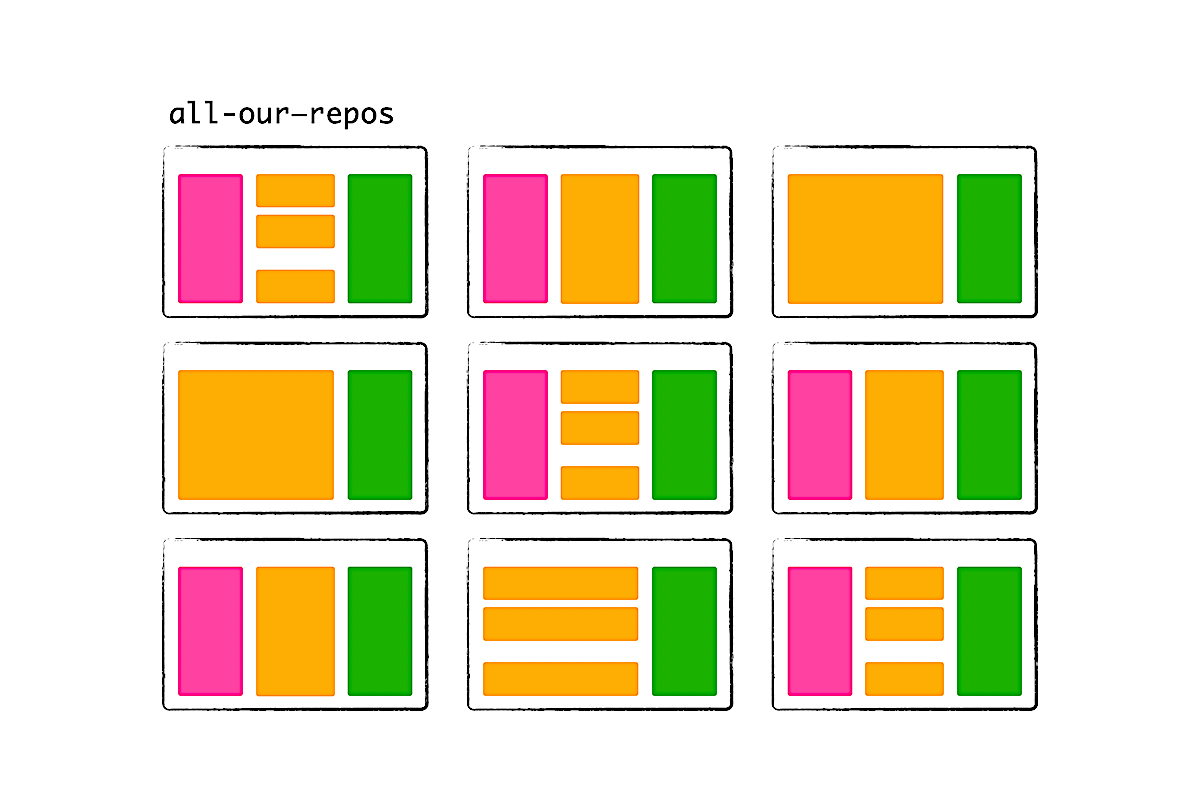
1. Moving one addon
1a. En route to v2
In my talk last year, I highlighted that we can achieve something impossible when we do things in increments. So, instead of converting a v1 addon straight to v2, we'll take a few steps to understand how to migrate code.
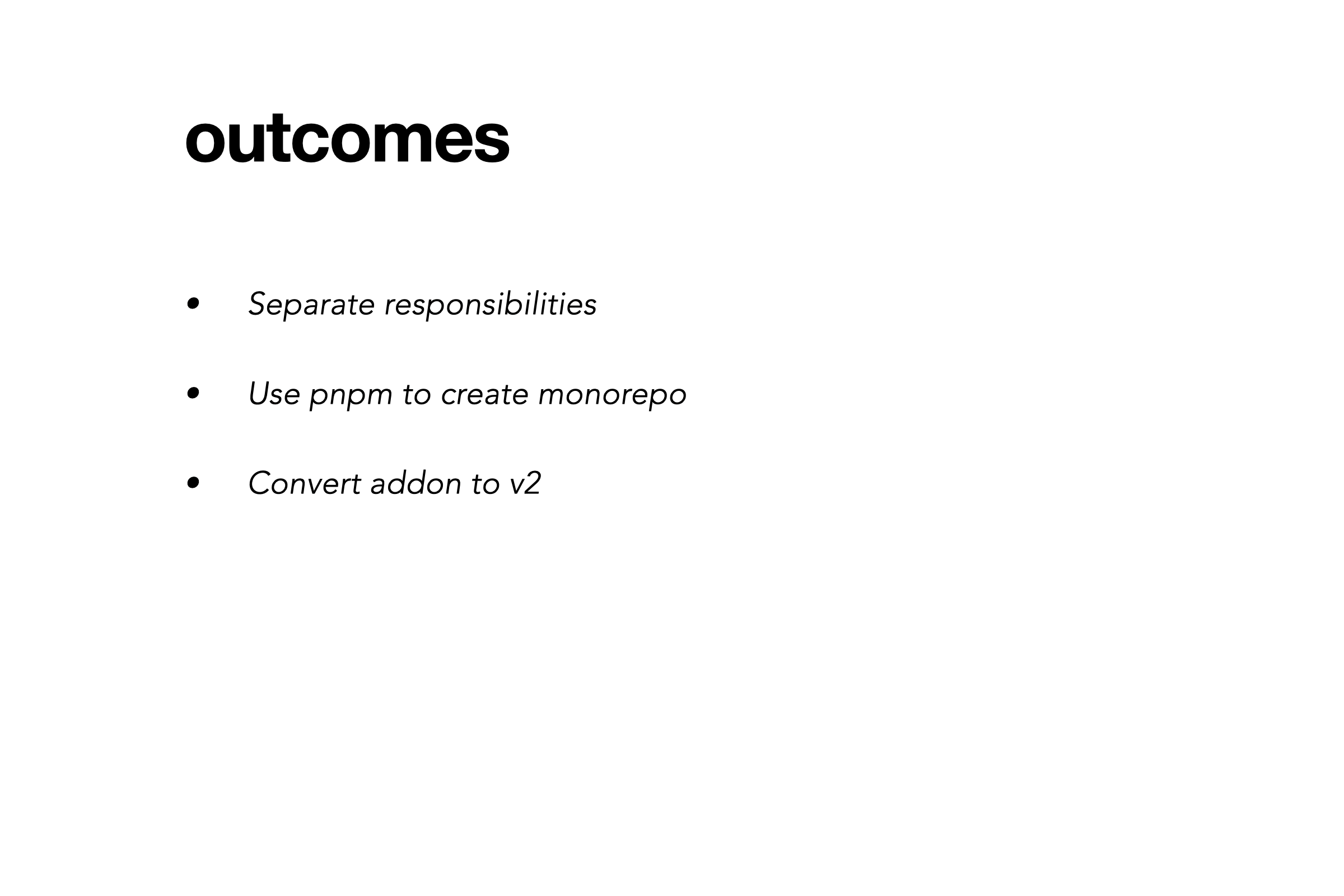
Now, one of the reasons to move away from v1 addons is a lack of separation of concerns.
When you use Ember CLI to create a v1 addon, you get a simple repo with one package.json. Because there is room for only one package, the files for the addon are interspersed (somewhat randomly) with files for a documentation site and files for tests.
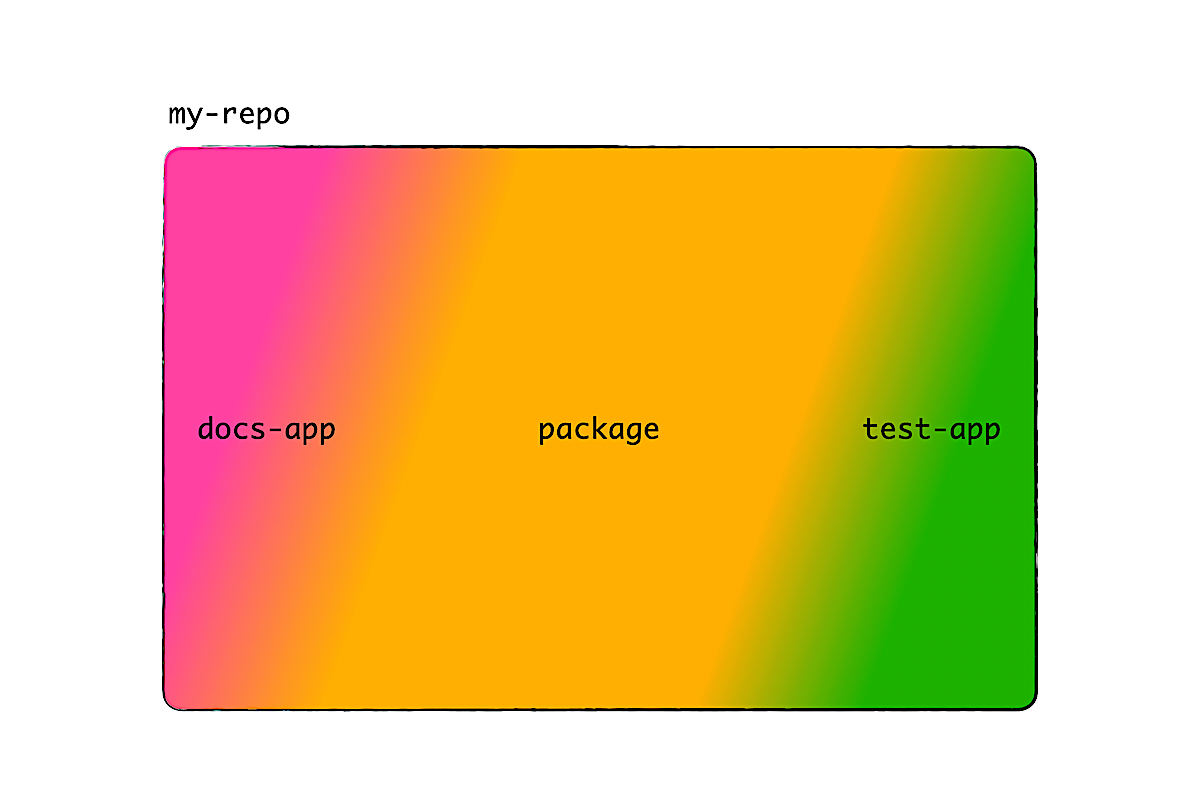
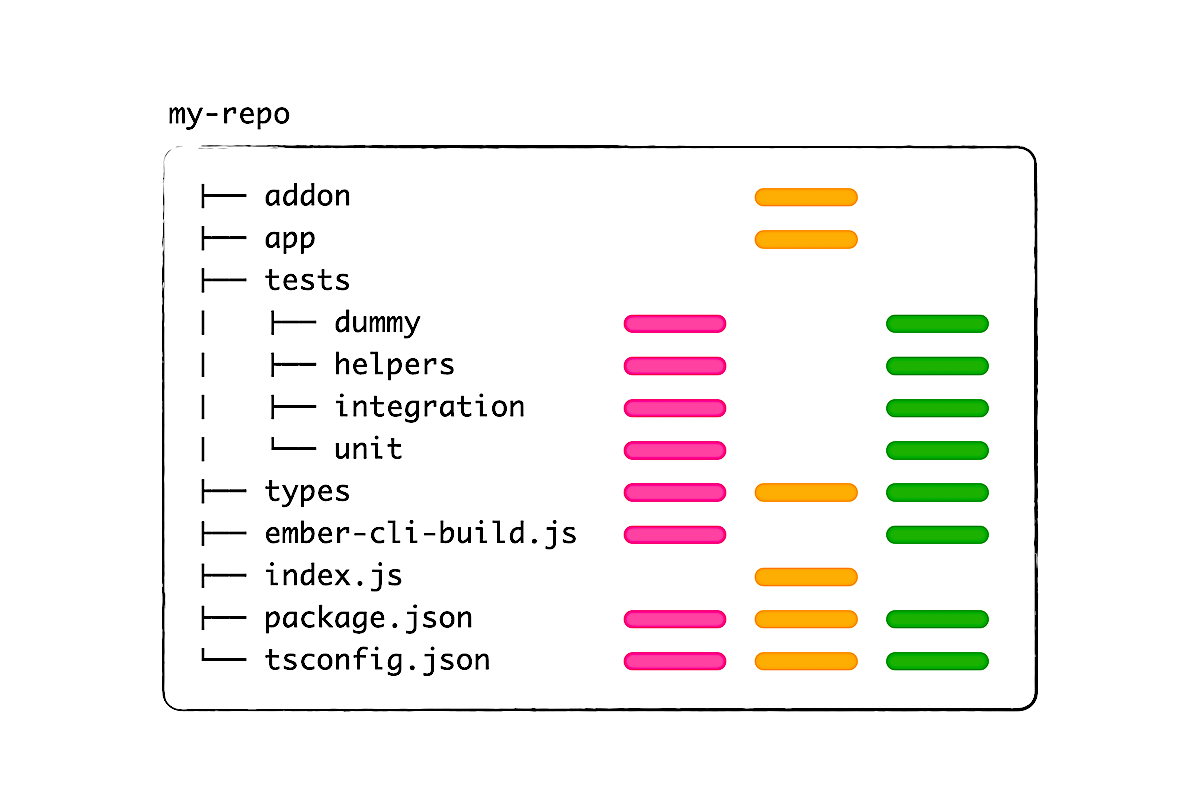
Furthermore, since the dependencies for the addon, documentation site, and tests are all mixed, it can be hard to update dependencies. When an ember-try scenario fails, it's hard to know whose fault it is. Was it the addon, the documentation site, or some test that's incompatible? We can't tell right away.
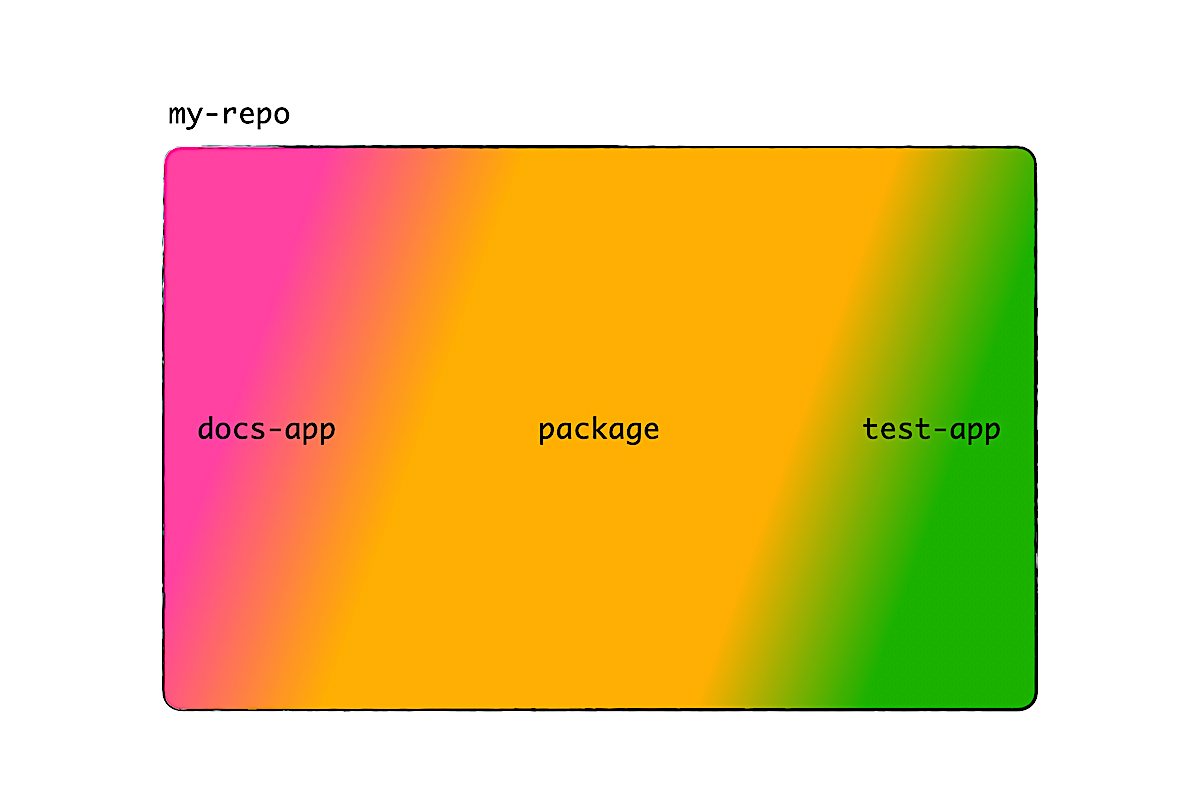
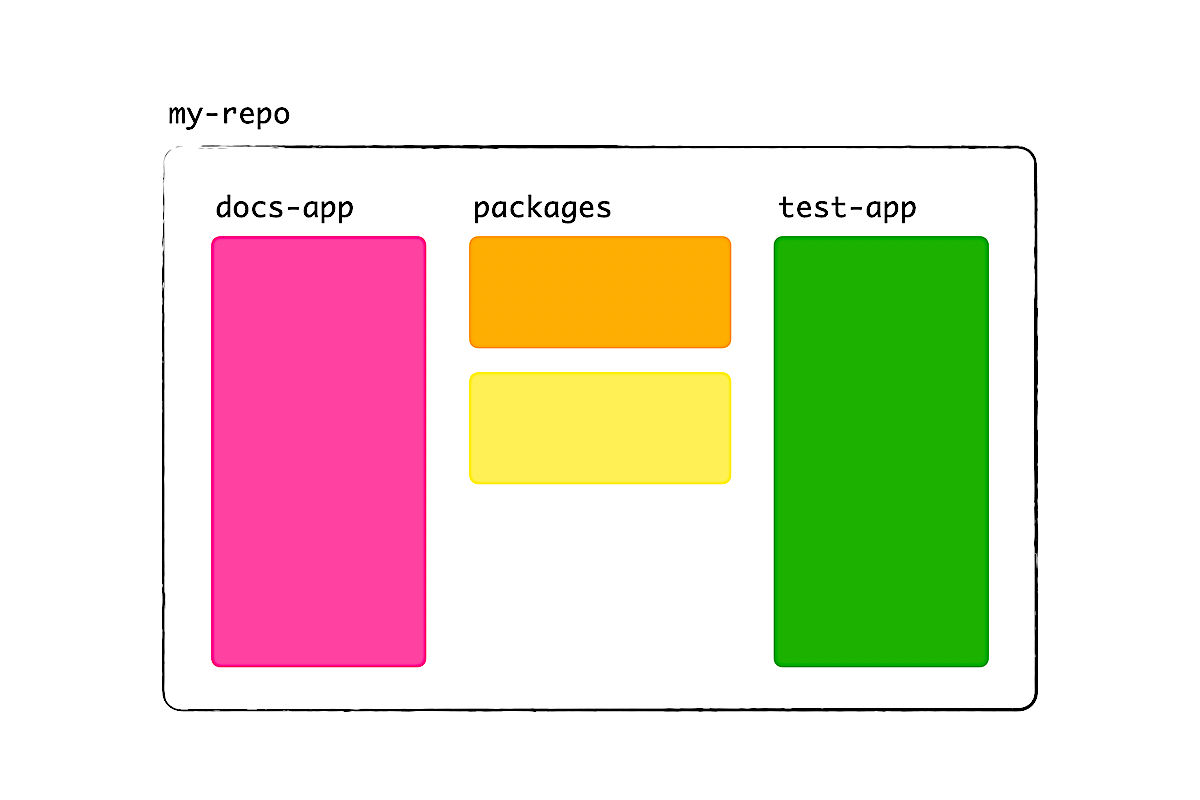
So it's time to separate. A monorepo lets us have more than one package; for example, an addon that only does addon stuff, and a test-app to test the addon. If we want a documentation site, we just create another Ember app.
Now that we have separate files, we can easily convert the addon to v2—at least, in theory, using colorful diagrams.
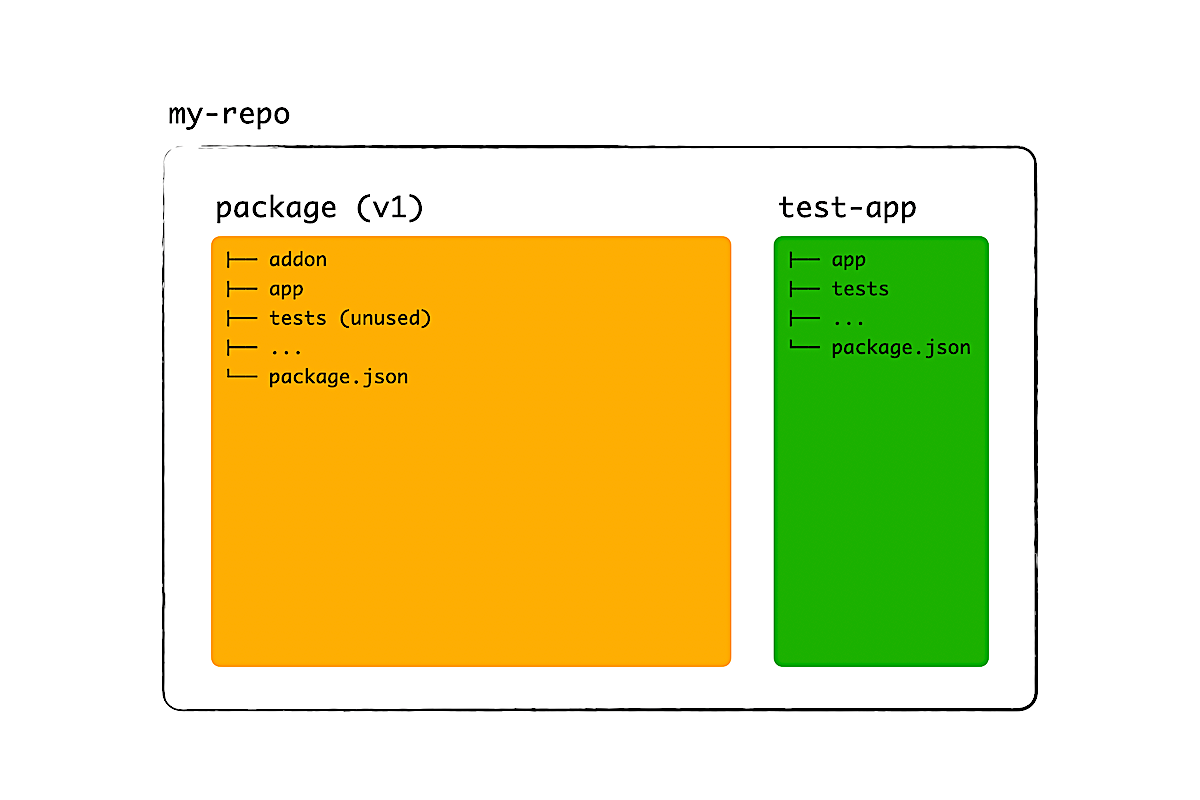
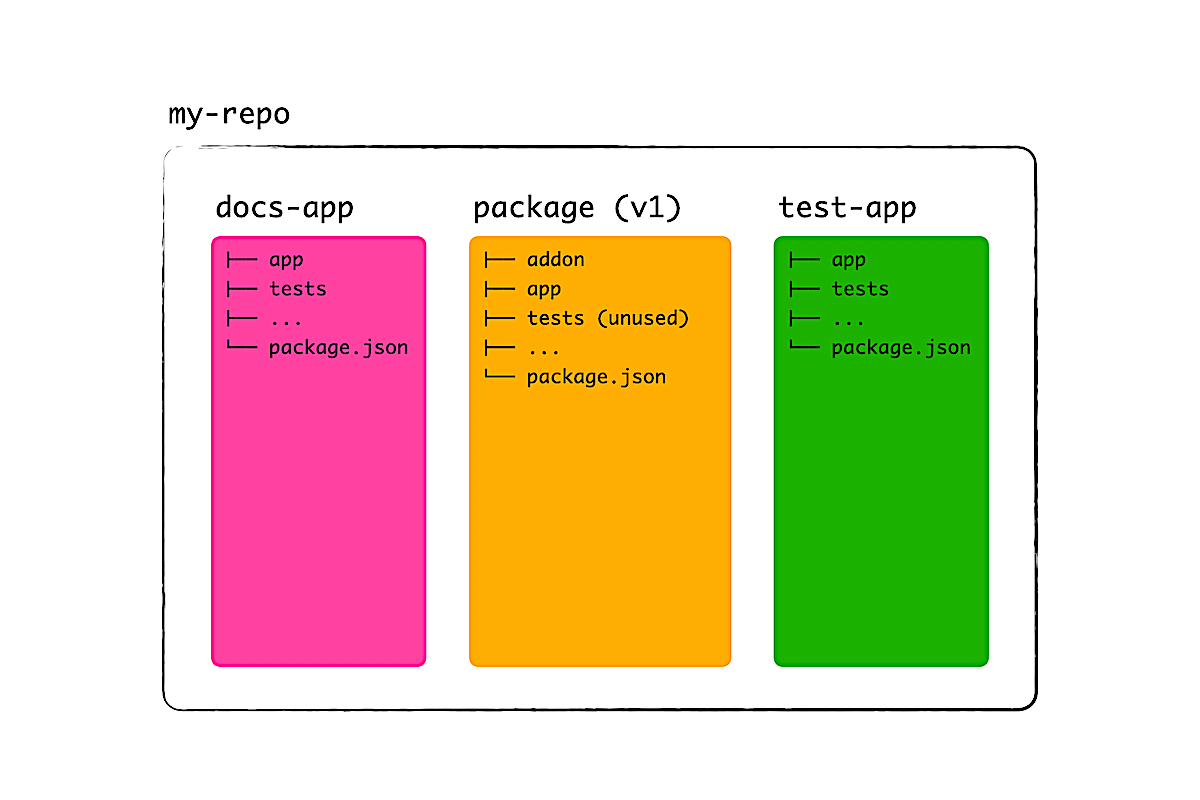
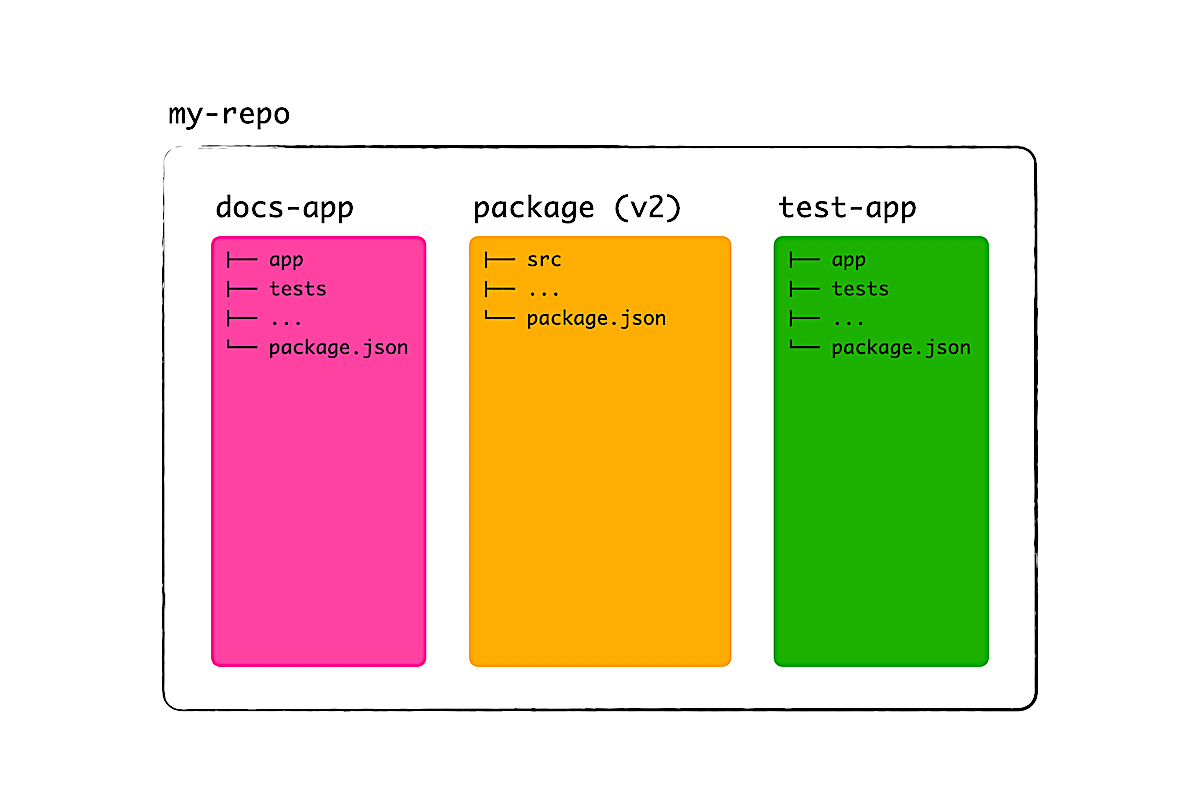
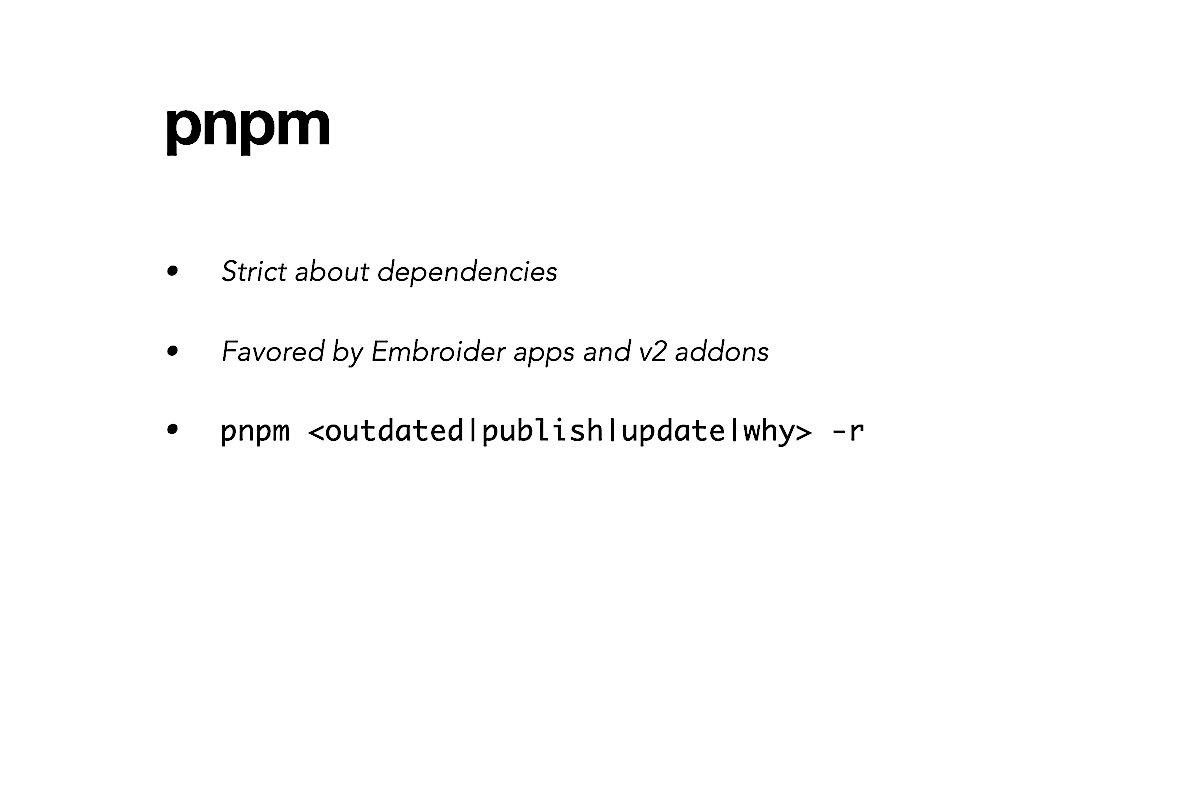
Now, you have a few choices when it comes to package manager. For this talk, I'll recommend pnpm because it's strict about dependencies. If an addon is missing a dependency, you'll know right away from failing addon, docs-app, or test-app.
I also like the flag -r (recursive) as someone who has to maintain many repos. The output from pnpm helps me easily see which dependencies are outdated and where they are used, so that I can update all of them at once or maybe some. You don't need Dependabot and Renovate, which tend to make projects go unmaintained.
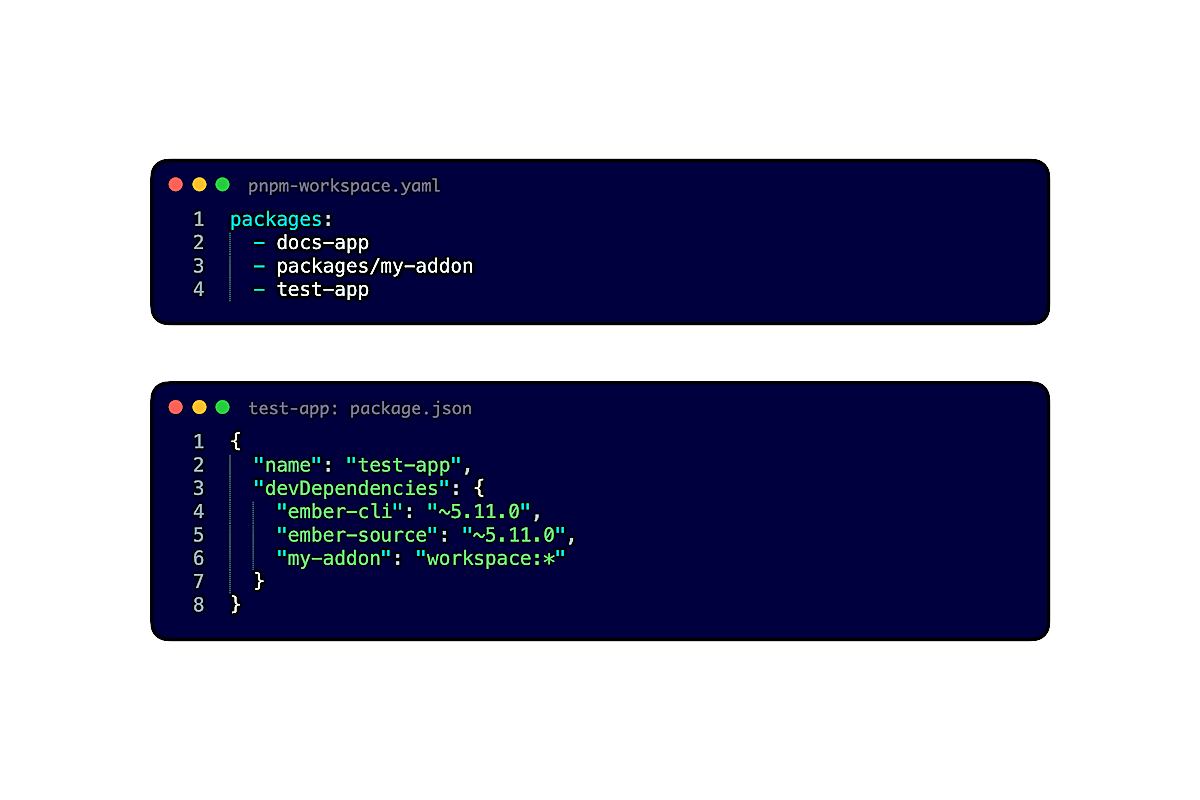
Anyway, we can create a monorepo with pnpm by telling where the packages are, either explicitly or with wildcards. Afterward, we make a package depend on another by using the workspace protocol. For example, workspace:* on line 6 means, the test-app depends on the addon and I want to use the exact version.
That's it. Simple, isn't it?
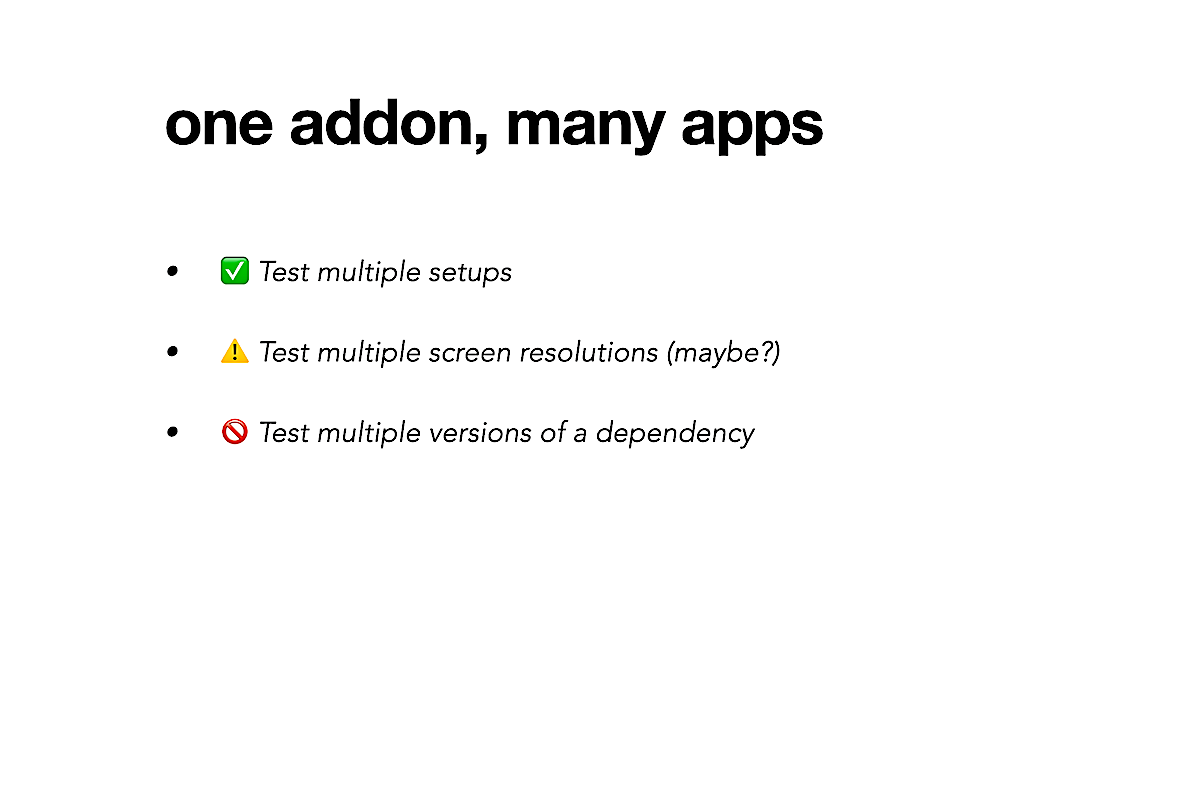
Now that we can create more than one package, here's an interesting idea: To create many docs-apps and test-apps for just one addon. When should we and should we not do this? (I'll give you some time to think about it.)
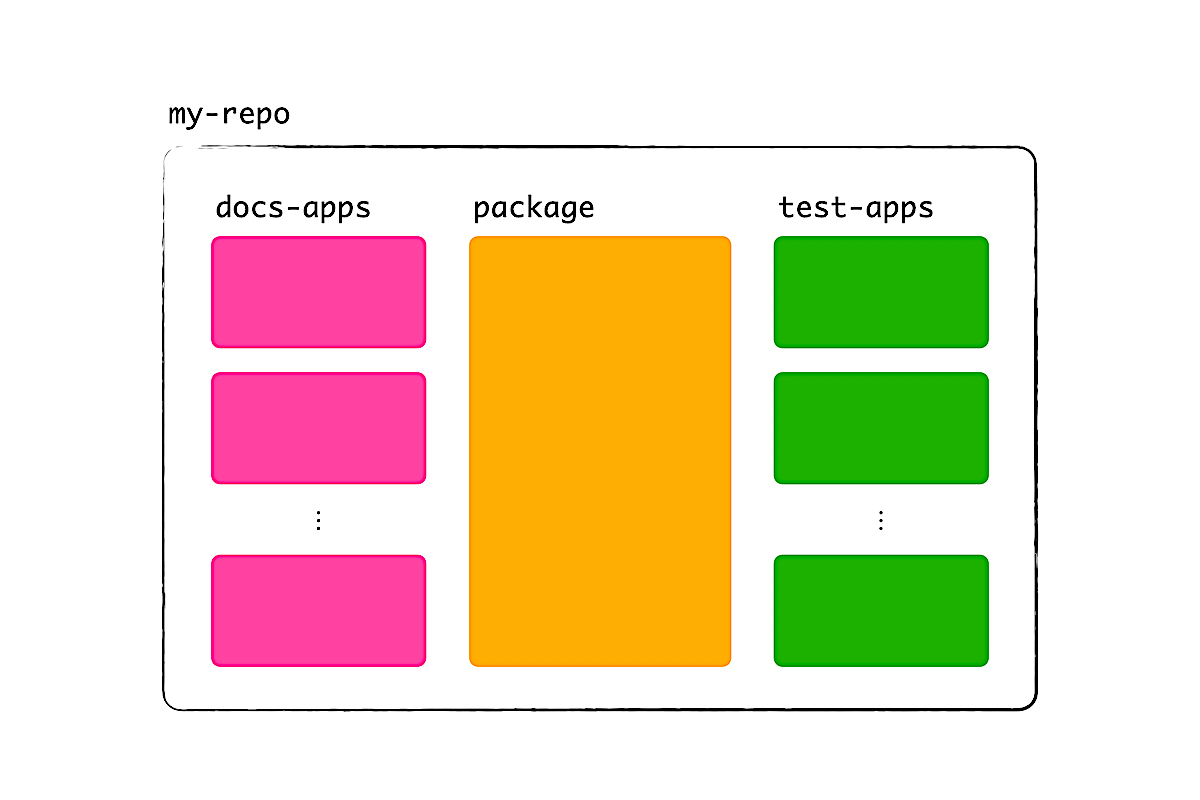
If you look at some of the addons that I maintain, like ember-intl and embroider-css-modules, you'll see that there are many apps. The reason is, these addons can be used in many ways, either through configuration or project type. By type, I mean, is the consumer a classic Ember app, v1 addon, v2 addon, Embroider app, an engine, etc.? The list can go on, and I want to make sure that these addons work everywhere.
When else could we create multiple apps? I wonder, maybe to test addons at different screen resolutions to work around the limitations of ember-qunit. This might simplify how I test ember-container-query right now, at 9 resolutions with 1 app, without faking the window size by stubbing code. The current solution is quite brittle and I'd like a better one.
What we don't want to do is to have multiple apps to test multiple versions of a dependency. For that, we can simply use ember-try.
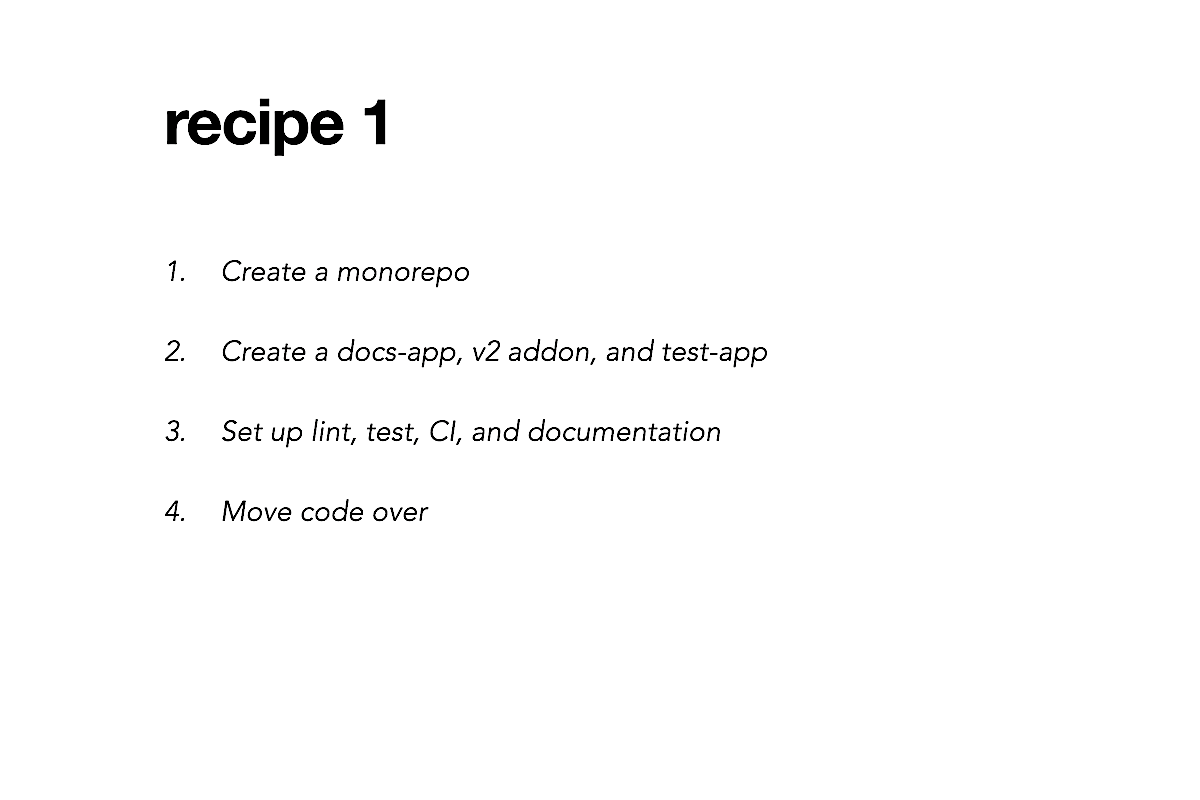
In summary, to move one addon, we create a monorepo, then create three packages: a docs-app, v2 addon, and test-app. What I've completely ignored is how to set up linters, test suite, CI, and documentation files like README and CHANGELOG. Step 3 can be the most difficult, especially if you are new to maintaining projects. But let's assume that we have a monorepo that works, cause then, the rest is easy. Just move the code over.
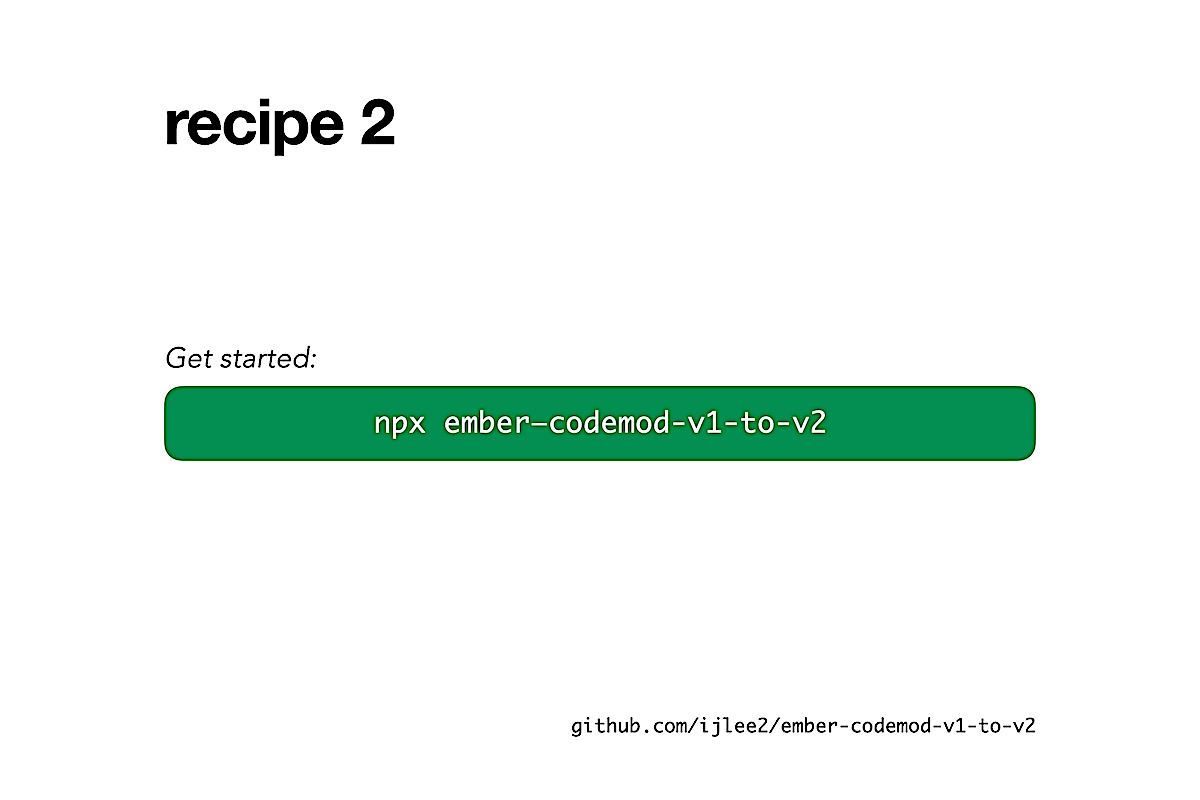
Now, if you don't want a new repo, an alternative is to run ember-codemod-v1-to-v2. It can separate code for the addon and tests, but it's up to you to fix the project afterward.
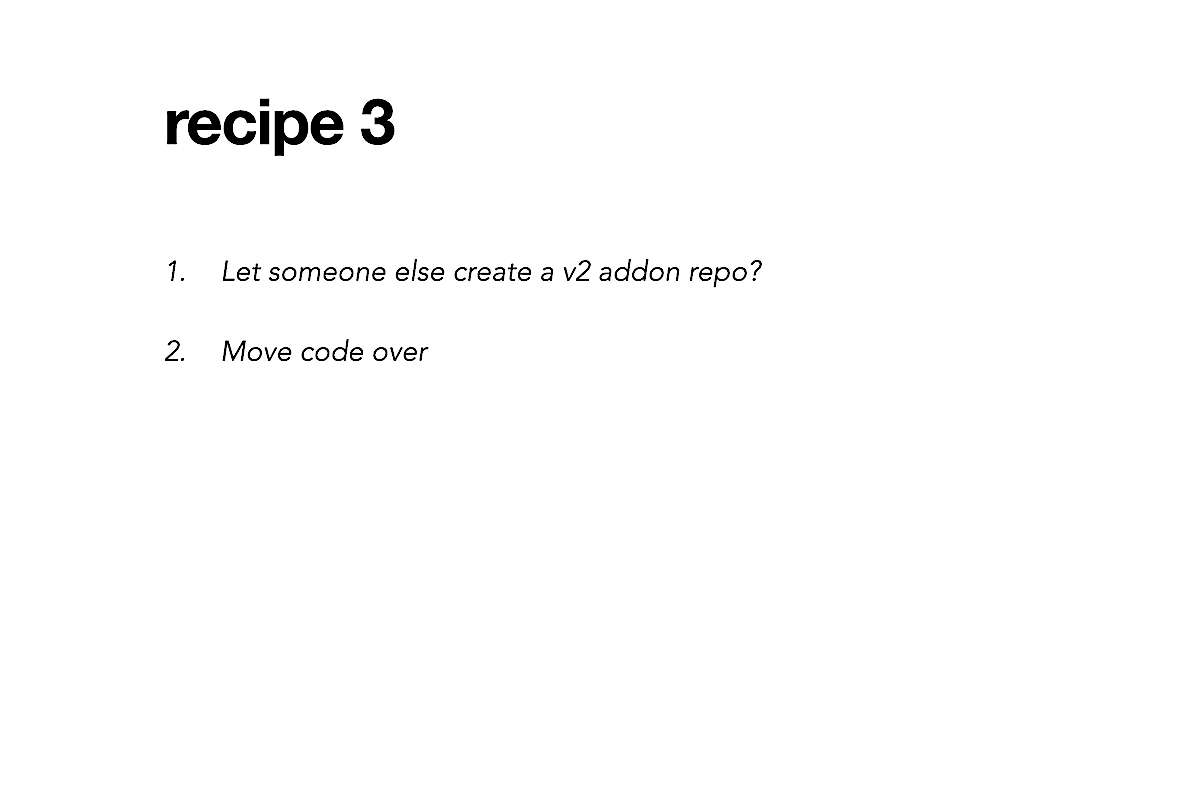
So how about this? If someone else could create the repo, all we'd have to do is to move our code. Wouldn't that be nice?
1b. Backward compatibility
Now that we know how to make a monorepo, let's dive into how to move code from a v1 addon in the old repo to a v2 addon in the new one.
Again, we want to do things in increments so that we don't have to move everything at once in a huge pull request. We can guarantee incremental migration if our v2 addon is backward compatible. By that, I mean, how we do things in v2 is in harmony with how we did things in v1, and allows our app to consume addons without breaking changes.
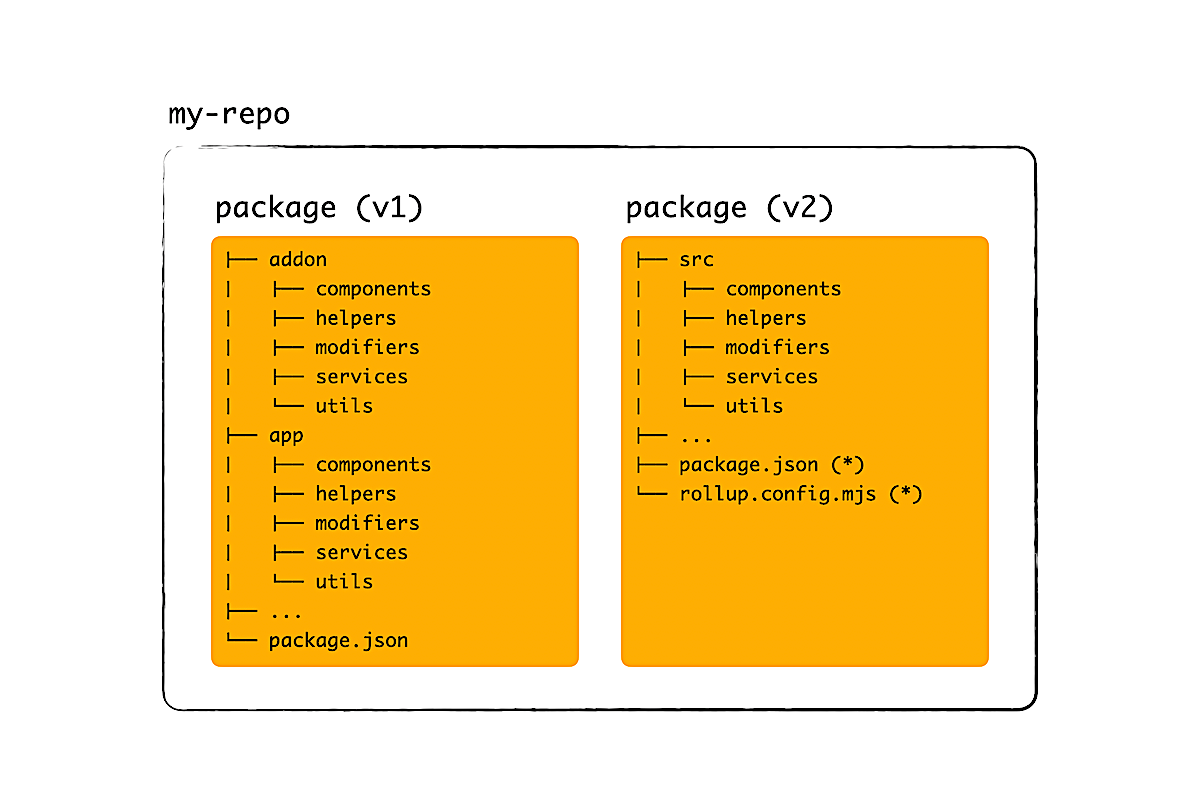
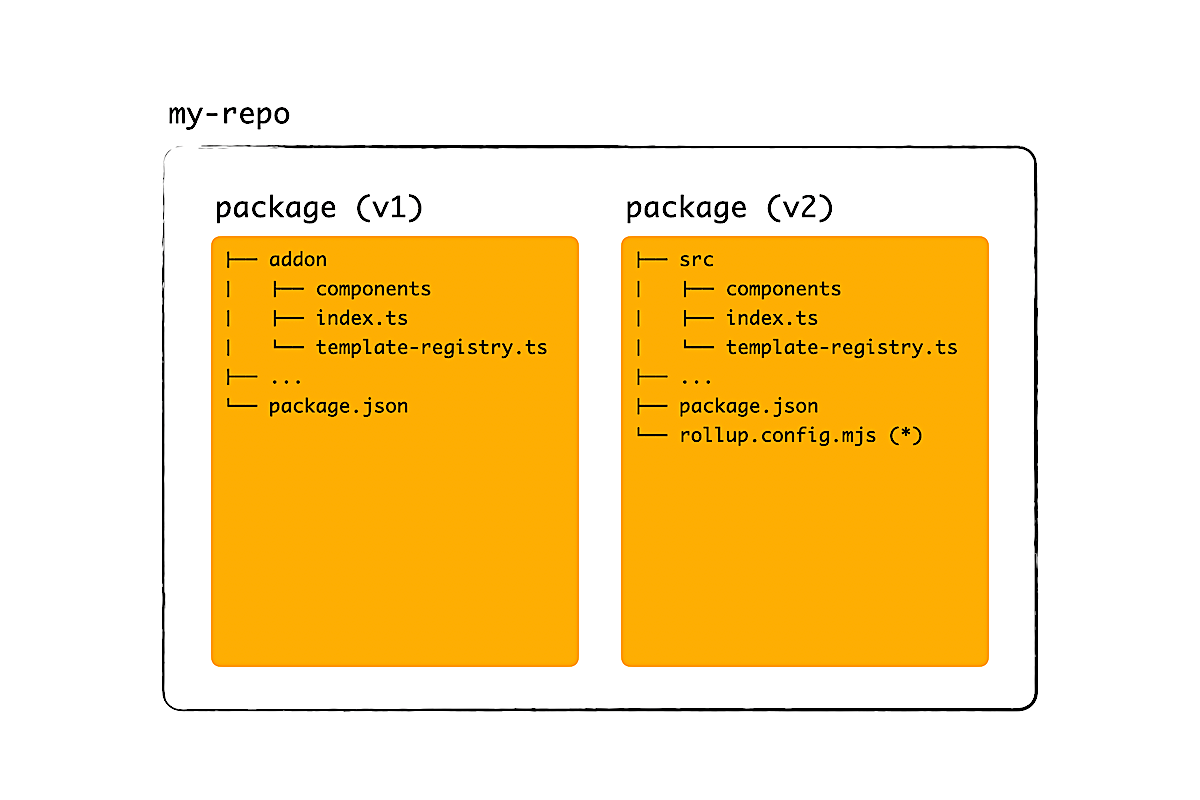
For example, in v1 addons, source code for components, helpers, etc. lived in the addon folder. These files were re-exported in the app folder so that our apps can use them.
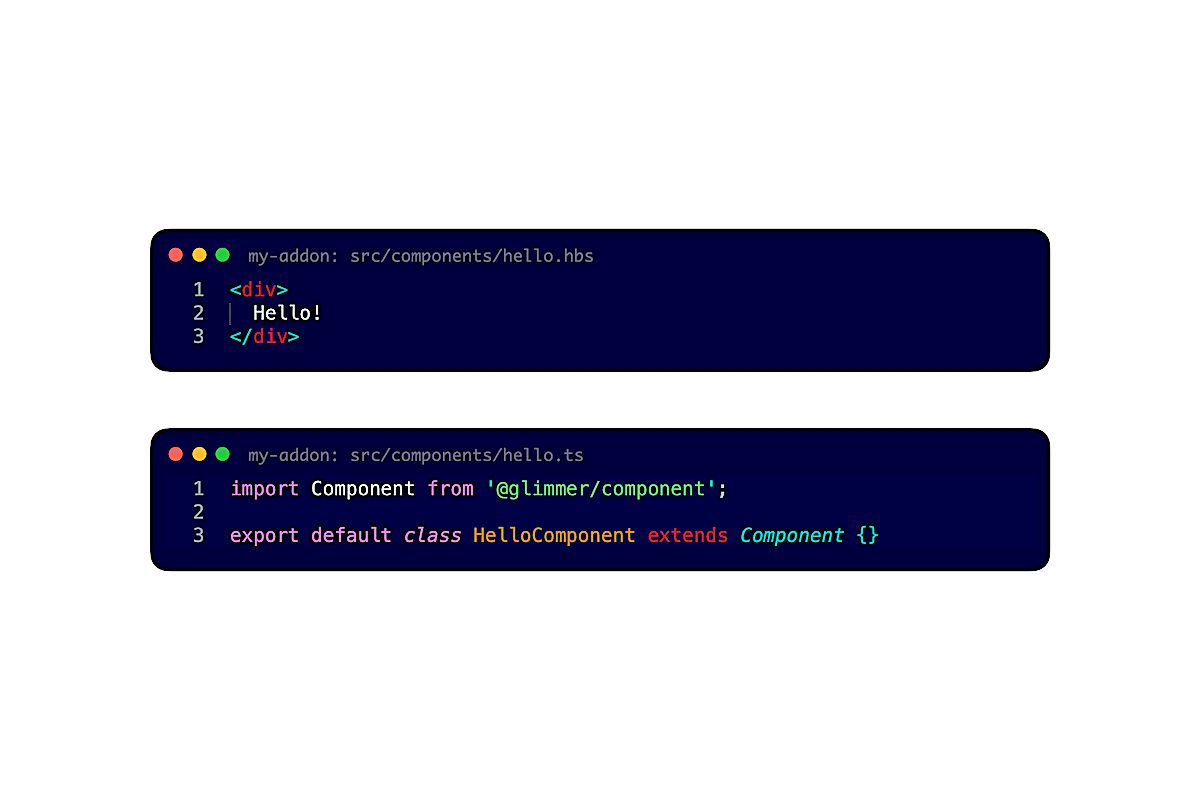
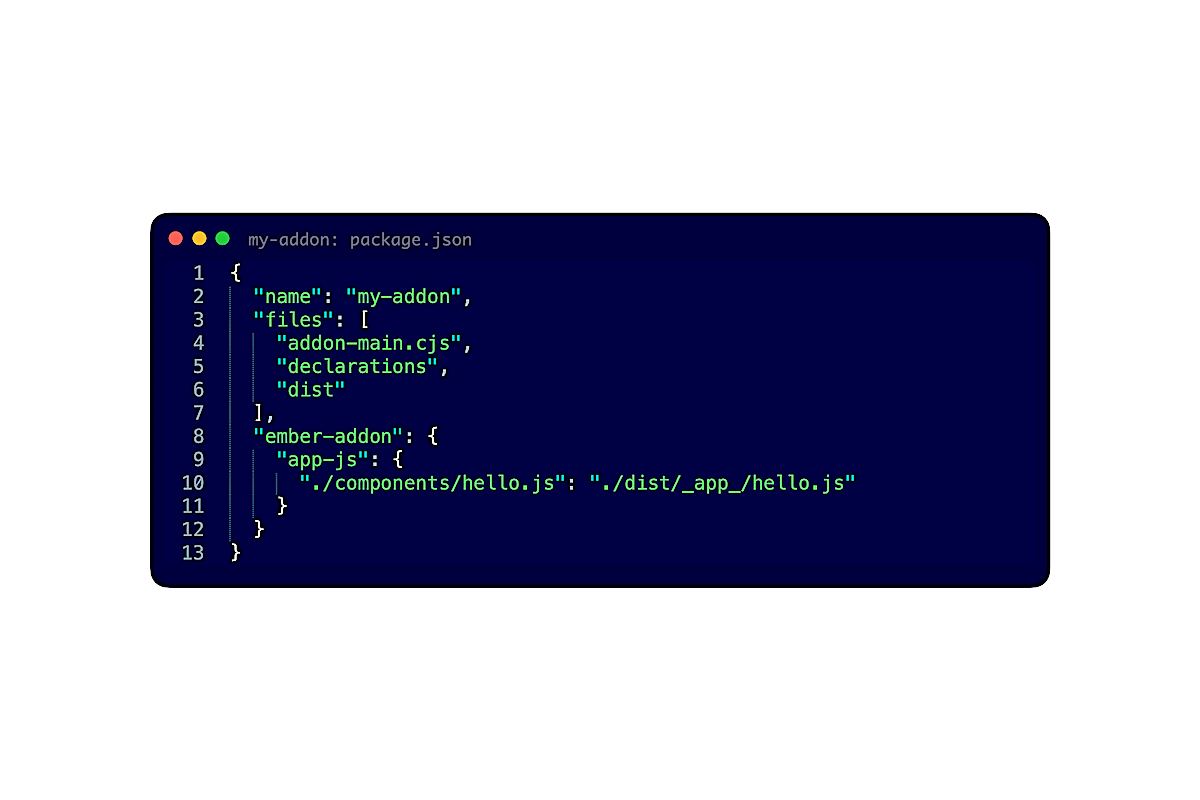
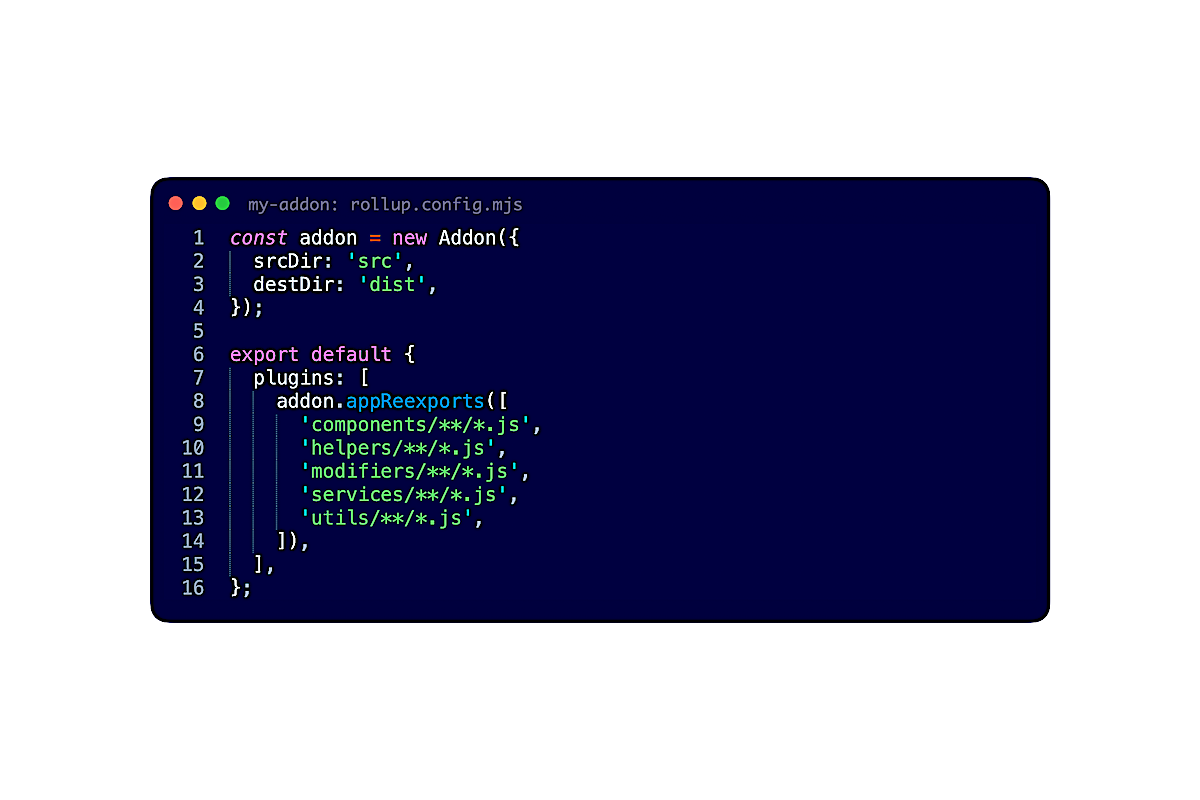
In v2 addons, we place source code like this <Hello> component in src. Then, in package.json, we add a line to the field ember-addon.app-js, so that we can re-export the file and support the classic behavior in apps. Finally, we can configure Rollup to add such lines automatically. Just like that, we achieved backward compatibility.
But this problem had been solved eons ago (like 3 EmberFest's ago). What I want to go over are a few problems that many of you will encounter, but to which the solution is lesser known. There can be many solutions to these problems, but the patterns that I will introduce, again, are designed to achieve backward compatibility.
Barrel file + template registry
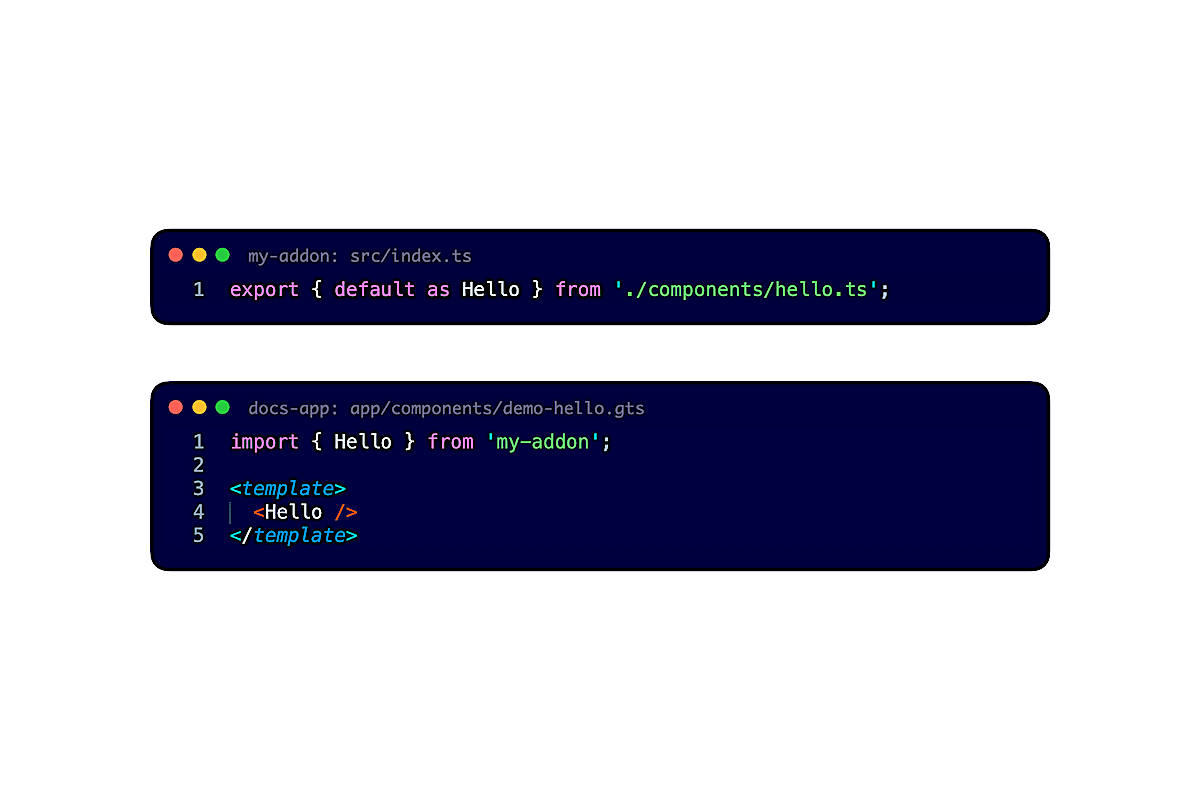
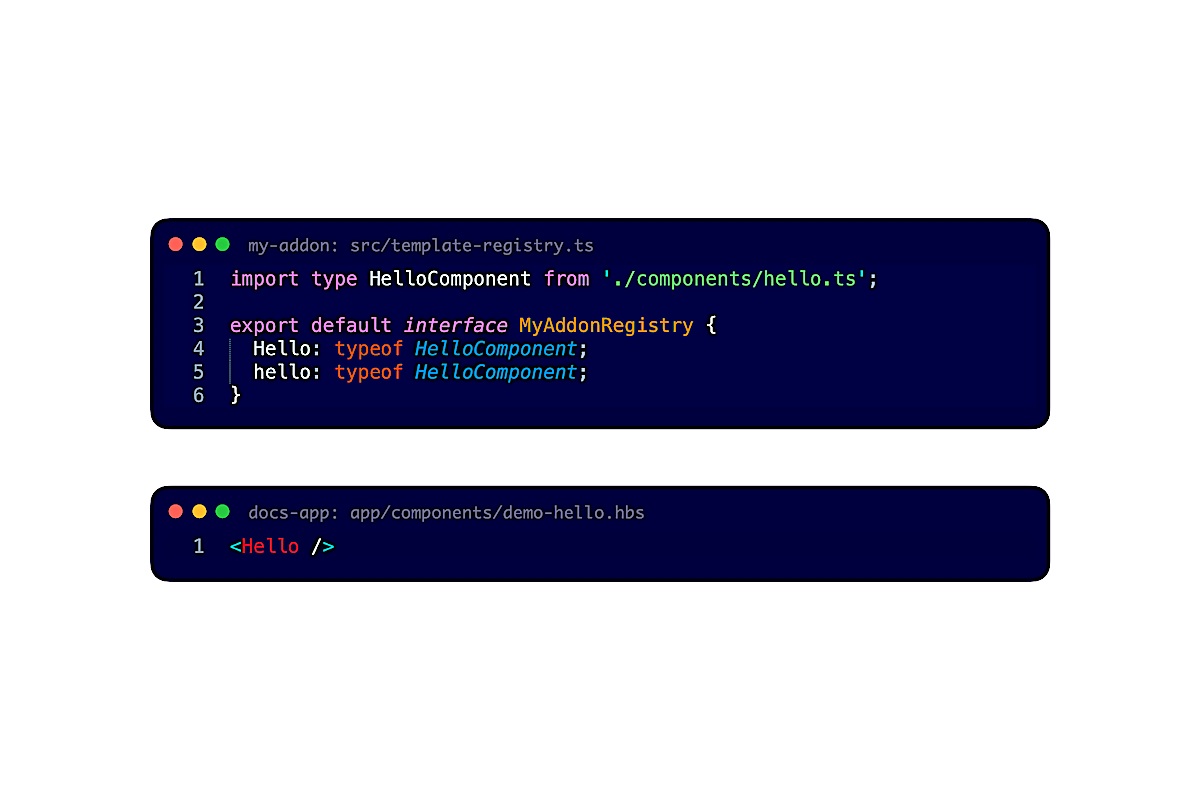
First, addons can provide a barrel file and a template registry.
The barrel file allows consumers to import things without having to remember and type the full path. It encourages consumers to use <template> tag to write their components, routes, and tests.
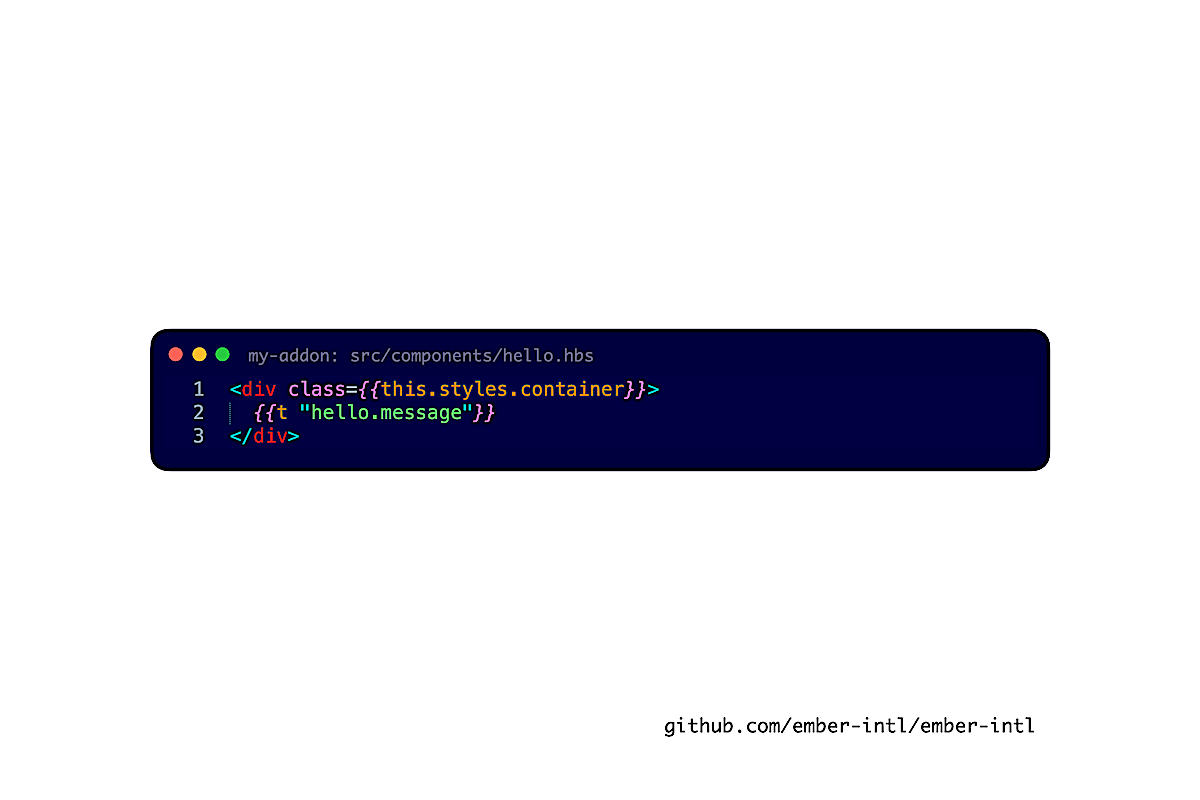
On the other hand, the template registry helps consumers who don't use <template> tag yet, but do use Glint to type-check templates in *.hbs. Thanks to Glint, consumers can see where things come from (the <Hello> component comes from my-addon) and how to use them (render <Hello> without arguments and attributes).
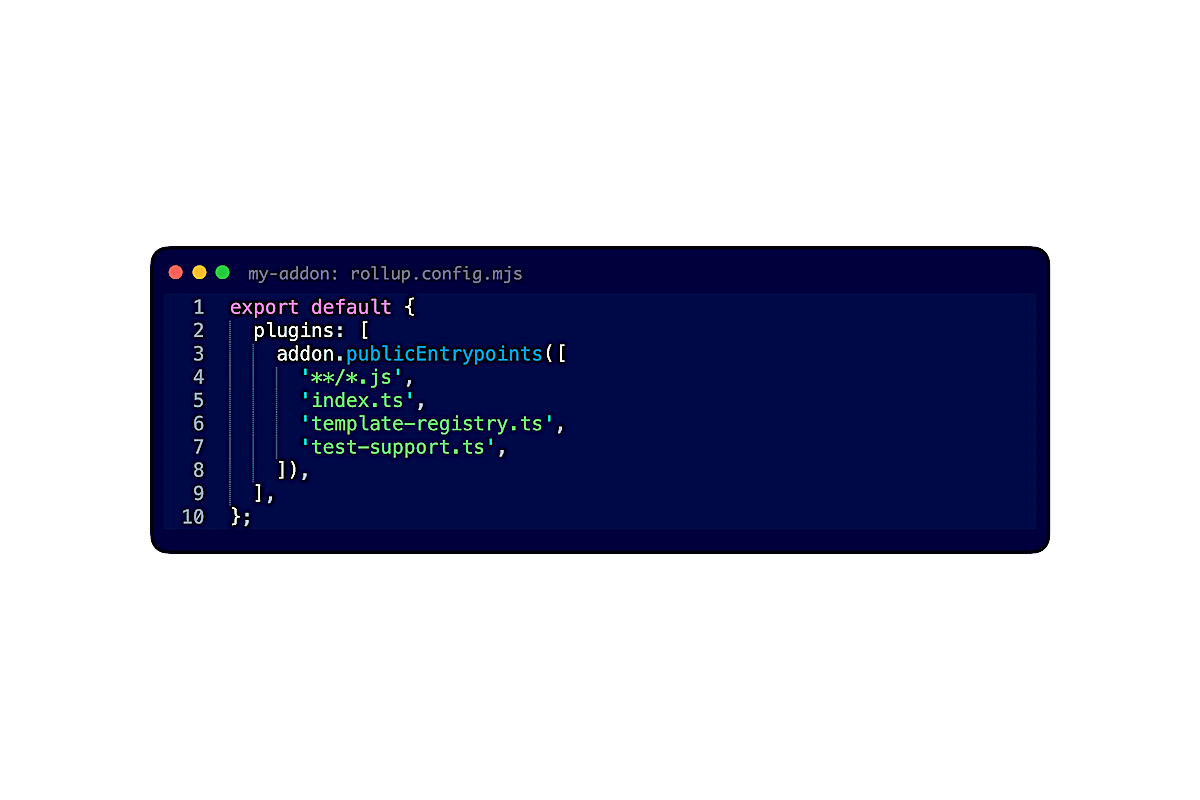
To achieve backward compatibility, all you have to do is to list these two files under publicEntrypoints() in Rollup. This way, consumers can import the files.
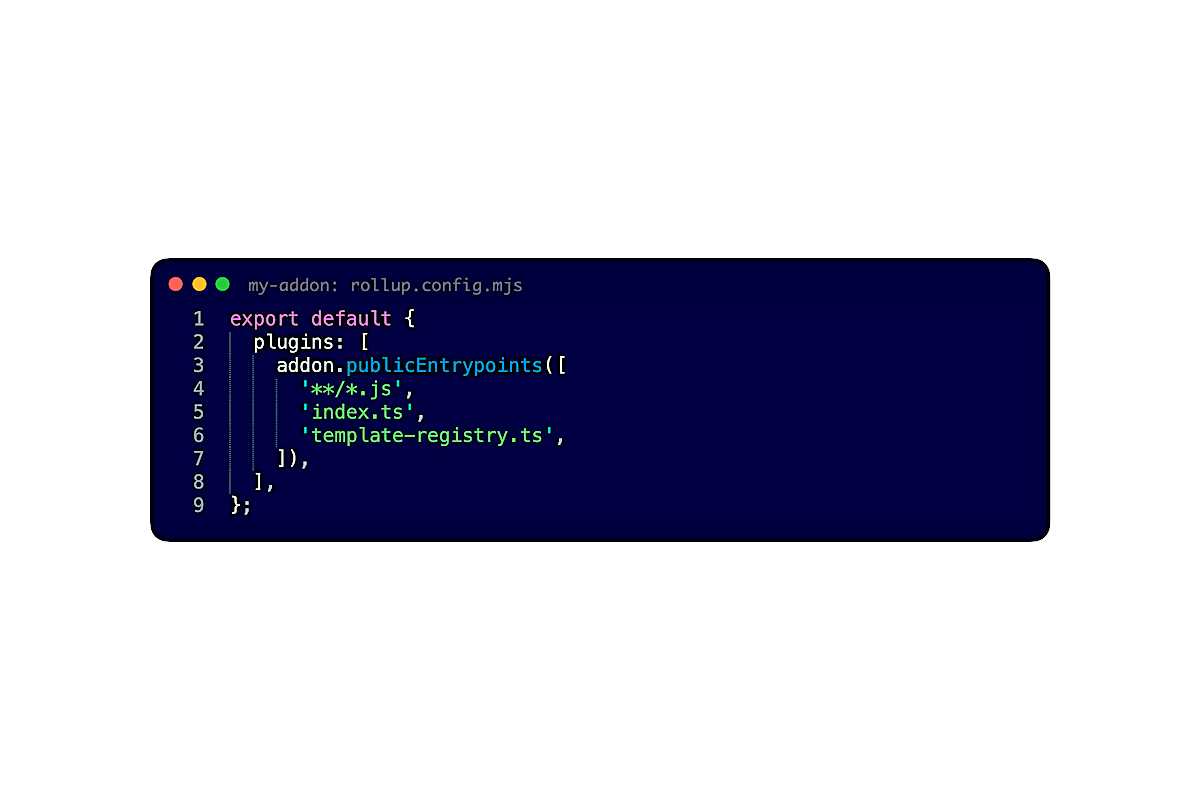
(As an aside, technically, you don't have to list the two files because, right now, Embroider considers all TypeScript files in src, along with *.hbs, *.gjs, and *.gts. I don't like configurations that are implicit, so I recommend that you list explicitly the source files that consumers can import.)
Styles
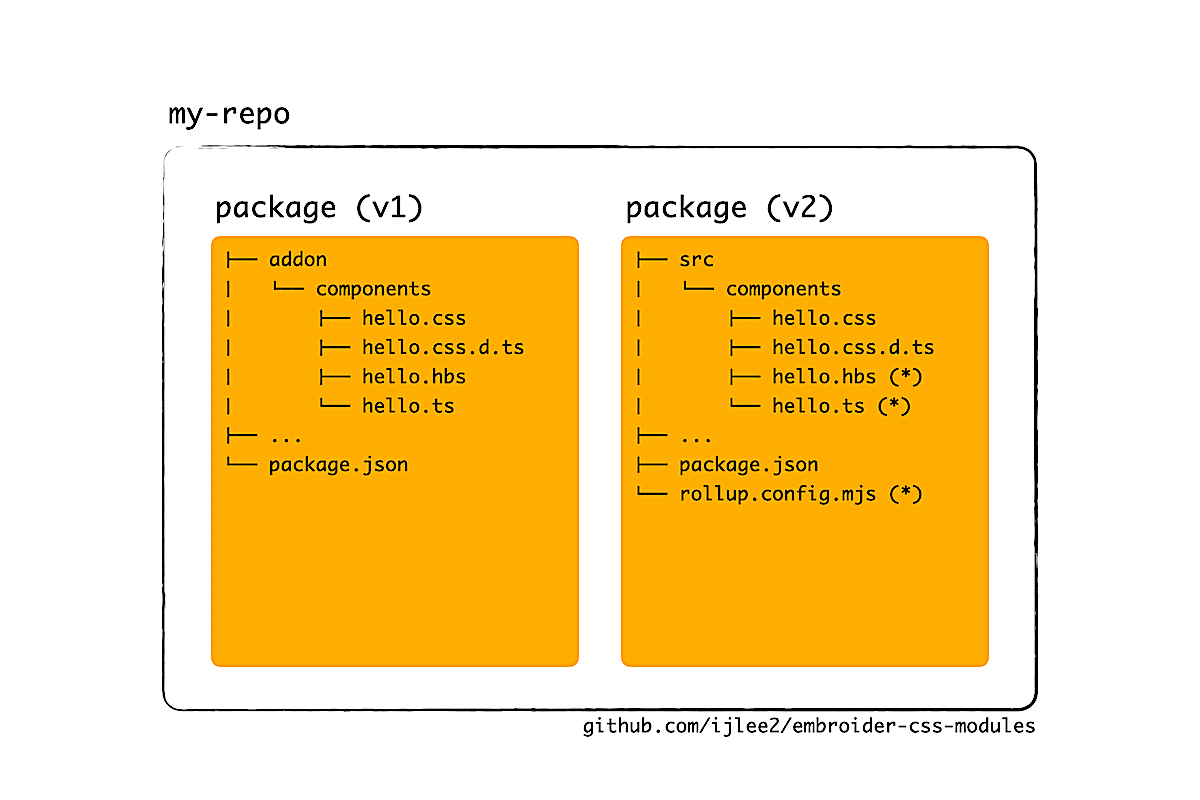
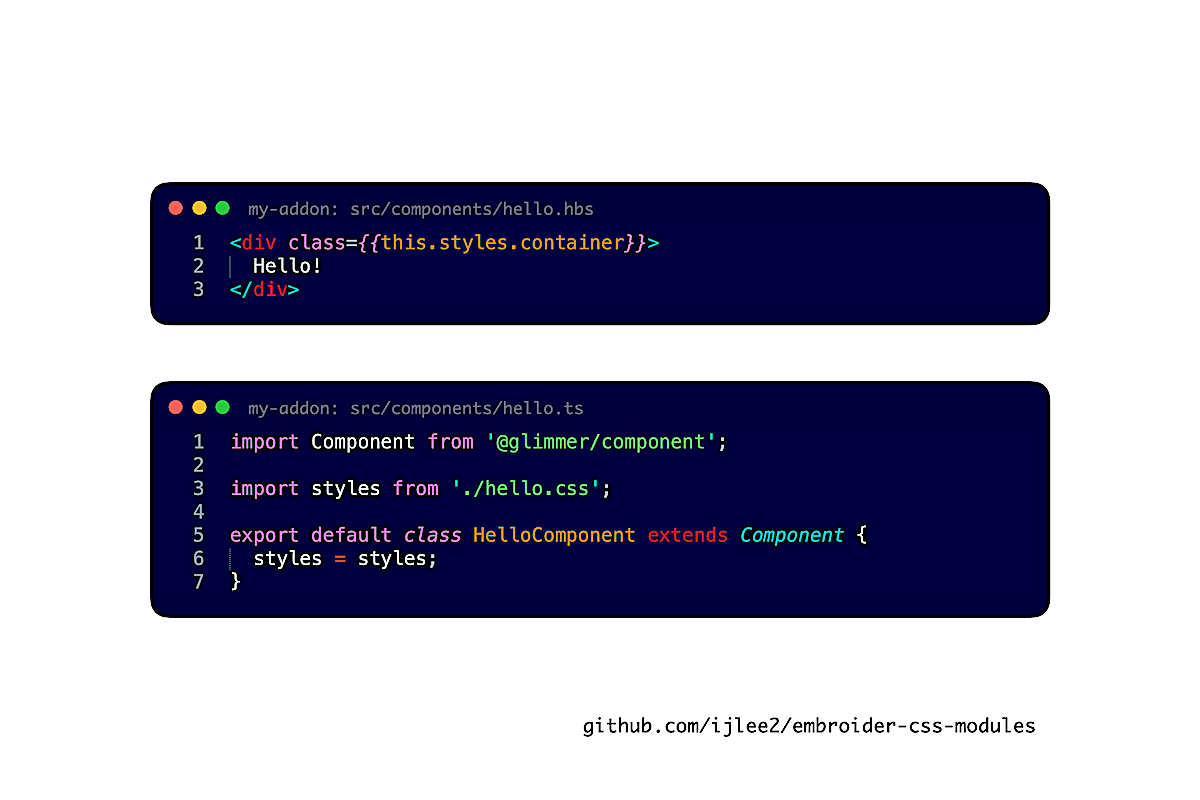
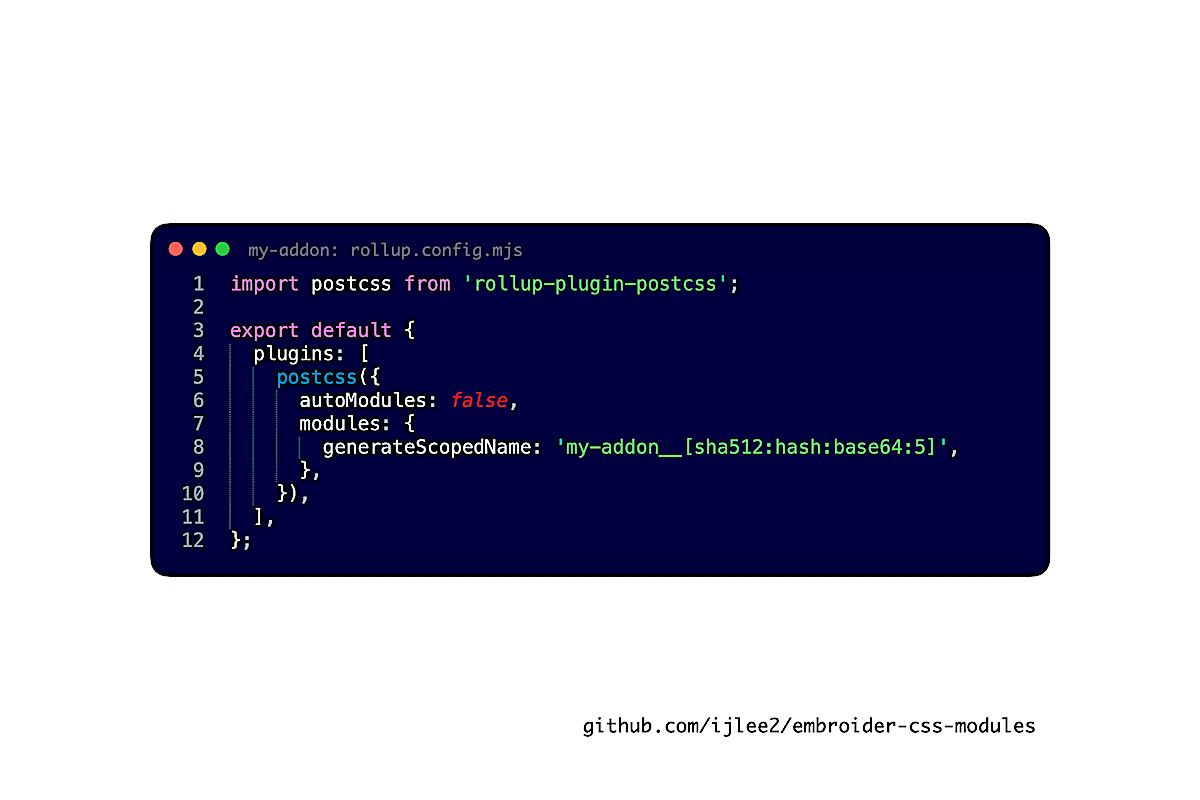
Next, addons can provide styles. A good practice in v2 addons is for components to import styles and for the addon to process these styles. This way, consumers get vanilla CSS and don't have to do additional processing. It's like compiling TypeScript so that we don't force consumers to use TypeScript as well.
embroider-css-modules and glimmer-scoped-css both take this approach. There is some Rollup plugin that produces vanilla CSS. It's why embroider-css-modules from v2 addons can coexist with ember-css-modules from classic apps, v1 addons, and engines.
Translations
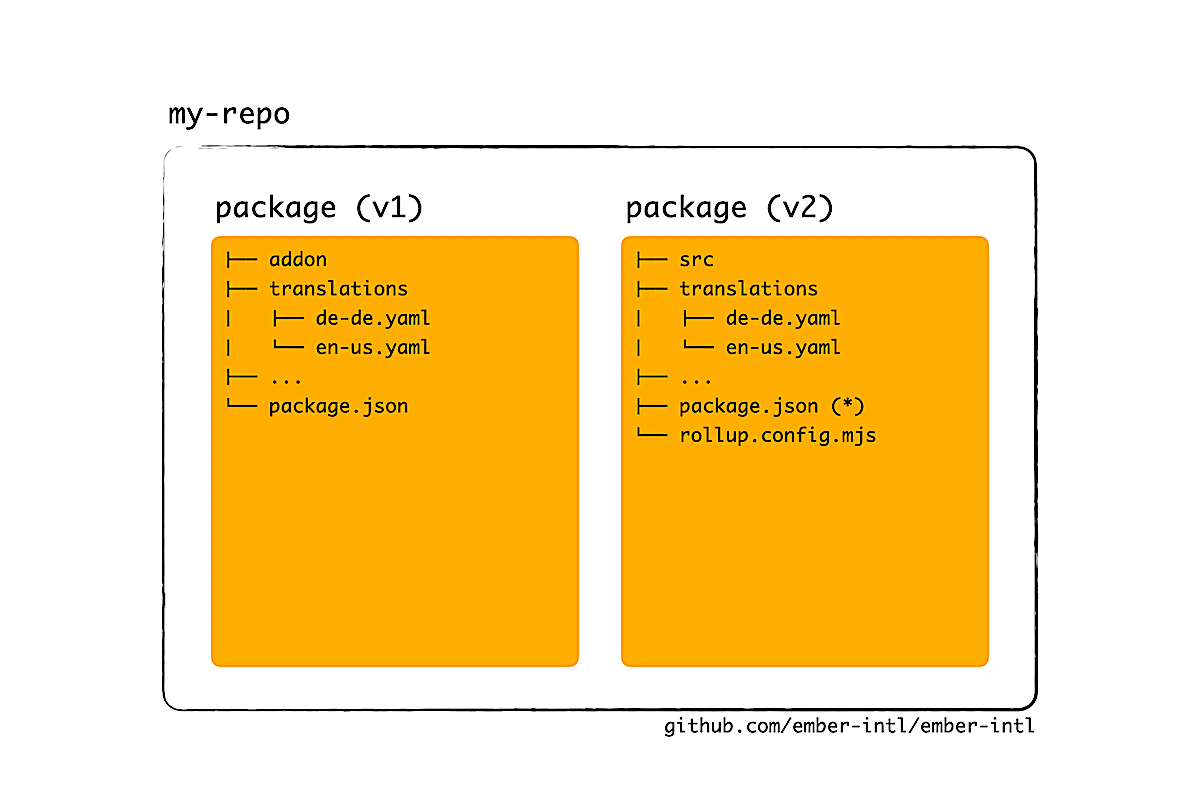
Addons can also provide translations for ember-intl, either in a single file or in many files using nested folders. Just like in v1 addons, we will create a folder called translations to help ember-intl achieve backward compatibility.
Then, in our components, we can use helpers and the intl service like before. If you think about it, it's amazing that ember-intl is a v1 addon, but we can already use it in v2 addons. You gotta send major props to the Embroider team for achieving this kind of compatibility.
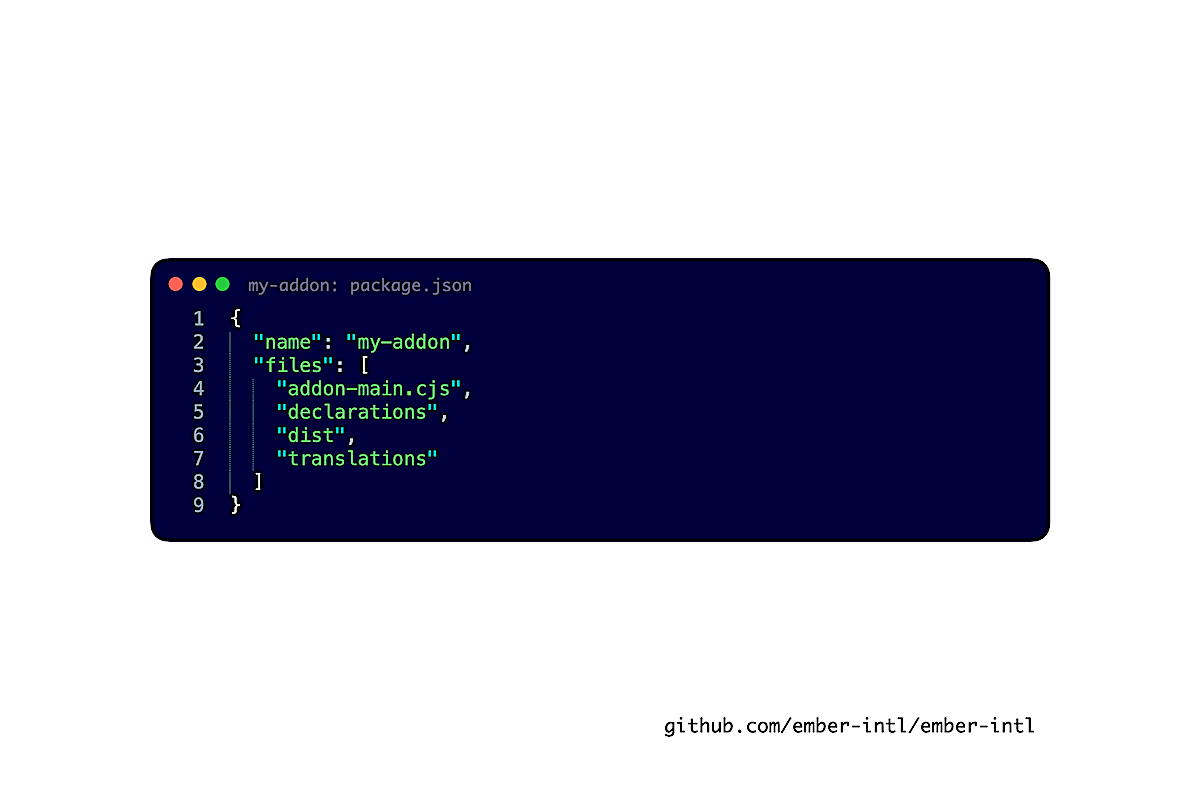
Now, in v1 addons, Ember would somehow bundle the translations folder during publish. (I actually don't know how.) In v2 addons, we publish translations by listing it in the files field, a standard in `package.json. This, I understand.
Assets
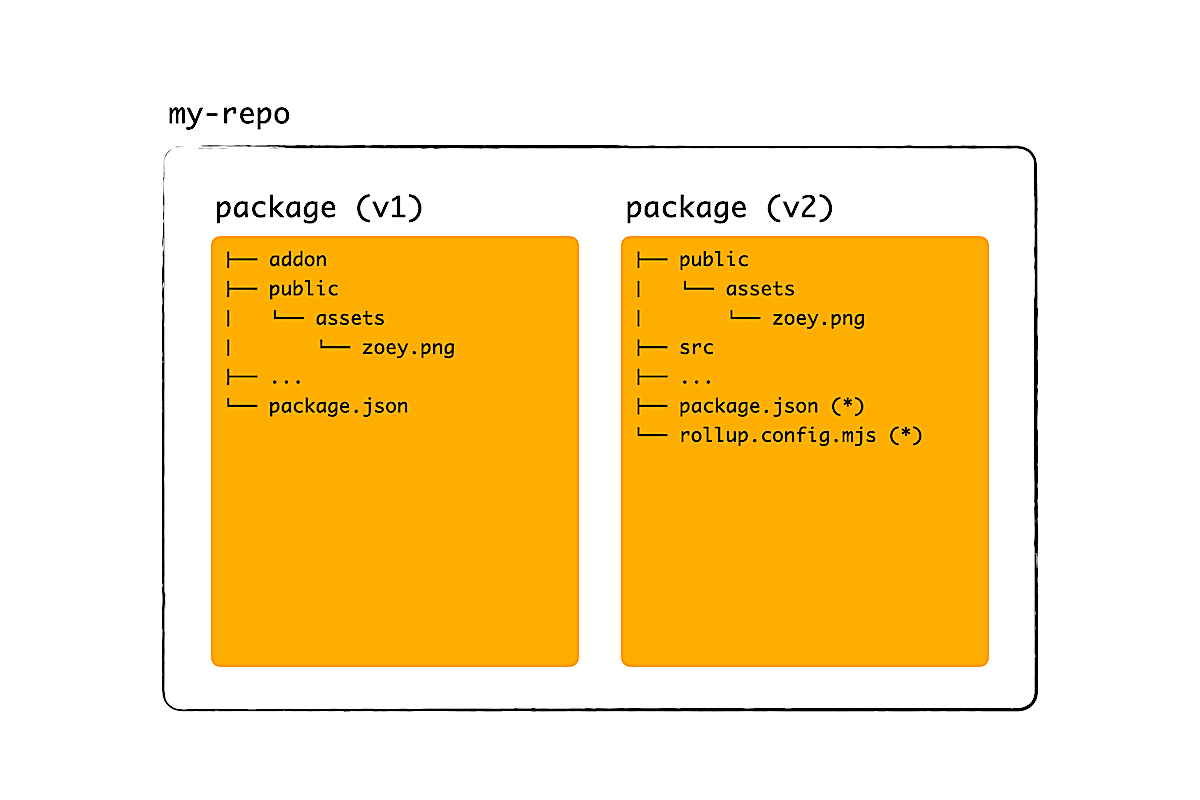
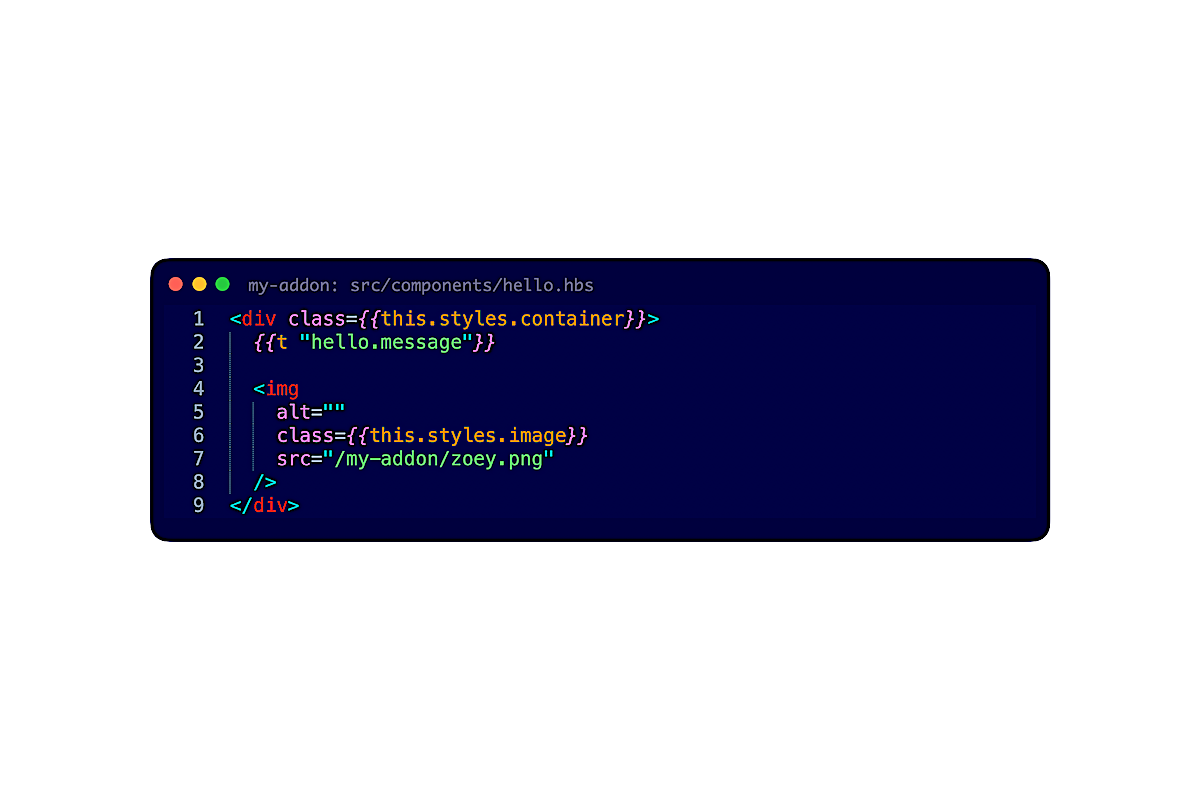
Next, addons can provide static assets like images and icons. Just like in v1, we can create the folder public/assets and refer to an asset by writing a URL that is namespaced. For example, line 7 shows that the namespace can be the package name.
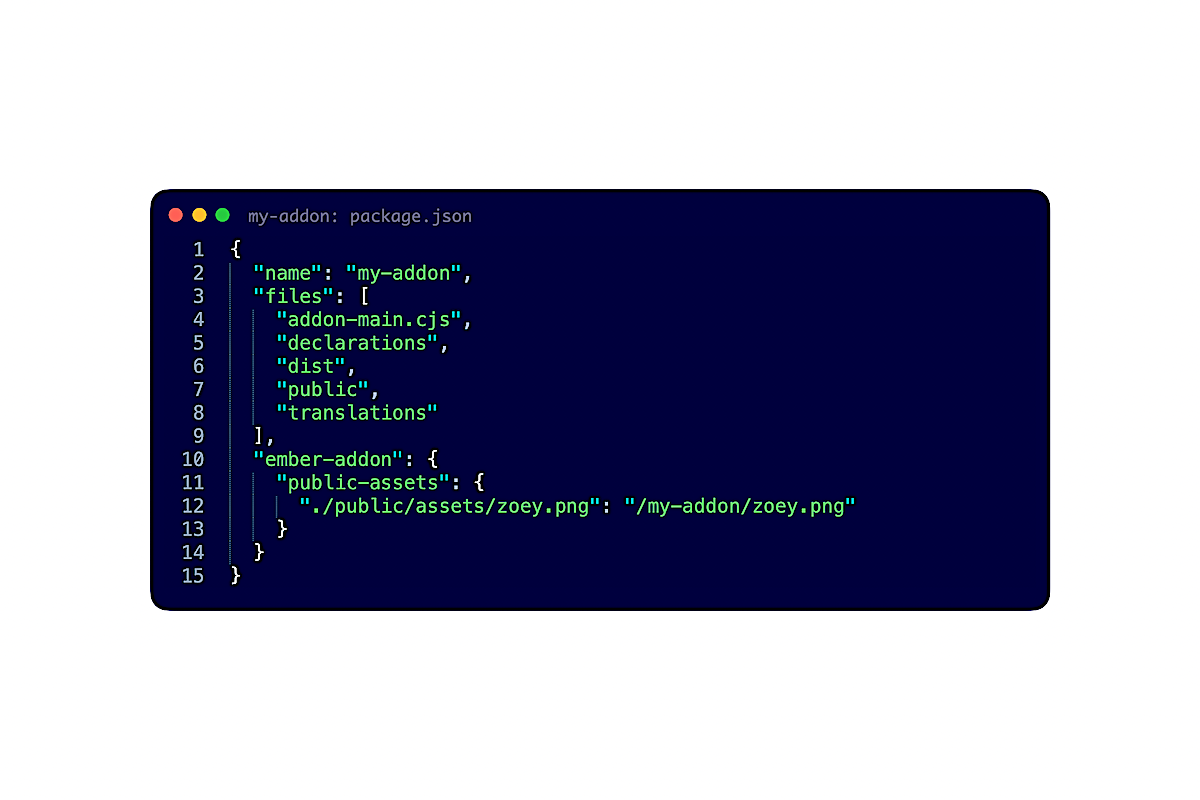
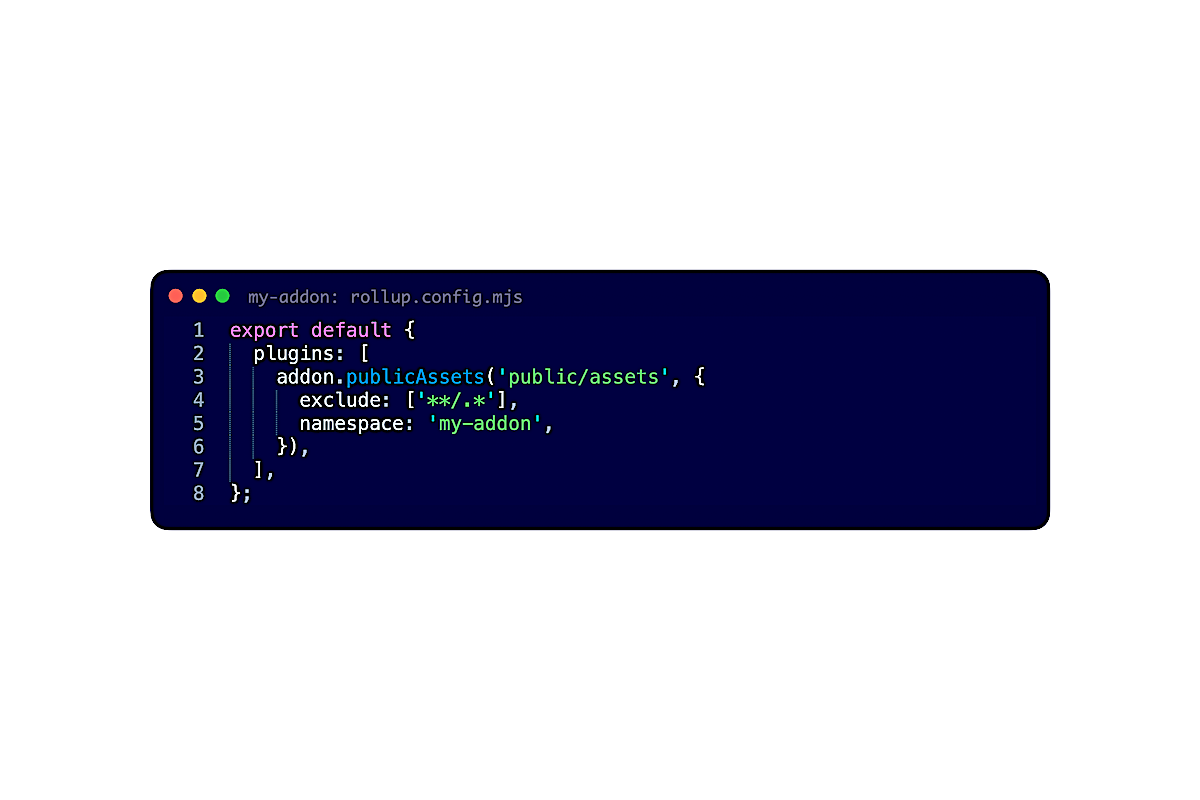
Then, like translations, we publish assets by listing public in the files field. But what really glues things together is the field below, ember-addon.public-assets, which maps an asset's relative path to its URL. We can tell Rollup to update this field automatically.
Test helpers
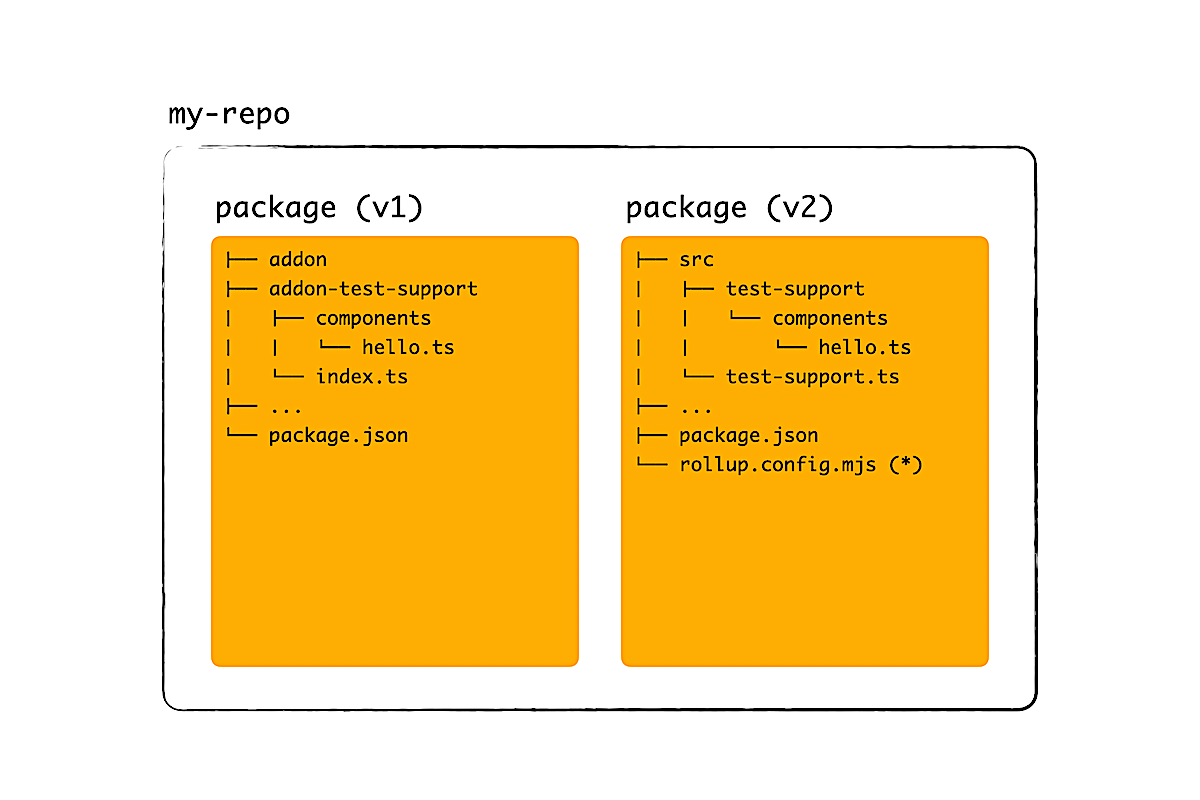
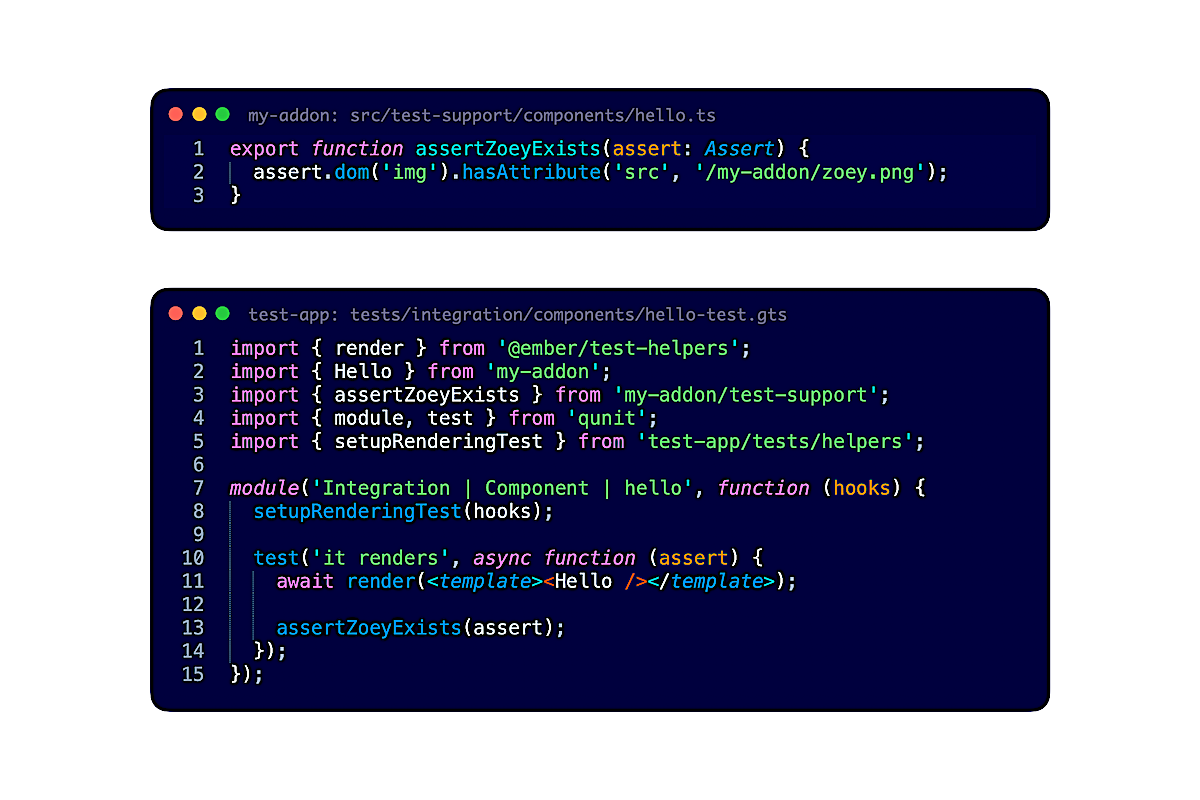
Last but not least, addons can provide test helpers. In v1 addons, test helpers lived in addon-test-support, but consumers would write test-support instead (Ember magic!). In v2 addons, we'll name the folder test-support so that consumers don't have to change paths. We can also create the barrel file test-support.ts.
Here's an example of a test helper that uses an assertion from qunit-dom. If we want, we can also import @ember/test-helpers to perform a sequence of actions.
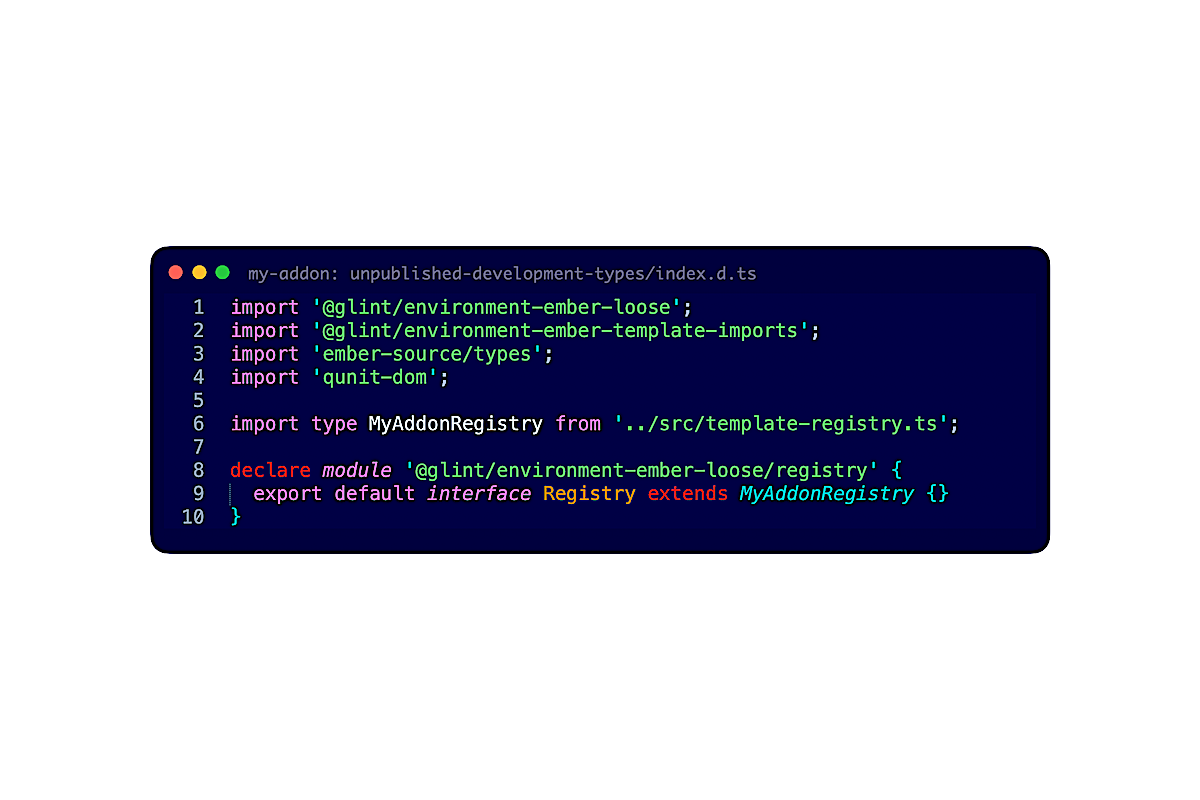
Now, there are three things to watch out for. First, to make Embroider and pnpm happy, we need to list qunit-dom and @ember/test-helpers as peer and development dependencies. Second, to make TypeScript happy, we need to import qunit-dom in unpublished-development-types. Lastly, we need to tell Rollup that the barrel file exists.
Takeaways
All in all, it's easy to migrate code incrementally and do things in v2 like in v1. It's the damn configuration that makes migration hard.
So we have to ask ourselves again: Can someone please create the repo, batteries included?
2. Moving many addons
Now that we know how to create one addon, let's try creating more.
2a. New problems
In math, things get interesting when we look at a problem from higher dimensions. In higher dimensions, we can generalize solutions and validate the assumptions that we had made in lower dimensions.
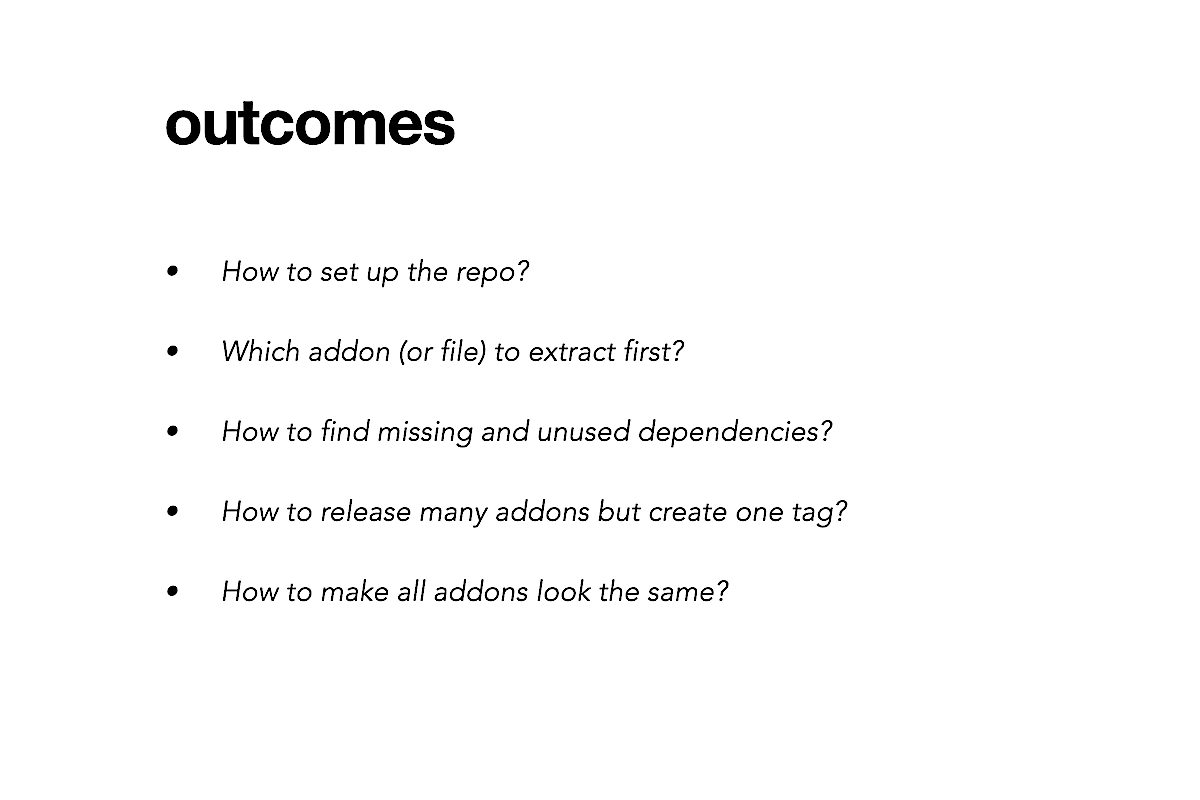
The same holds true for monorepos. We need to check that our solution for one addon can be extended to work for many. To do so, we will answer these five questions. Each of them asks us to revisit our assumptions made for one addon, then to come up with a generalized solution that's easy to implement, maintain, and extend.
How to set up the repo
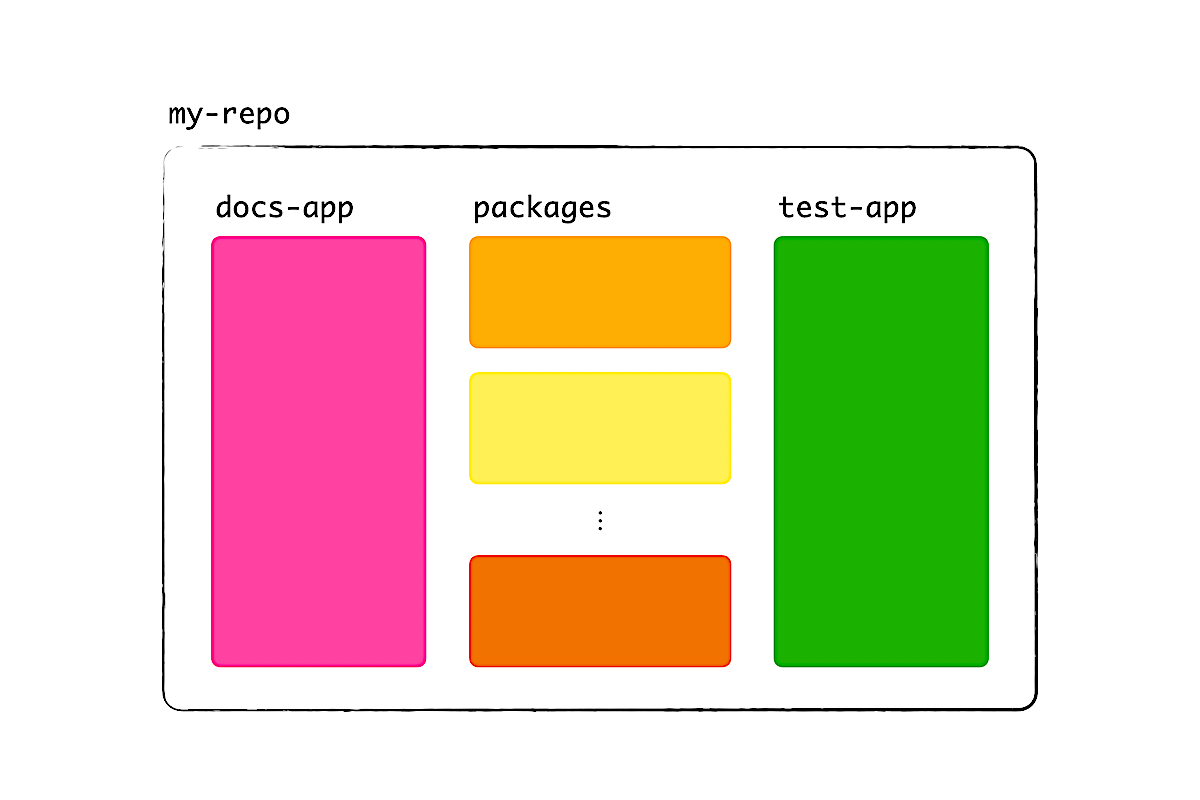
First, how should we set up the repo? We can definitely reuse the repo with one addon, then place more in the packages folder. But, after addon #3, you'll start wondering: Should there be,
- Shared configurations for linters and Rollup?
- A docs-app and test-app for each addon?
- High-performance tools like Lerna, Turborepo, and ember-exam, to lint, build, and test addons faster?
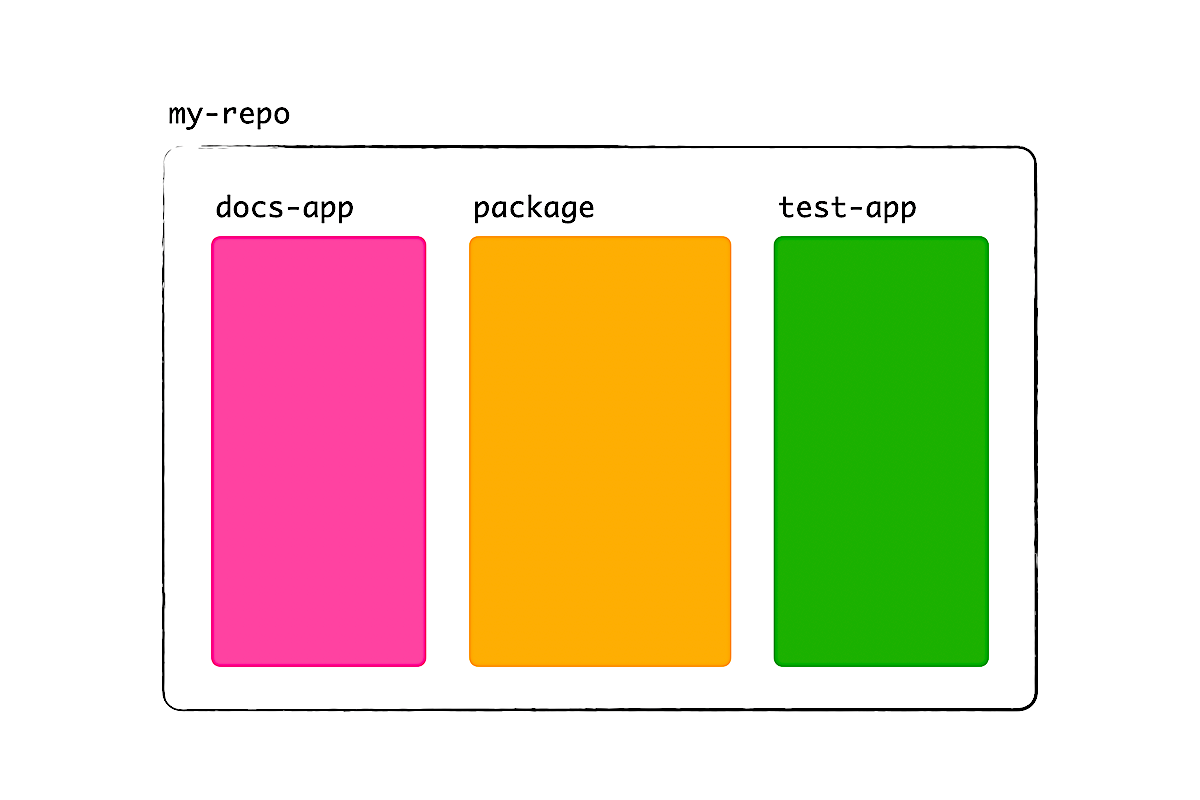
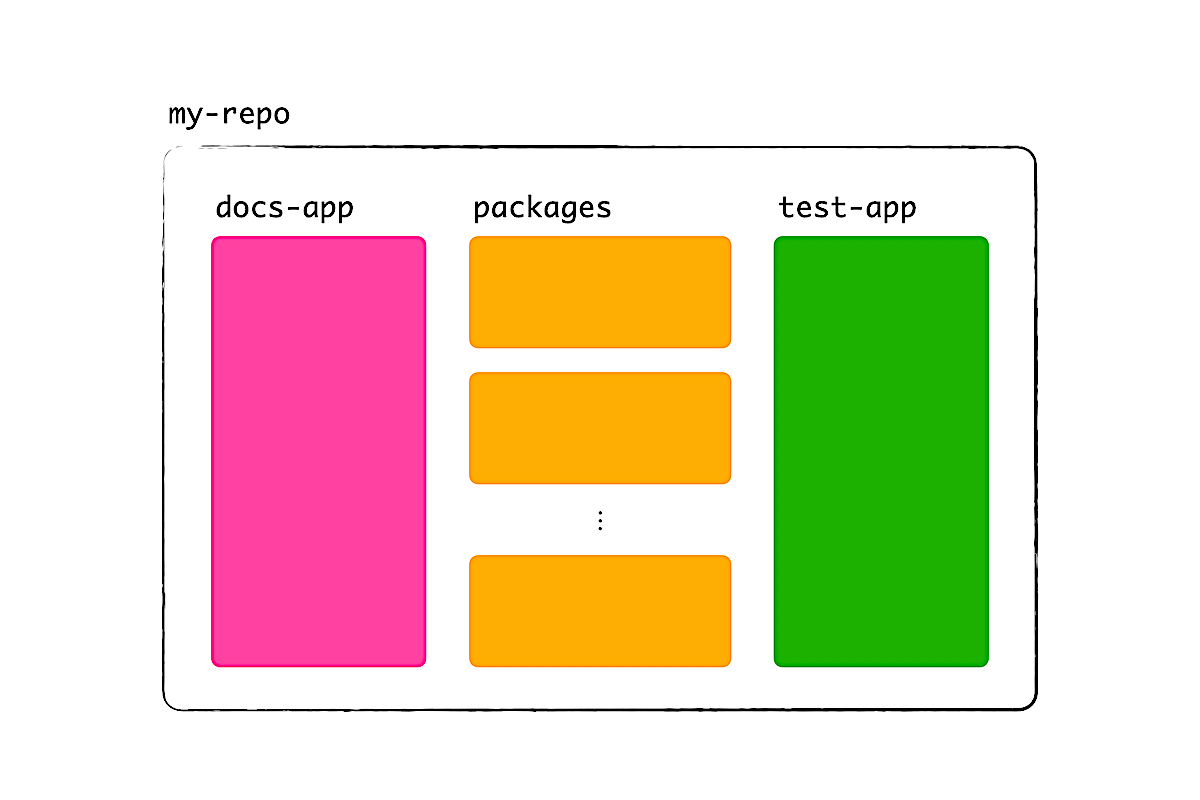
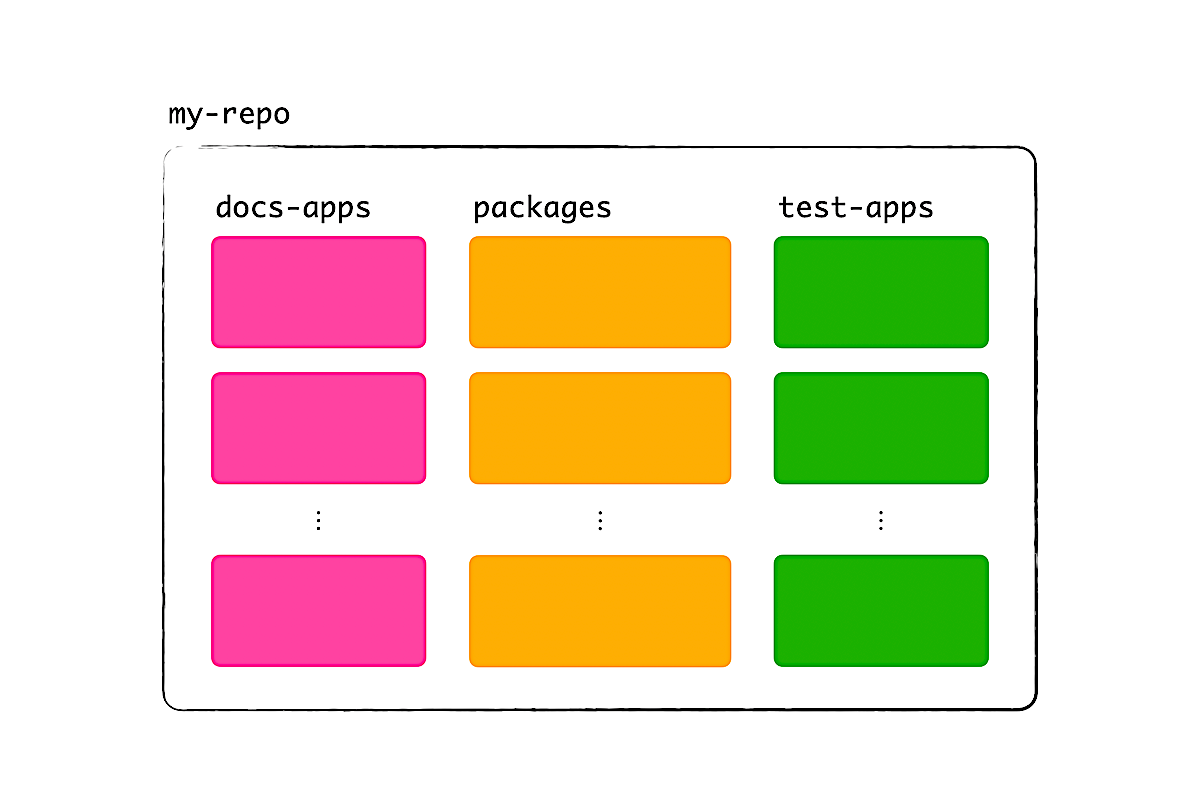
To answer these questions, we can use a checklist from my talk last year. Code (by extension, projects) that we can maintain and extend satisfy 3 things:
- They have a minimum API (i.e. there are few variations).
- They separate concerns (i.e. they only do what they are supposed to).
- They have few dependencies.
In math, we call these necessary conditions. If one of these conditions isn't met, we won't be able to maintain and extend that code.
What does this list mean for our setup? For one, we want shared configurations for linters so that every addon is linted the same way. (The same goes for our apps.) This way, if there's an issue with one of the addons, we can eliminate linter configurations as a suspect. I'd avoid creating a shared configuration for Rollup, though, because v2 addons are in flux and each of these addons will likely have different needs. Here, it's better to go with duplication, but with few variations.
When it comes to separation of concerns, we already fulfilled it by having separate apps for documentation and tests. We could achieve an even greater separation by having these apps for each addon, but you can imagine that the cost will be too high. If we had 10 addons, that's 20 Ember apps to maintain and possibly 80 ember-try scenarios to run in CI. We can cut this quadratic cost to a constant (logarithmic, at worst) by having just 1 docs-app and 1 test-app that cover all addons.
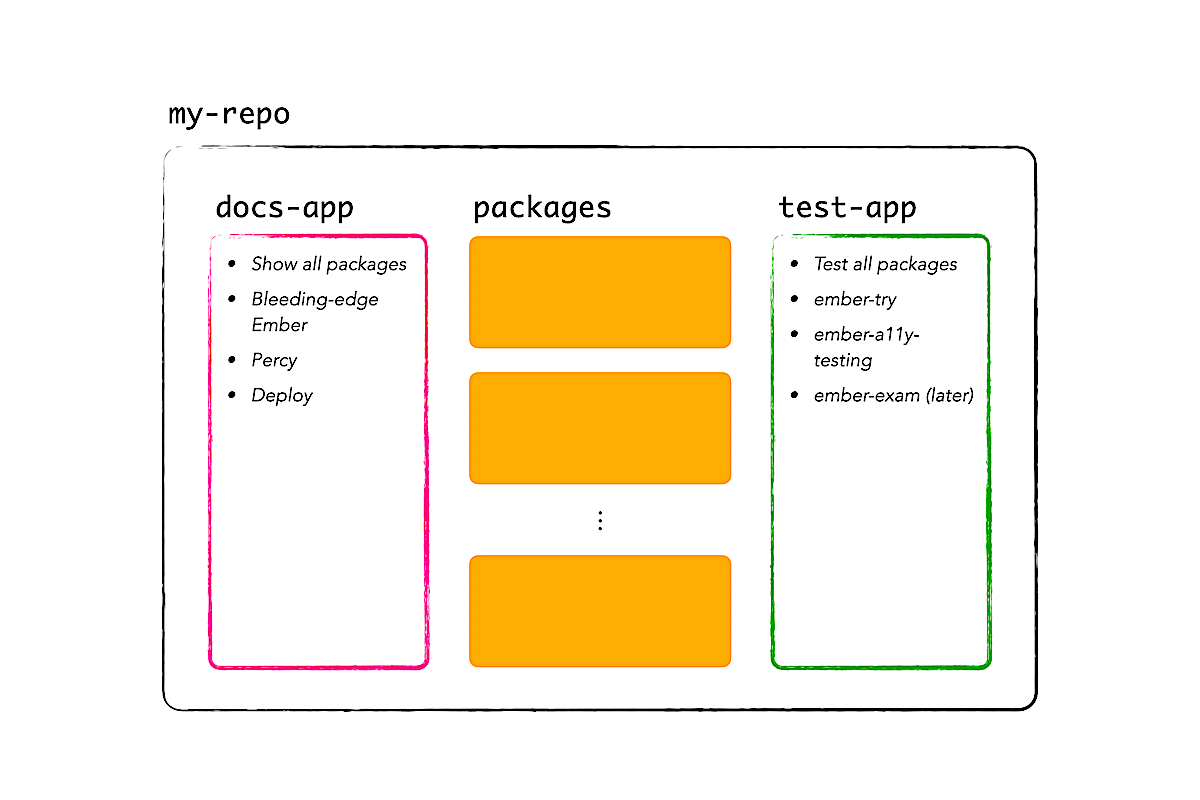
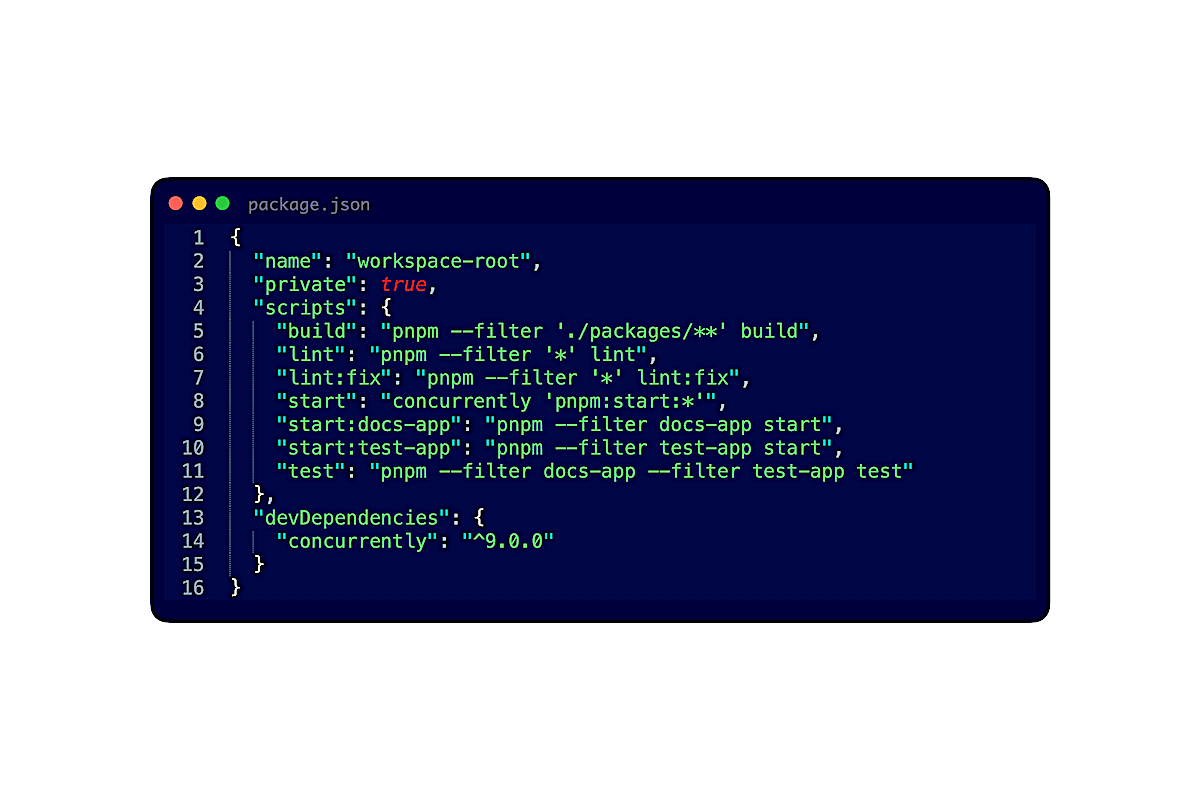
Lastly, we want to minimize the number of dependencies, again, because v2 addons are in flux and we don't know how they will interact with these dependencies, now and in the future. The fewer dependencies that we have, the faster we can adjust to changes made outside and the less likely that things will break over time. So we're going to say no on extra dependencies like Lerna, Turborepo, and ember-exam (at least, for the beginning). Instead, we can start out with simple tools like concurrently, pnpm --filter, and ember test.
Which addon (or file) to extract first
Question 2: Can we somehow know which addon, or which file in an addon, to extract first?
In an ideal world, dependency flows in one direction, so we would extract addons that are leaf nodes first. In other words, addons that are independent of packages in the same repo. In reality, packages are tightly coupled and can have circular dependencies, because business logic evolves constantly, these domain abstractions assume a fixed point in the past, and ultimately, it's humans who write code and introduce mistakes.
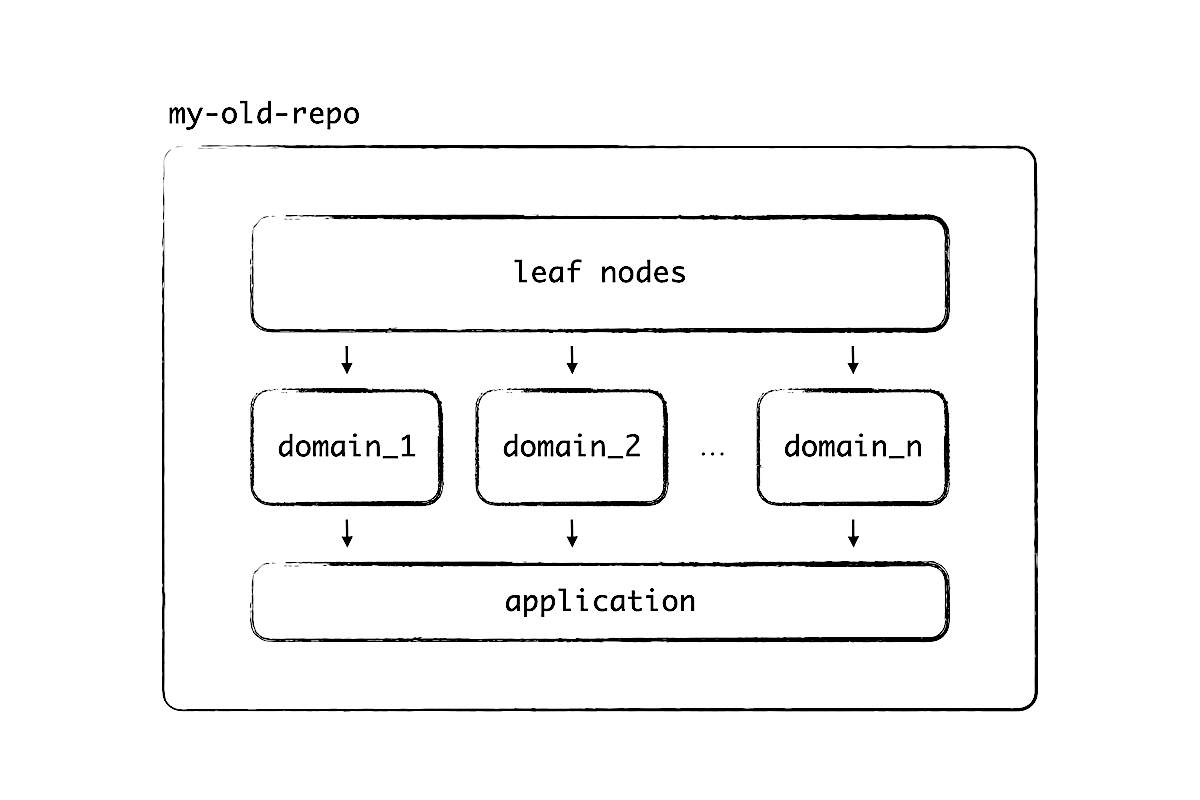
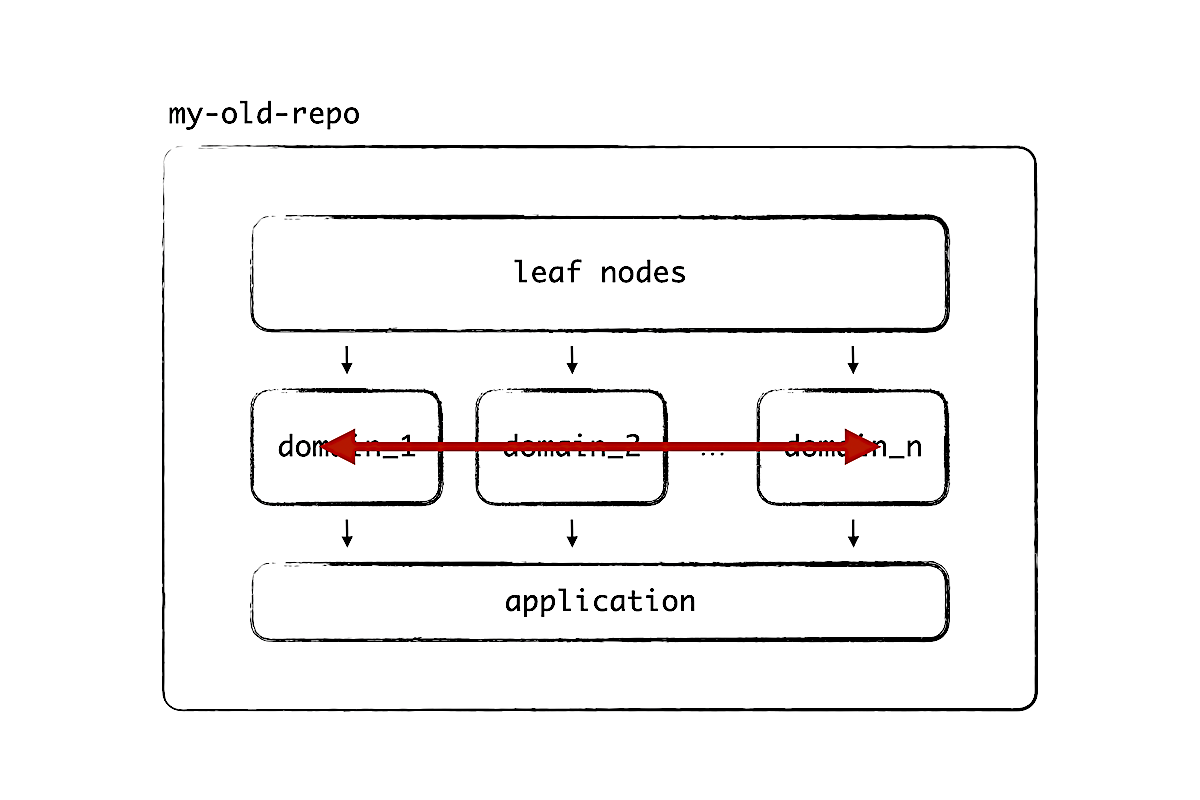
As a result, there's a limit to extracting addons one-by-one. We need a way to find out which files, in which addons, we can extract first. Here's where math comes to rescue. I'll illustrate the idea by focusing on components.
Recall that code that we can maintain and extend have a minimum API, separate concerns, and have few dependencies. What we can do is to write a codemod that finds all addons in the old repo, analyzes components, and assigns them a score between 0 and 1. If our scoring algorithm is good, then we should see a bimodal distribution. This means, we can identify components that are easy to extract and components that are too hard at the moment.
After running the codemod, we cut off the list, then ask our team to extract the easy components. Once that's done, we run the codemod again, find the next set of extractable components, rinse and repeat. Iterations.
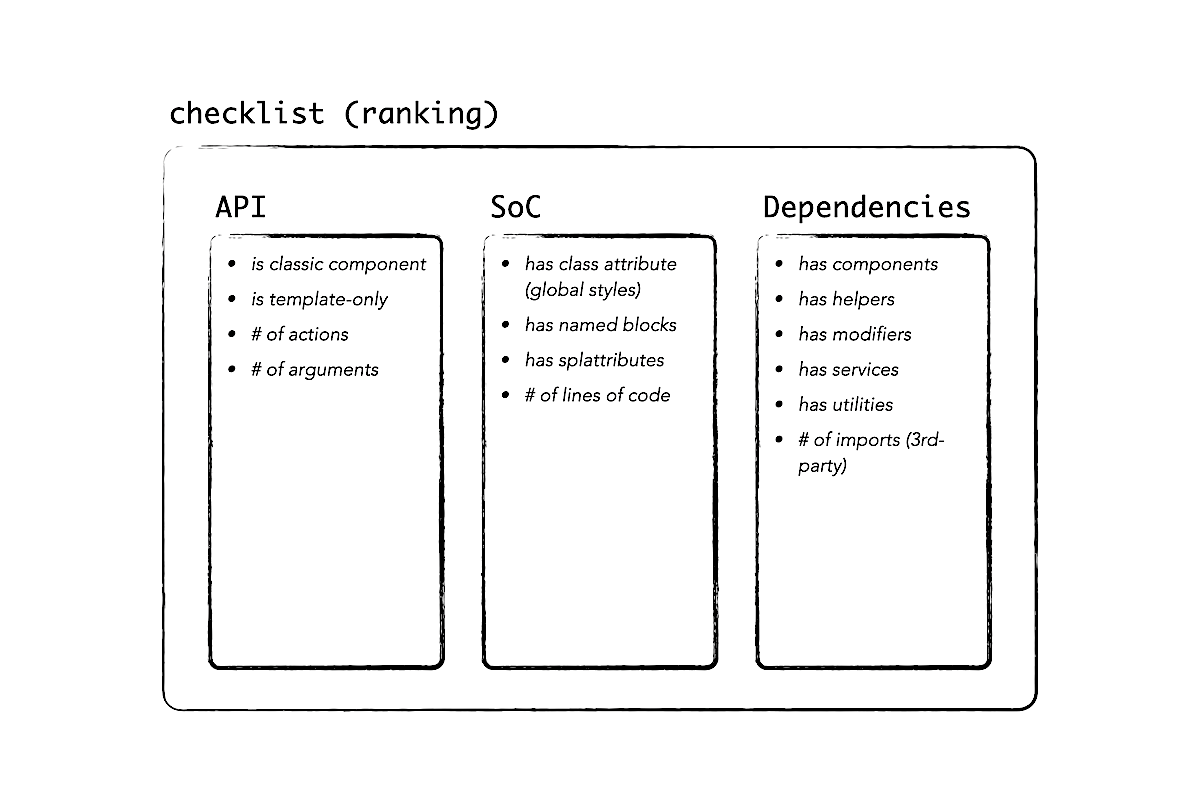
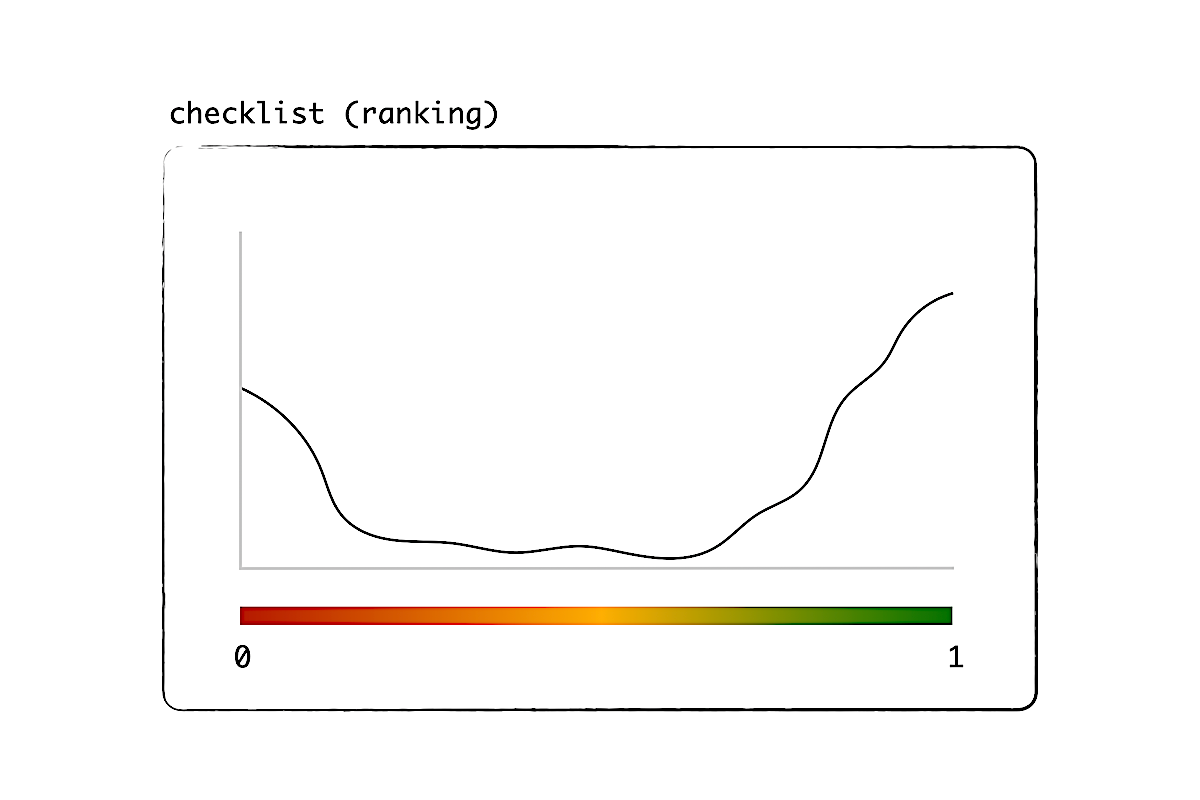
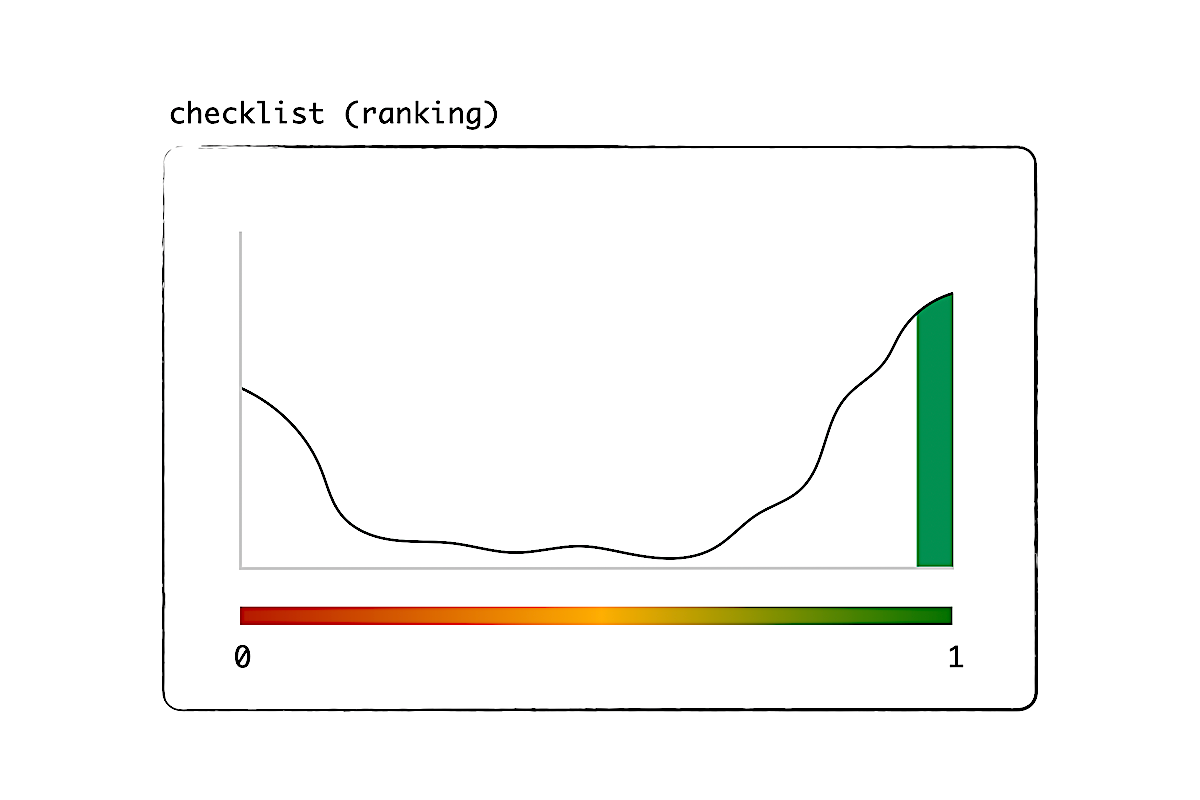
The math definitely involves magic coefficients that can work for one project but not others. So I have this thought experiment, that maybe we can introduce supervised learning to let each project refine these coefficients over time. Can you imagine a company specializing in code analysis and machine learning, but just for Ember.js? If we had more Ember companies, this product would sell like hot cakes.
How to find missing and unused dependencies
Next, we want to know if every package in the old repo is declaring its dependencies right. After all, we don't want to be surprised when moving code to another repo. In addition, having correct dependencies now will help us later, when it's time to introduce Embroider and pnpm in the old repo.
The problem is, with yarn v1 and tightly coupled packages, it's easy to list wrong dependencies. There's no feedback because the app builds and runs even when a dependency is missing, as long as it gets pulled in from another package.
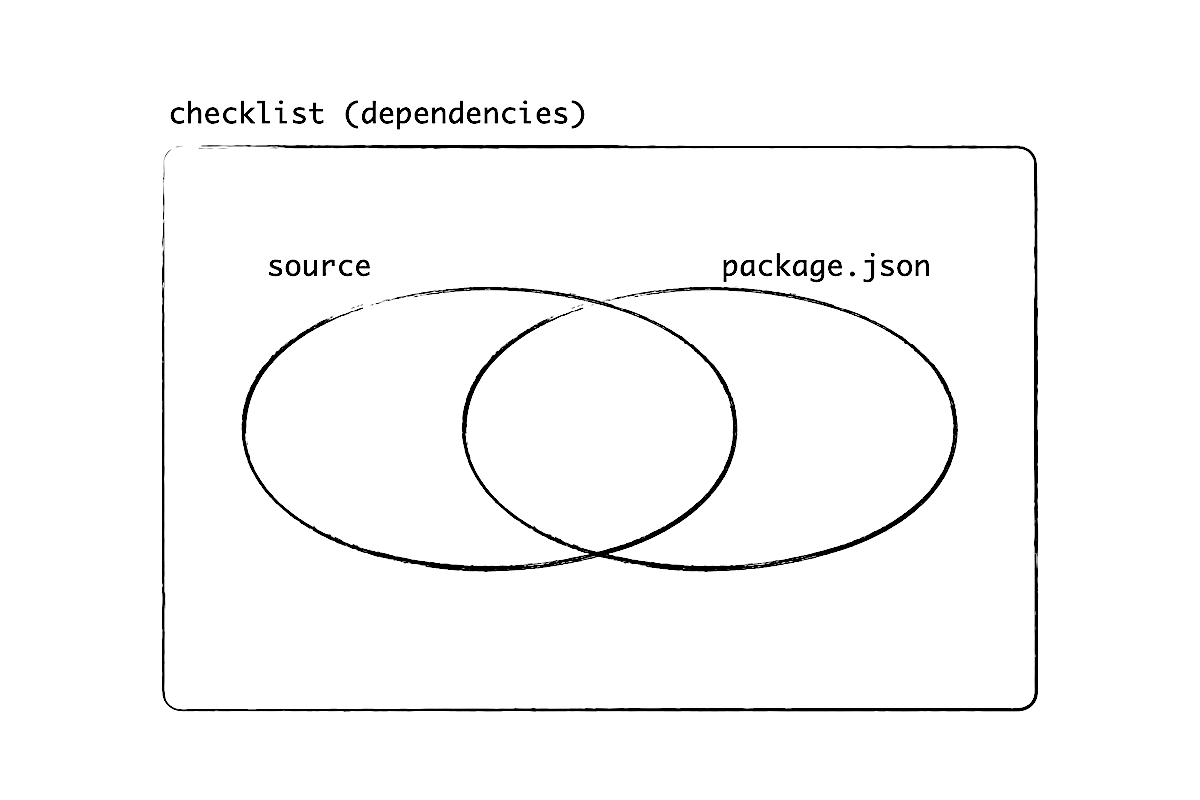
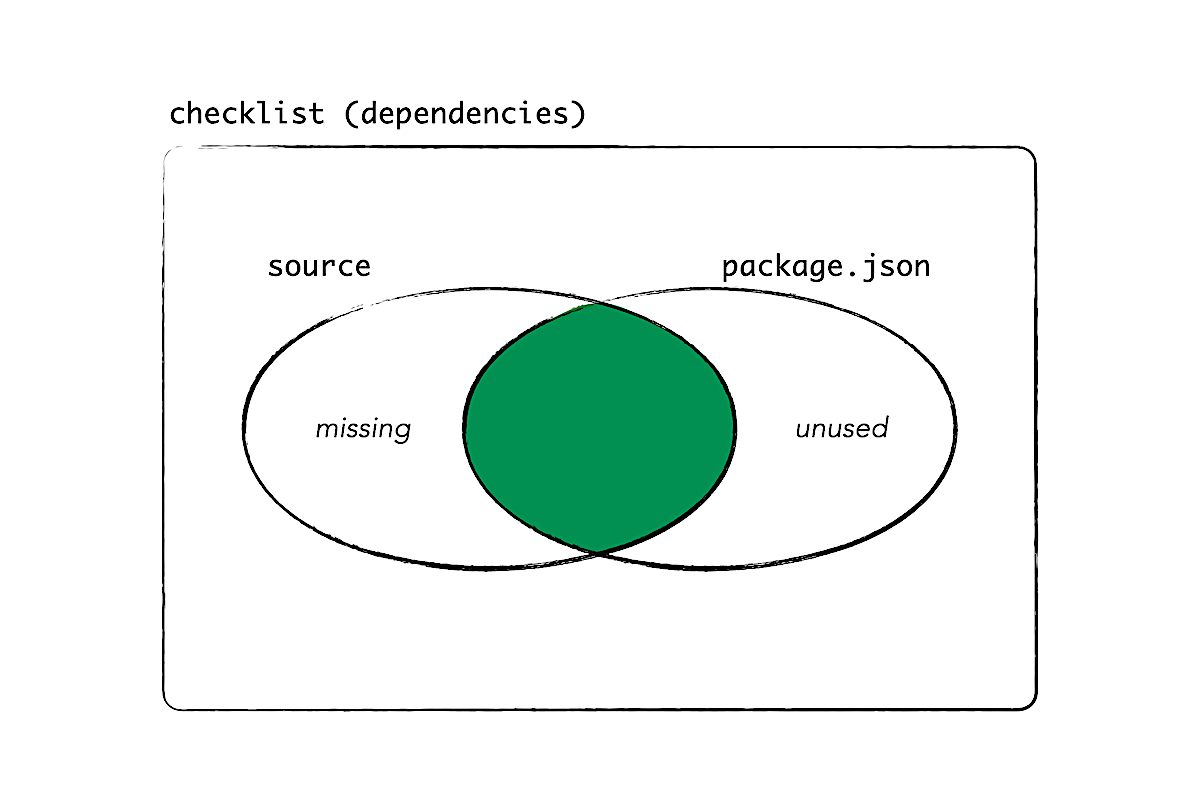
Here's where codemods help again. We can find all packages, analyze every file that's relevant, then compare the dependencies from the source code to those listed in package.json. From the difference in sets, we can tell which dependencies are missing and which are unused and can be deleted. Even when things are implicit (e.g. ambiguity in double curly braces, module resolution, service injection), we can guess the origin with high accuracy, thanks to Ember's strong conventions and an addon ecosystem that is long-established.
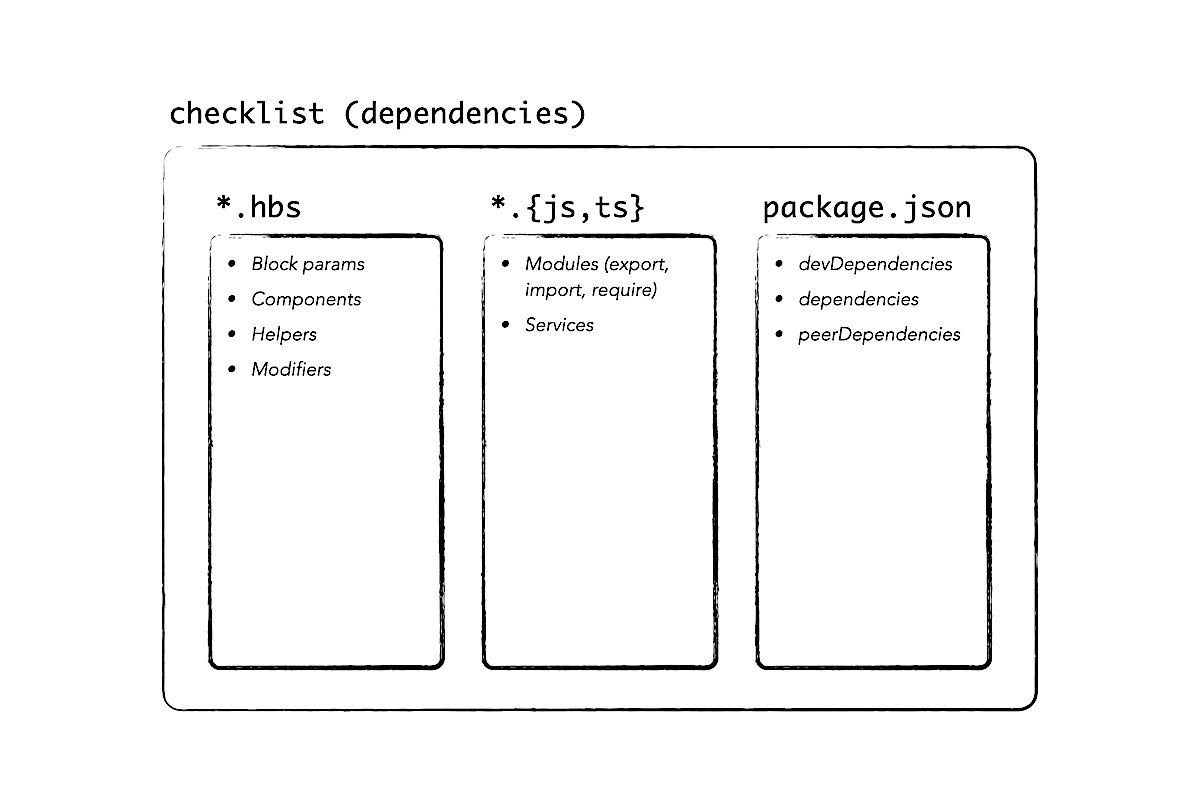
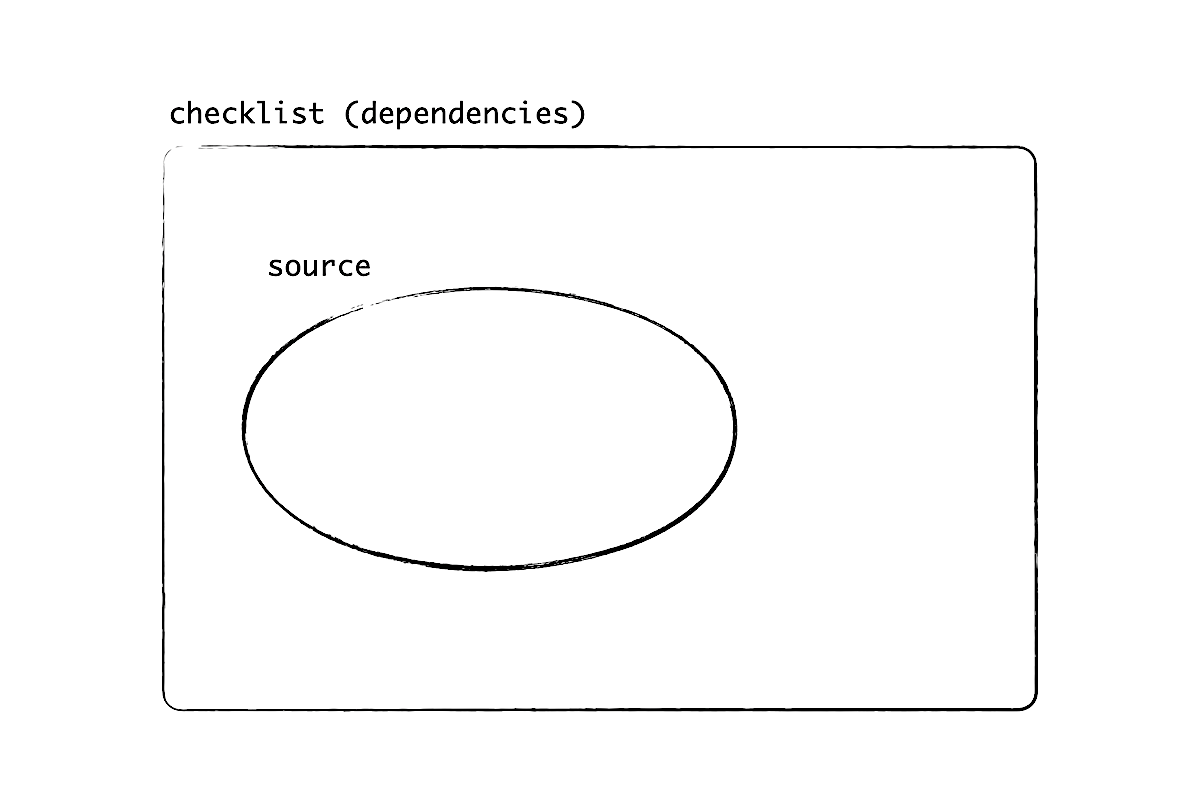
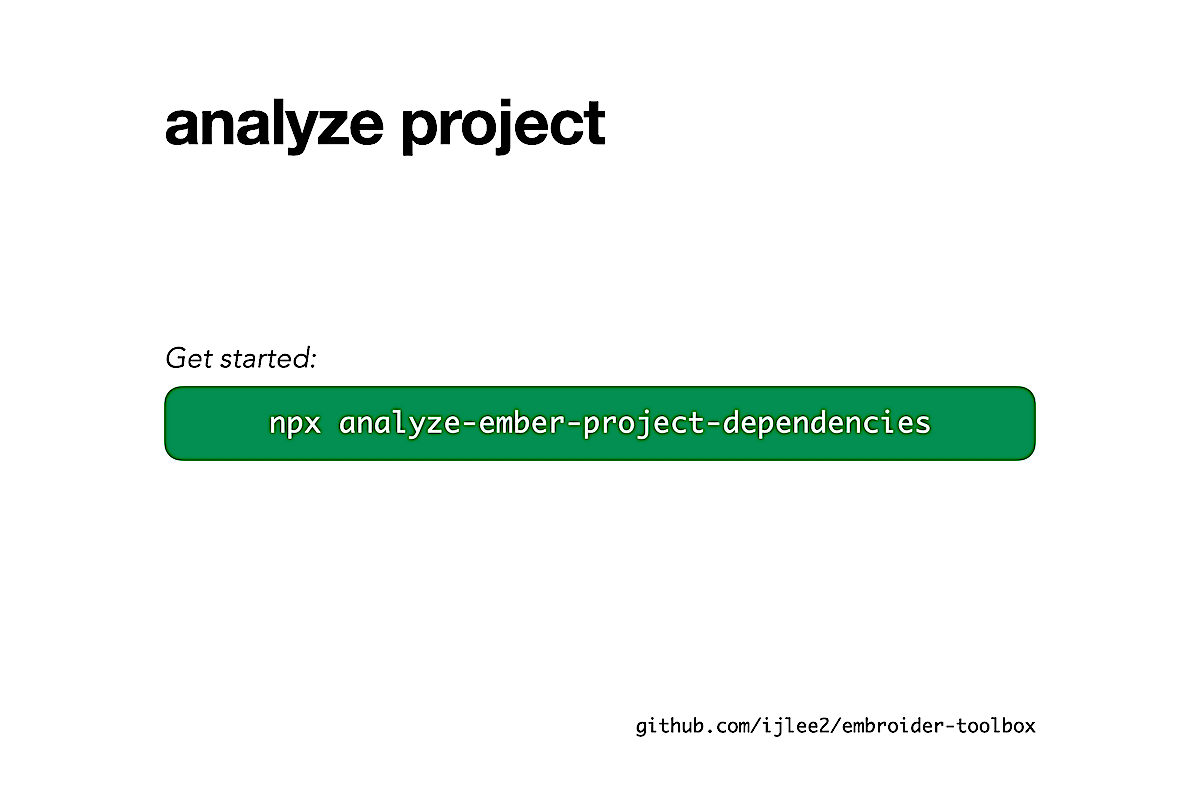
But it doesn't really help if I'm telling all of you to write your own codemod, does it? (It's like telling you to draw the rest of the owl.) Here's one that you can run starting now: analyze-ember-project-dependencies. You run the codemod on any repo, then review the output. It's quite fast because it analyzed CLARK's repo in 25 seconds, at 0.2 seconds per package.
How to release many addons but create one tag
While our codemods are running, let's take care of releases. If we want to publish many addons, fast—we only have 25 seconds—the release process has to be organized.
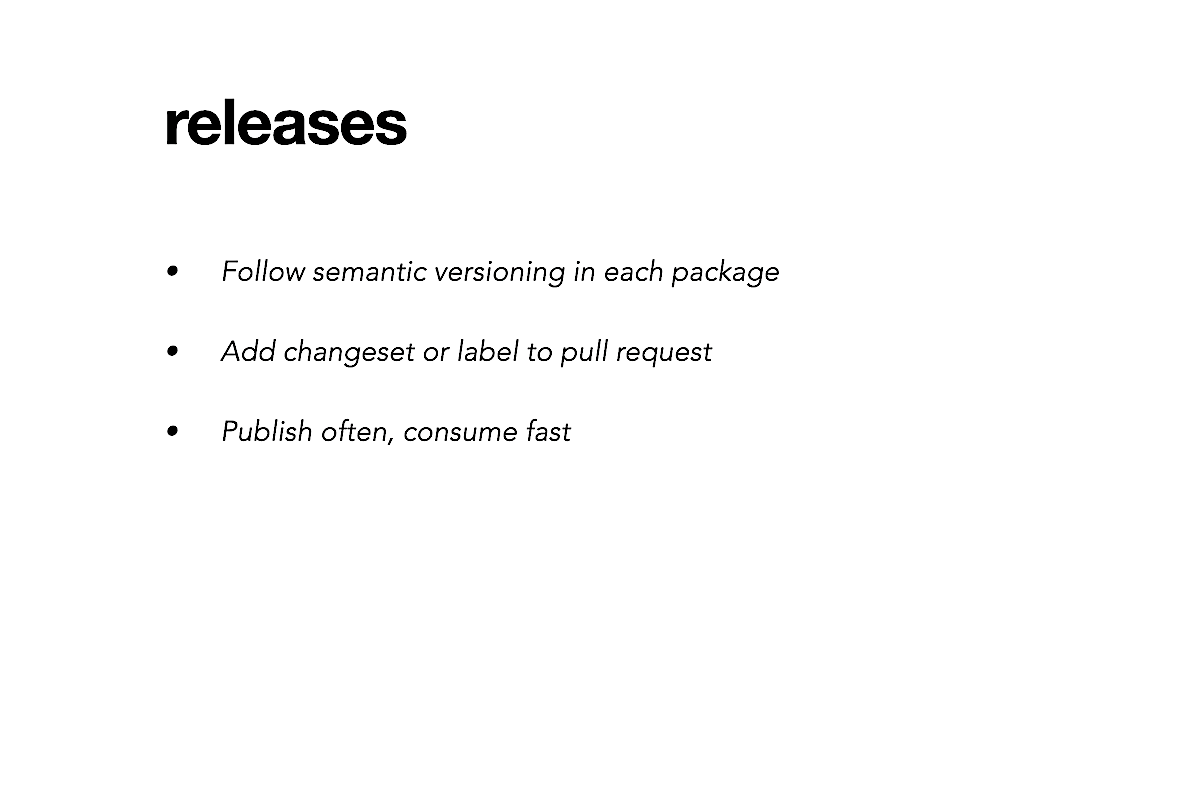
First and foremost, we will enforce semantic versioning in every package, independently, so that consumers know what to expect—whether there is a small fix or a feature that can be merged right away, or a breaking change that requires extra attention.
Second, because addons can depend on each other, it's actually tricky to update their versions to meet semantic versioning. To avoid human mistakes, we will add changesets or labels to our pull requests, then rely on some tool to update the versions.
Lastly, because addons can depend on each other, we will want to publish often and consume new versions right away. Otherwise, in the old repo, we can introduce dependencies among pull requests. These dependencies become harder to resolve, the longer we wait to merge the pull requests.
The good news is, there are a few ways to remove PR dependencies:
- Create releases that can be merged right away (e.g. fixing styles and translations, adding code not used in production yet).
- Patch addons in the old repo to use new code with the current versions.
- Use symlinks (connect the two repos) to test addons before release.
- If all fails, revert code and publish new versions.
To summarize, you might see an overarching theme to these three points: Communicate, communicate, communicate. Let your team know what can happen in a release and, if there's an issue, provide assist.
On a related note are git tags. Git tags mark a specific point in the repo's history and are usually created at the time of release. Thanks to these tags, we can easily send people links and point to specific code. We can also compare tags to see how files have changed.
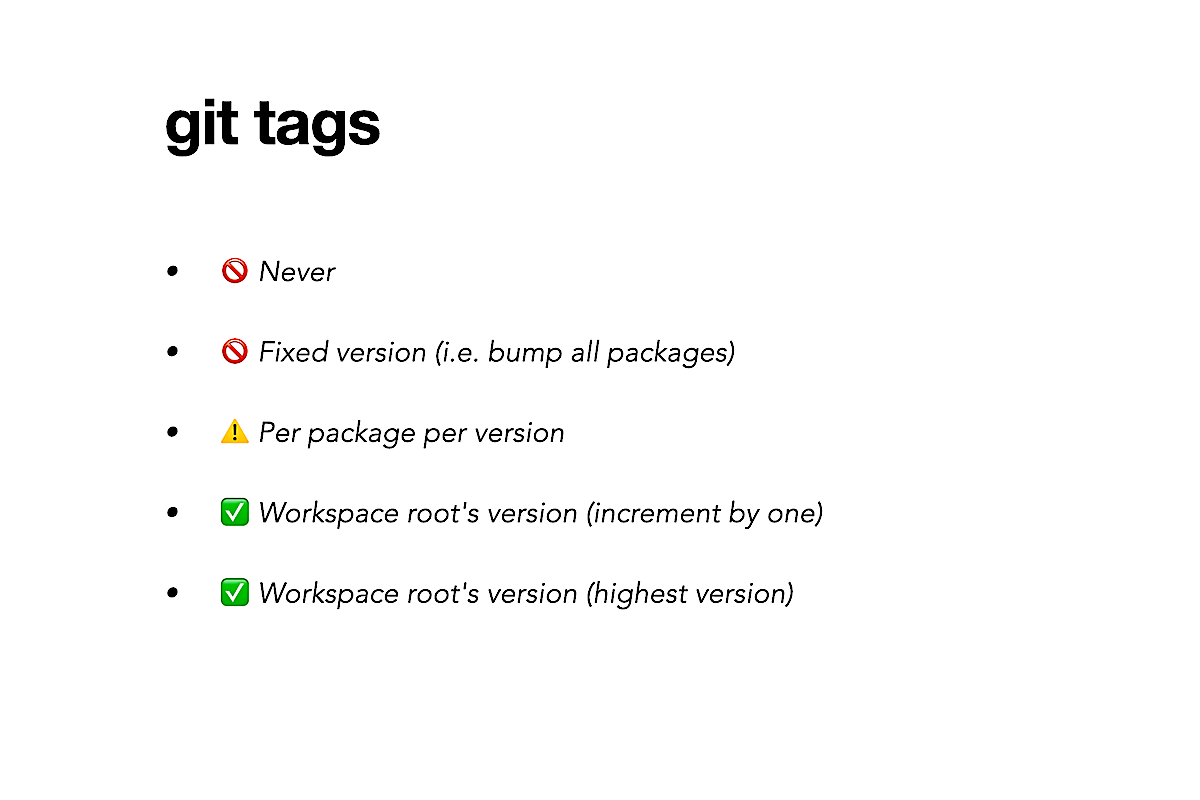
Now, creating tags seems to be a challenge in monorepos, because we can release many packages at once. Some repos like DefinitelyTyped and tsconfig/bases seem to have given up, because they never create tags. Don't do that.
Others like Embroider and Prometheus Helm Charts create a tag for each package for each version. I personally don't like this, because it results in a "tag explosion" (a quadratic number of tags) and makes it difficult to see changes in the repo using tags. How are people supposed to know which package and which version to select, unless they have ample time to follow the project?
There's actually an easy way to create just 1 tag (no matter how many packages) and give it a name that resembles a semantic version. The solution involves letting the version of the workspace root indicate the state of the whole project. Afterward, we simply set the tag name to be the workspace root version.
I will show you two ways to update the version starting from zero, using what I call "increment by one" and "highest version." Here's how they work.
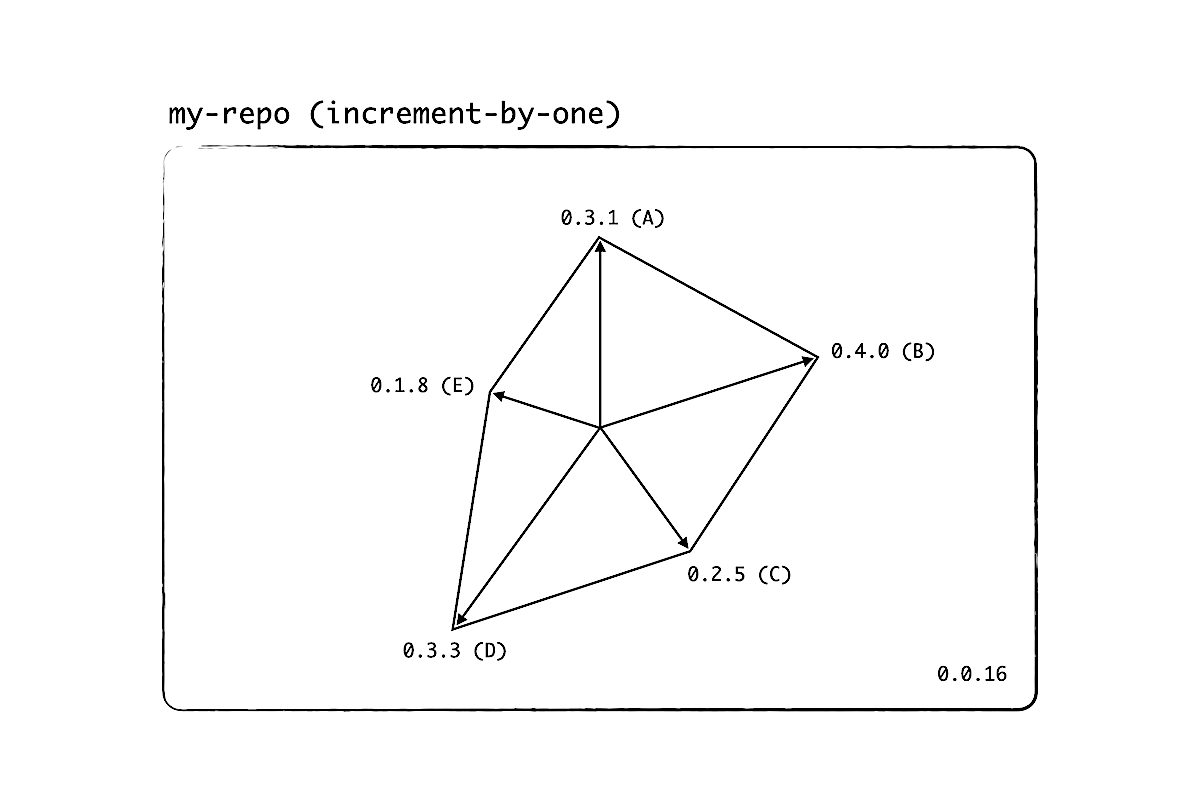
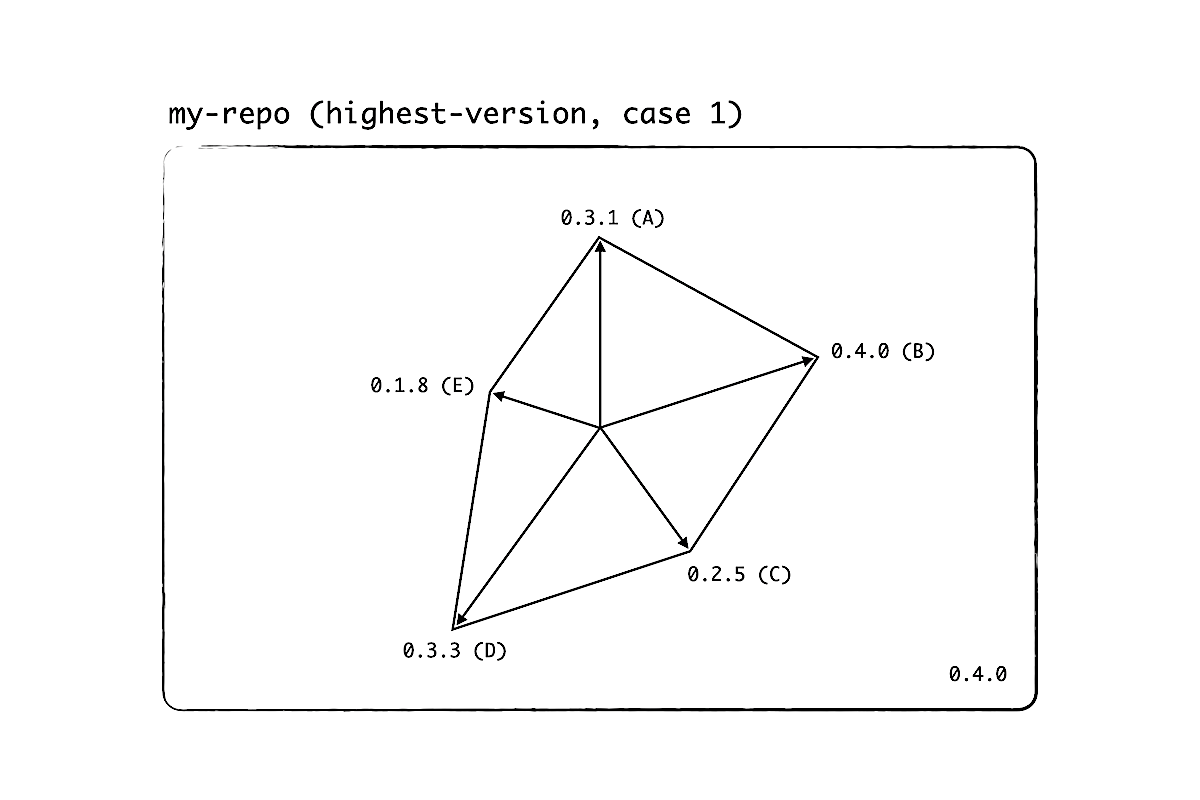
Suppose that we have a monorepo with 5 packages, labeled A through E. The current version of the workspace root is 0.0.16, as we see on the bottom right. With increment-by-one, we "add" 0.0.1 to the current version, no matter which packages are updated. So the tag name becomes 0.0.17.
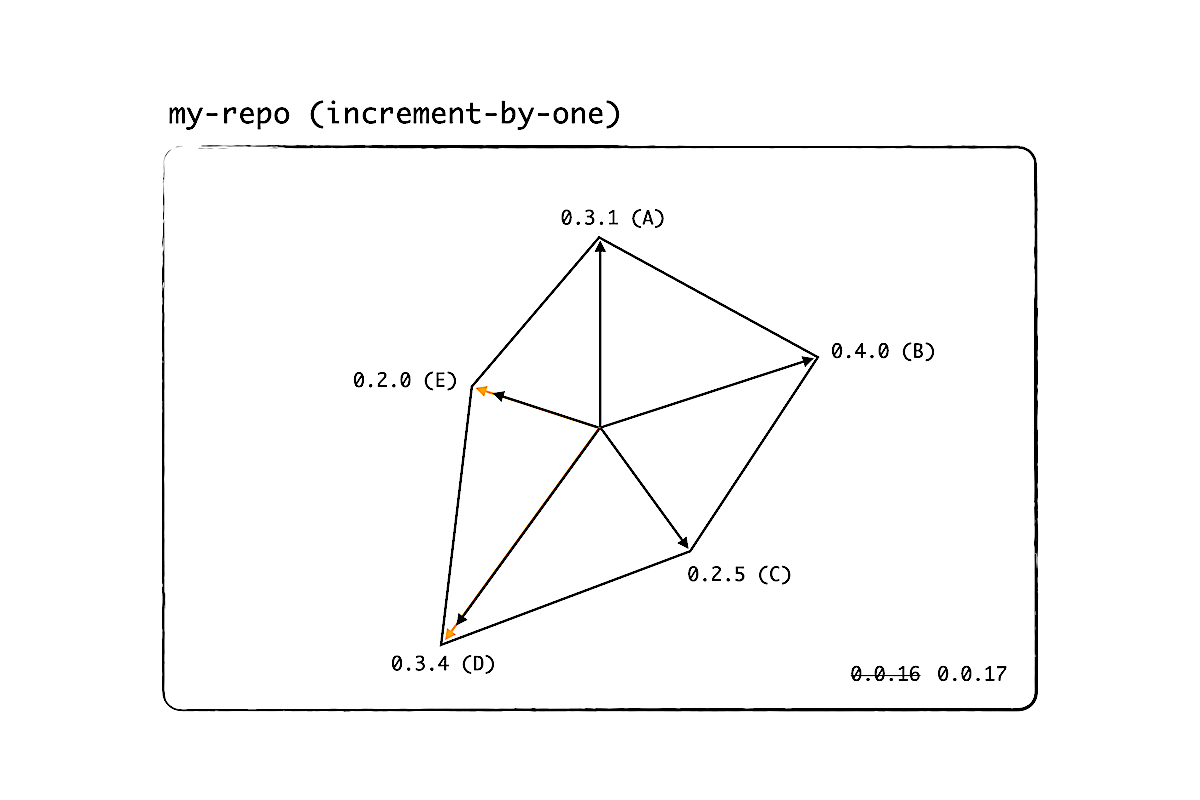
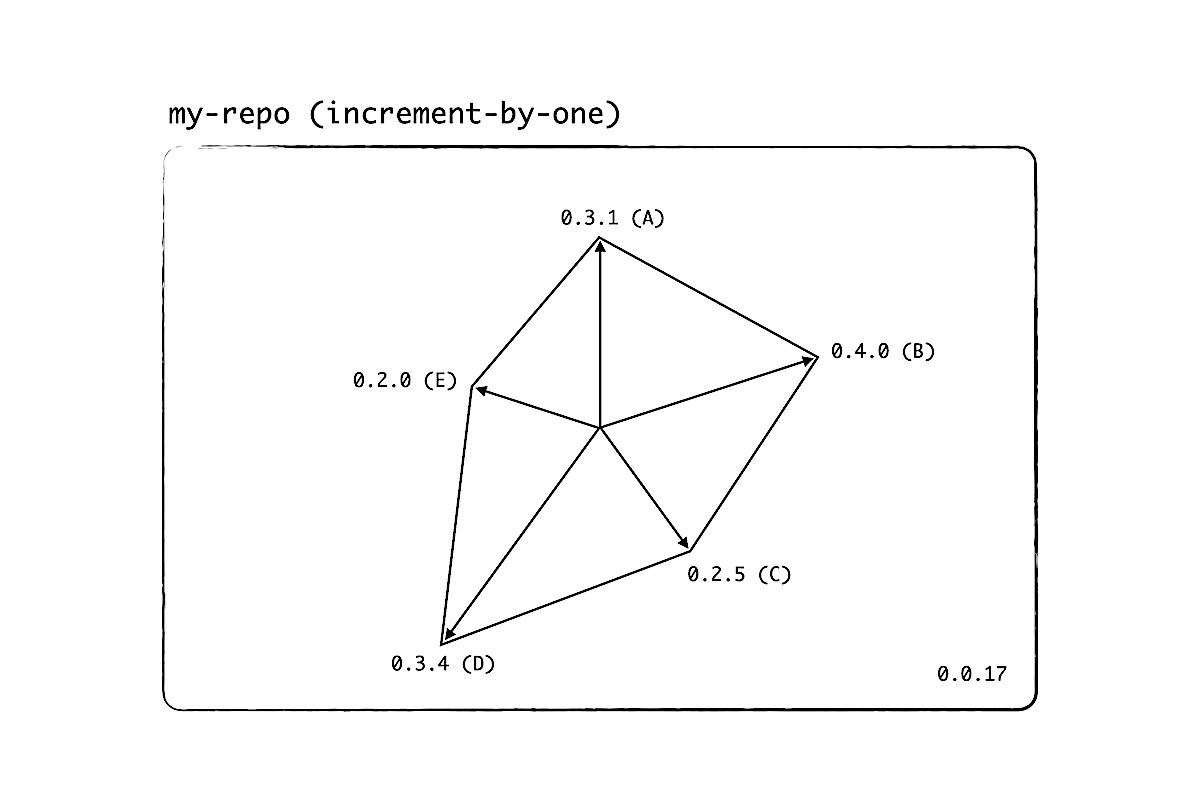
The algorithm is very simple, but the version doesn't really tell us how mature the project is. The number 17 means, there were at most 17 releases. How stable the packages are, we don't know.
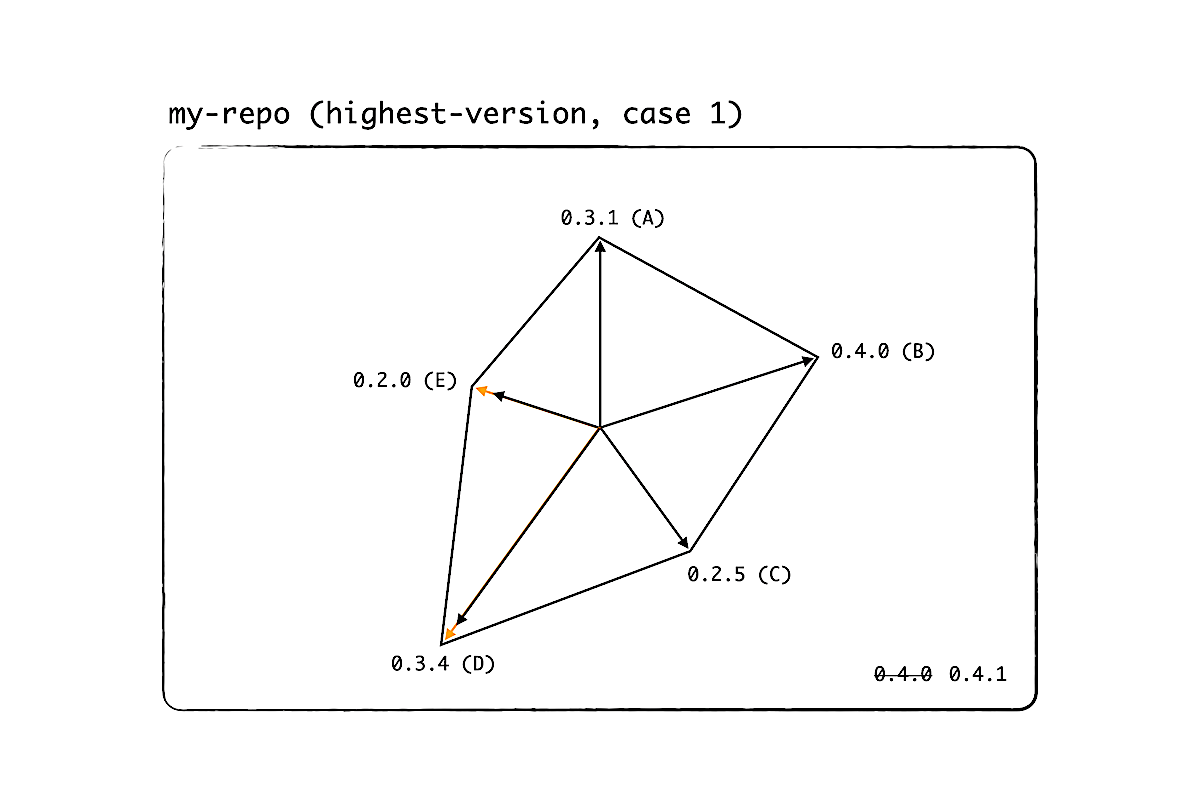
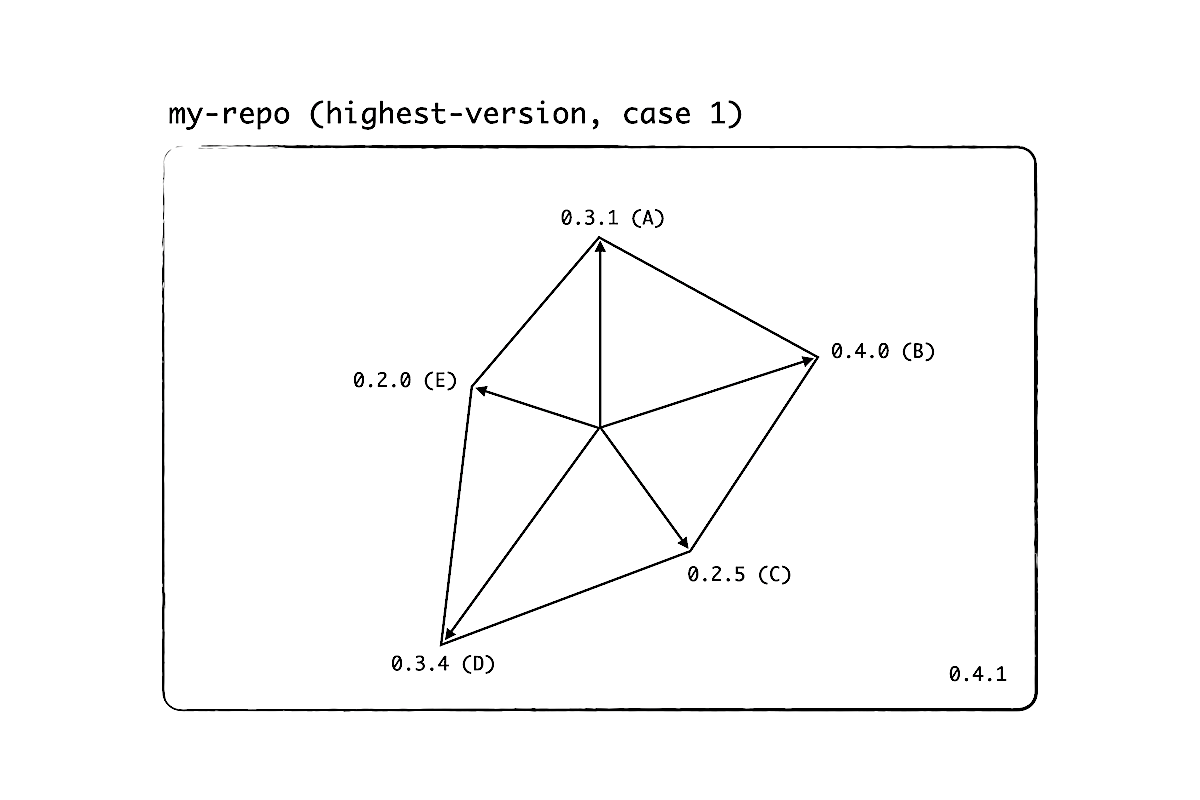
Another way to measure the project's state is highest-version. This time, we increment the current version by one, then set the final version to be the maximum of all versions, 0.4.1.
Here is another example. If package B has a minor release, then the maximum is 0.5.0, so the version of the workspace root becomes 0.5.0.
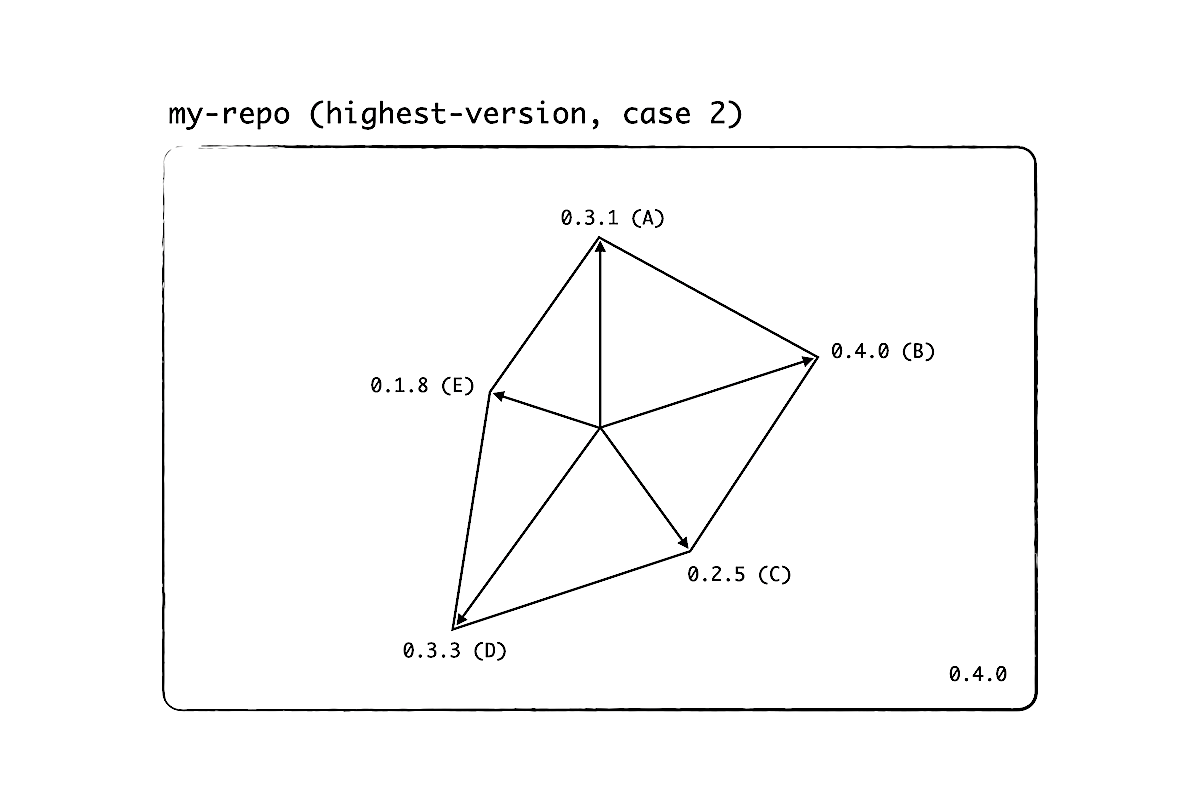
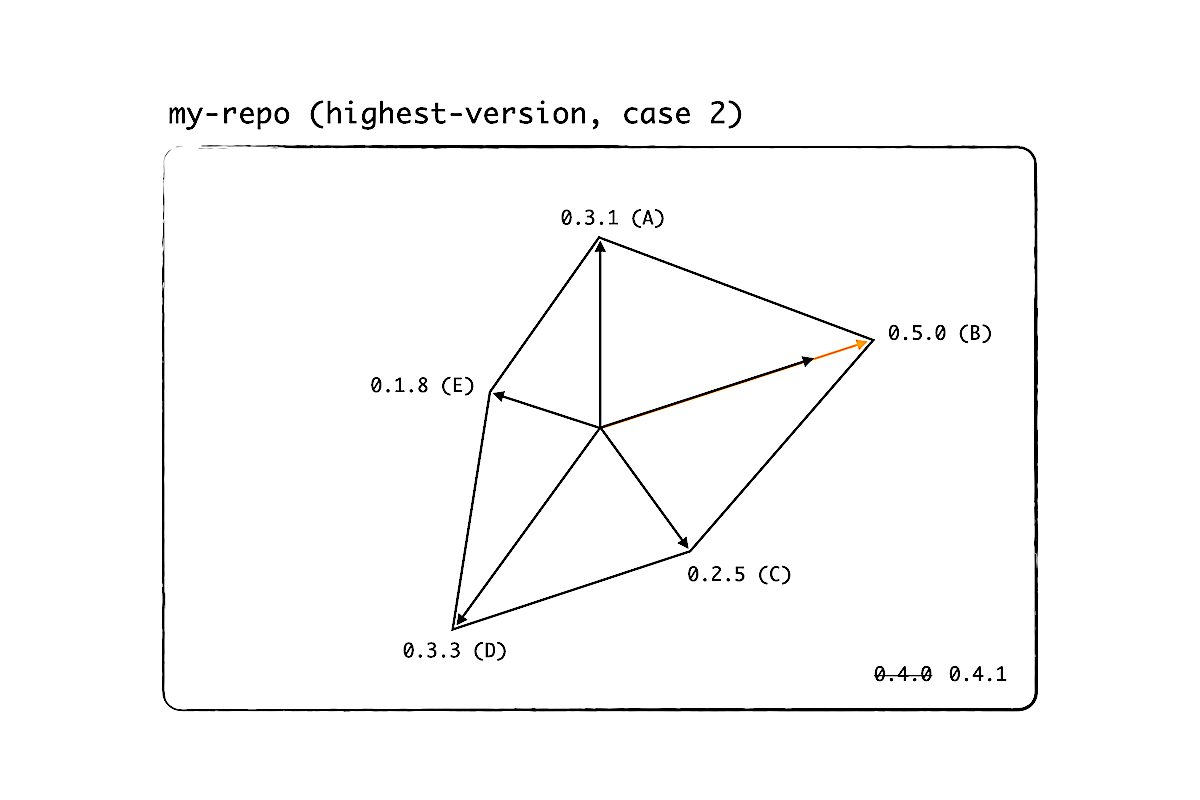
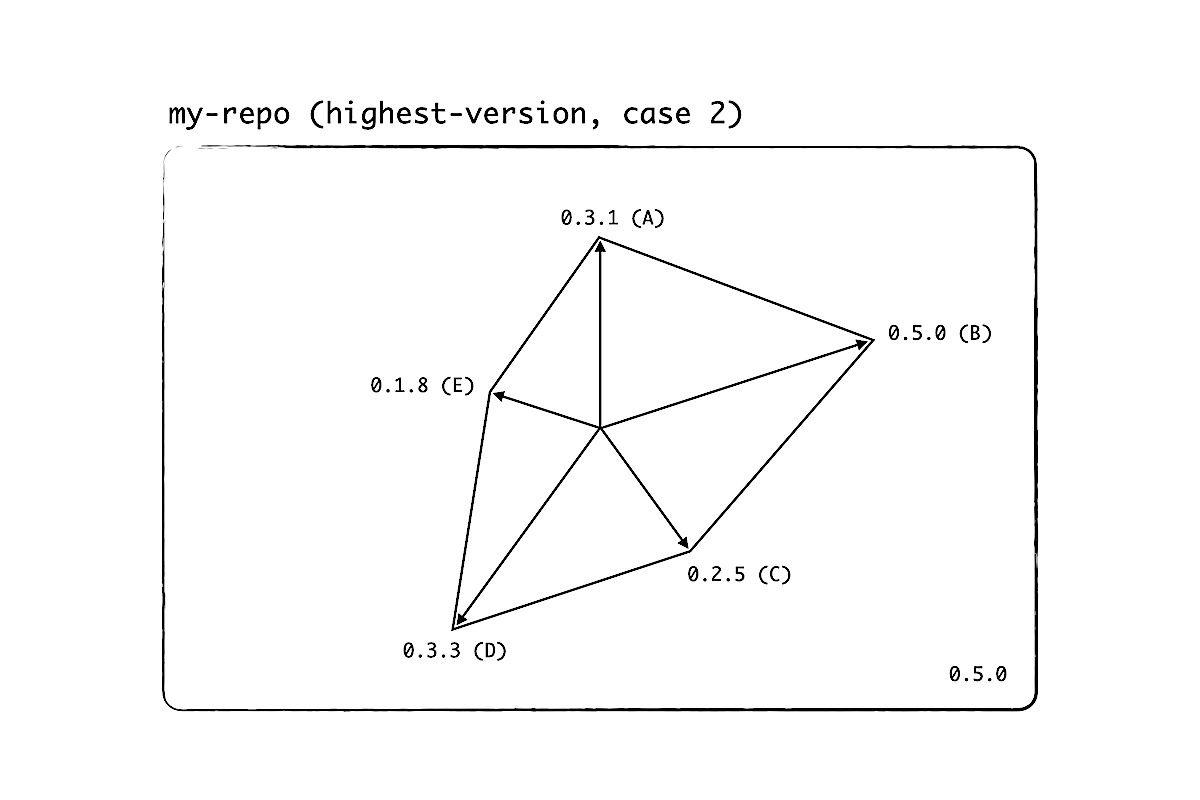
We can see that, with highest-version, assuming that every package is following semantic versioning, the workspace root version acts like a semantic version for the whole project. The solution is not new. Mathematicians studied normed spaces centuries ago and I'm building on their knowledge to make our lives simple. Now that we have a single tag, we can send links and compare tags again.
But math is hard, you might say. So I wrote a codemod that can run these algorithms: update-workspace-root-version. All you have to do is to install it as a development dependency and run it before you create a tag.
How to make all addons look the same
The last problem that we need to solve concerns time (the 4th dimension).
Recall that we are moving addons in increments. Since @embroider/addon-blueprint is subject to change, the addons that we create at a later time can have quite a different setup from those that we had created earlier. When our addons look different, developers can't easily jump from one addon to another. And when there's an issue with one of the addons, we waste time by comparing the setups.
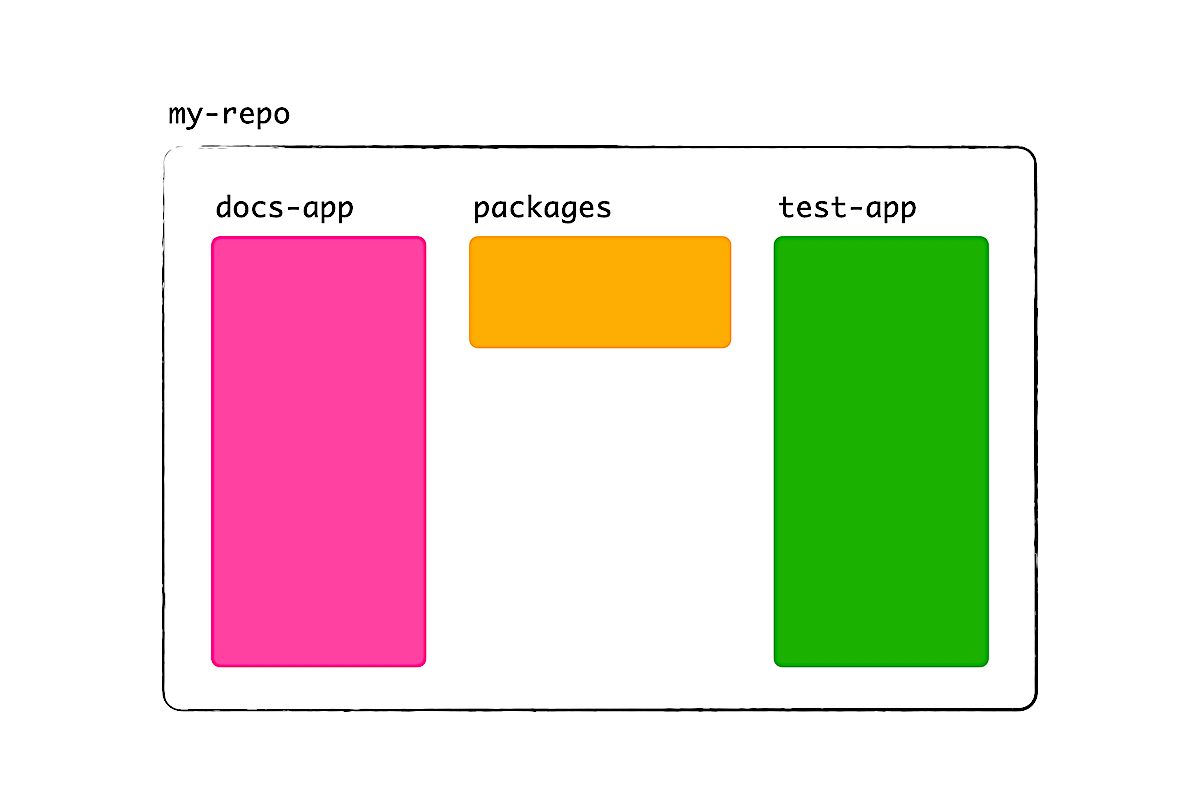
The solution is to fix time by having a copy of the blueprints. When it's time to create a v2 addon, we use our copy. And when it's time to change the setup, e.g. by updating dependencies or some configuration, we upstream the change to our copy.
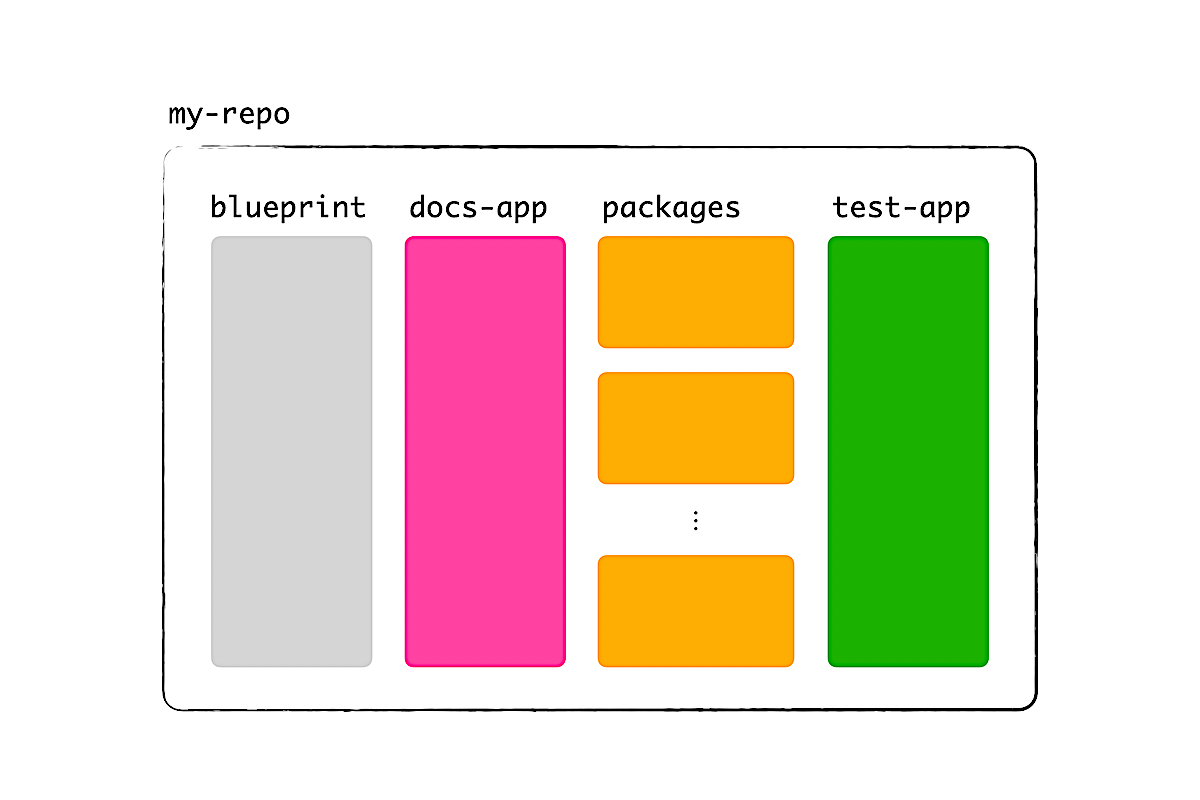
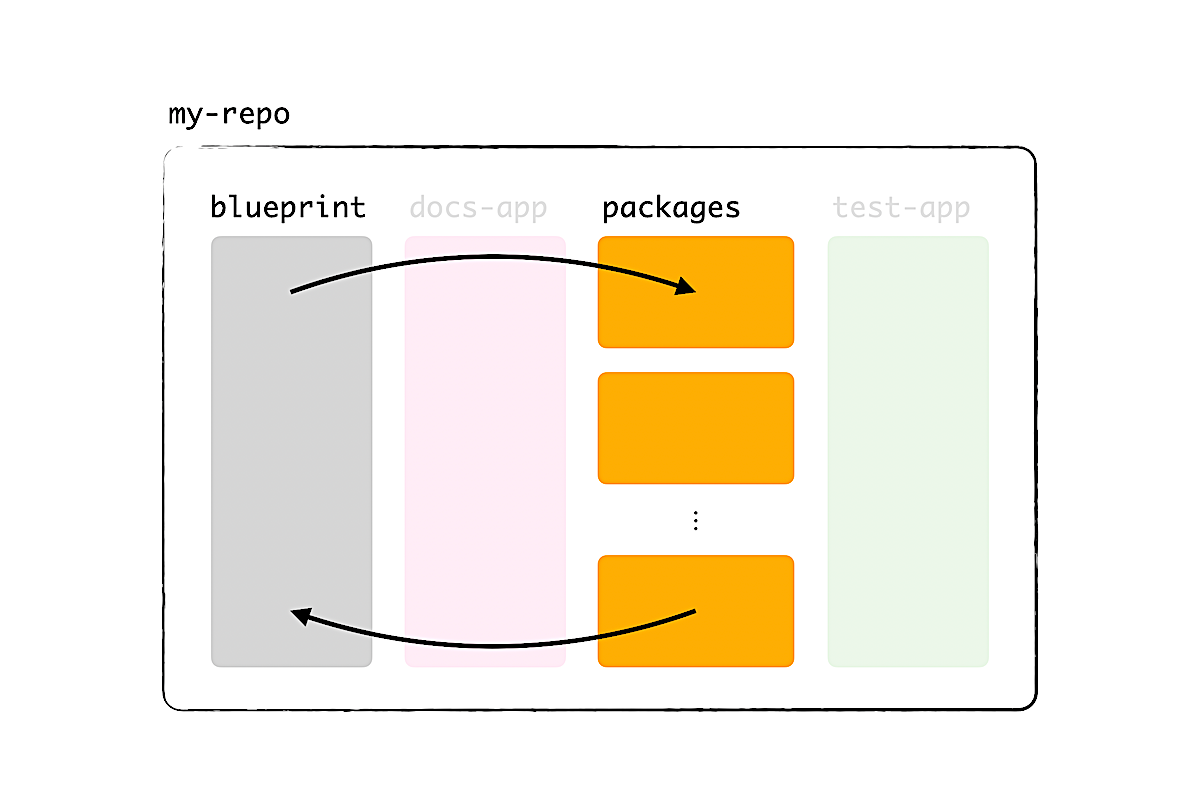
It sounds cumbersome, but this will save you a lot of trouble throughout development. On one hand, it's better than forking because you can test the blueprints right away. On the other, you can tailor the blueprints to meet your needs exactly, and we can simplify Embroider's blueprints to target the 80% case.
2b. Fruits of labor
Let's be honest. I took many steps to move addons to a new repo. You might wonder, is it worth it?
Two years ago, when we were overshadowed by packages and addons, our CI would take half an hour to run. Updating dependencies was a nightmare cause I needed to think about 190 packages.
After a year, around the time when I presented at EmberConf, we were down by 31 packages and enjoyed a faster CI. We were still at Ember 3.28, but we could start moving addons and discover good practices.
In the year after that, we kept moving more addons and removing unnecessary ones. With much fewer code around, we were able to update Ember to 4.12, then to 5.8. CI got even faster and, mind you, I didn't cheat the number by paying for more resources or performing esoteric tricks in ember-exam and CI. It's just good ol' refactoring and making the project simple.
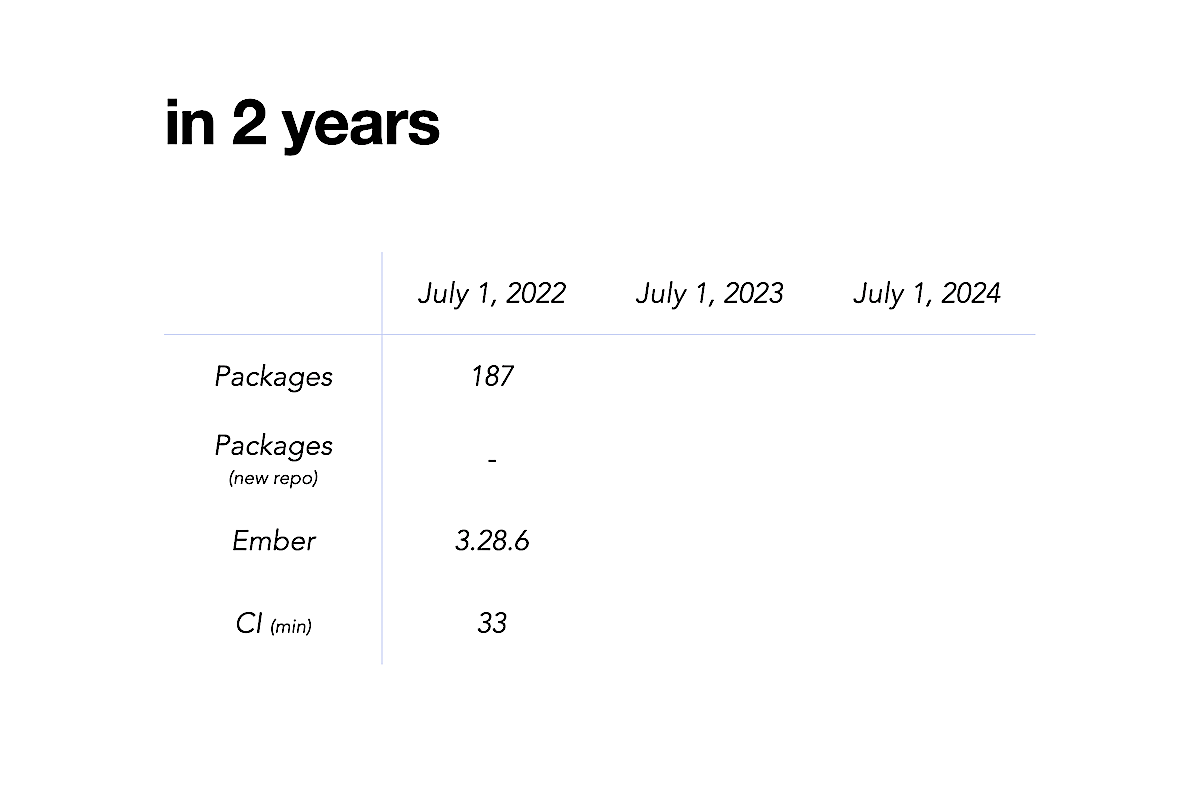
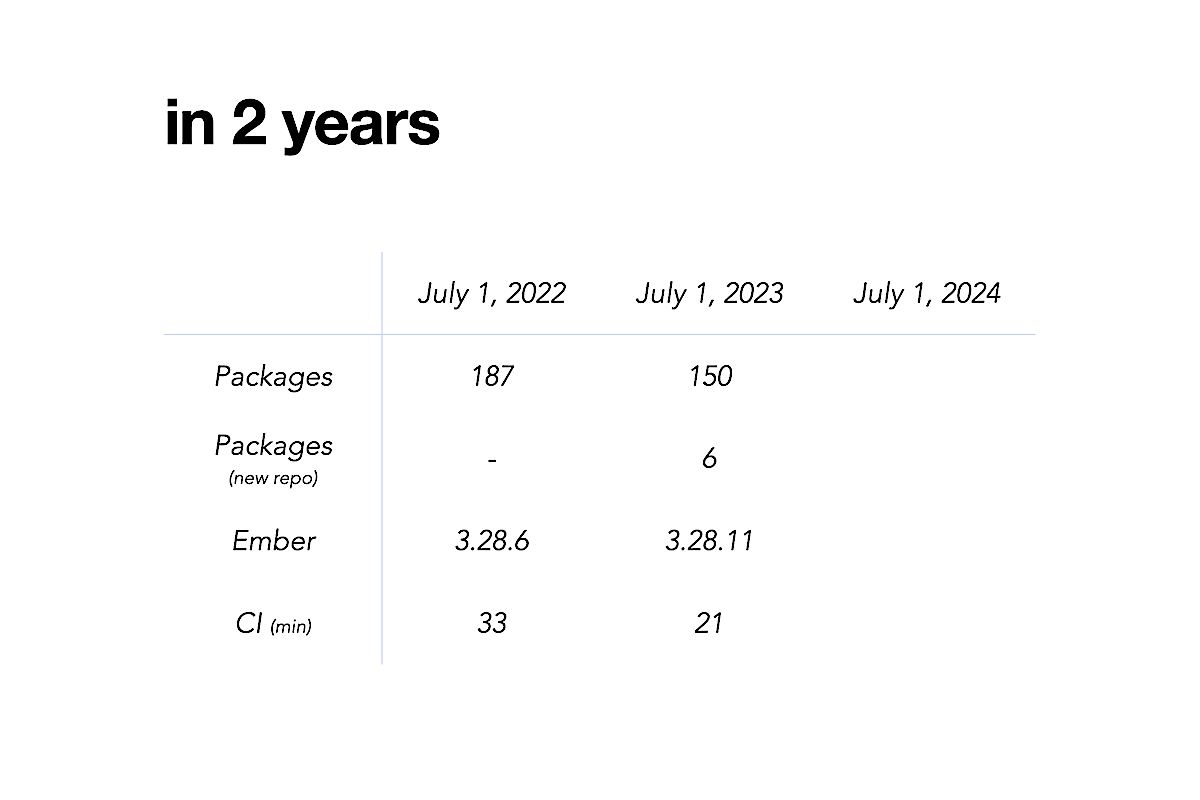
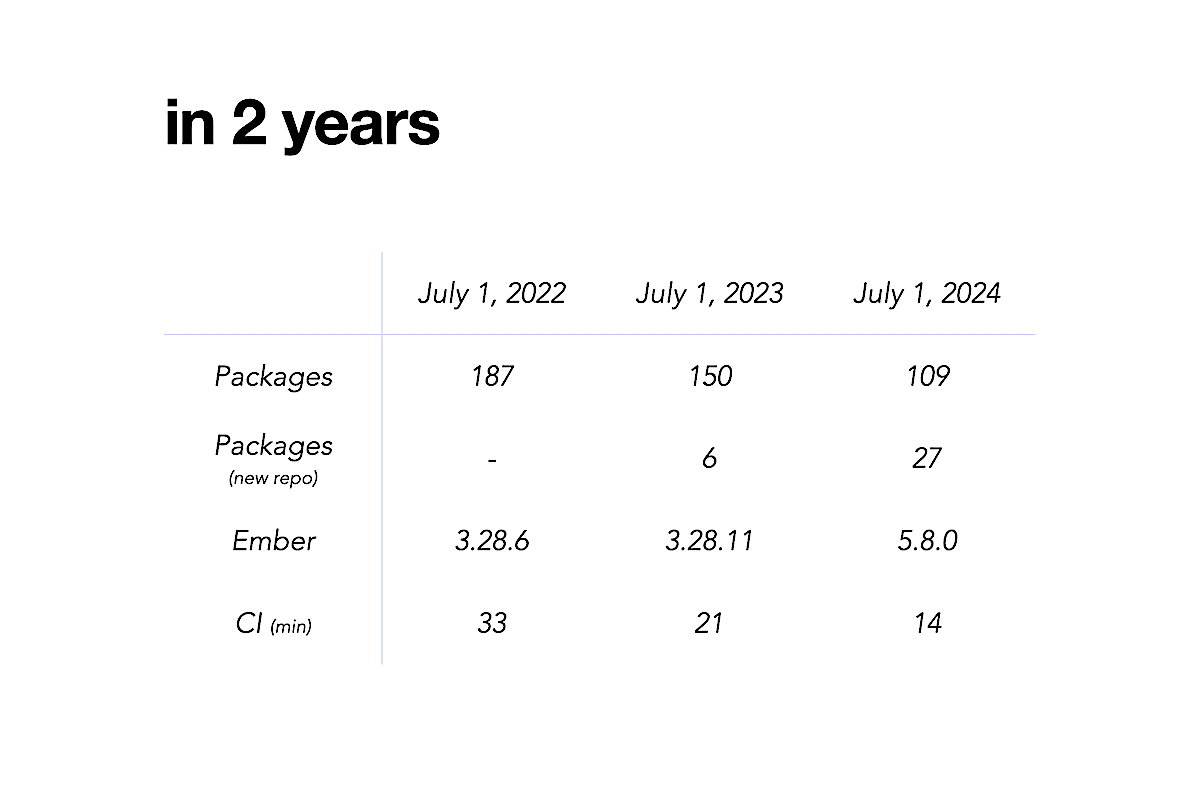
And in our new repo? Thanks to ember-try and Percy, we can prove that our code there will work in the future, when it's time to introduce Embroider to the old repo and refactor the v2 addons even more.
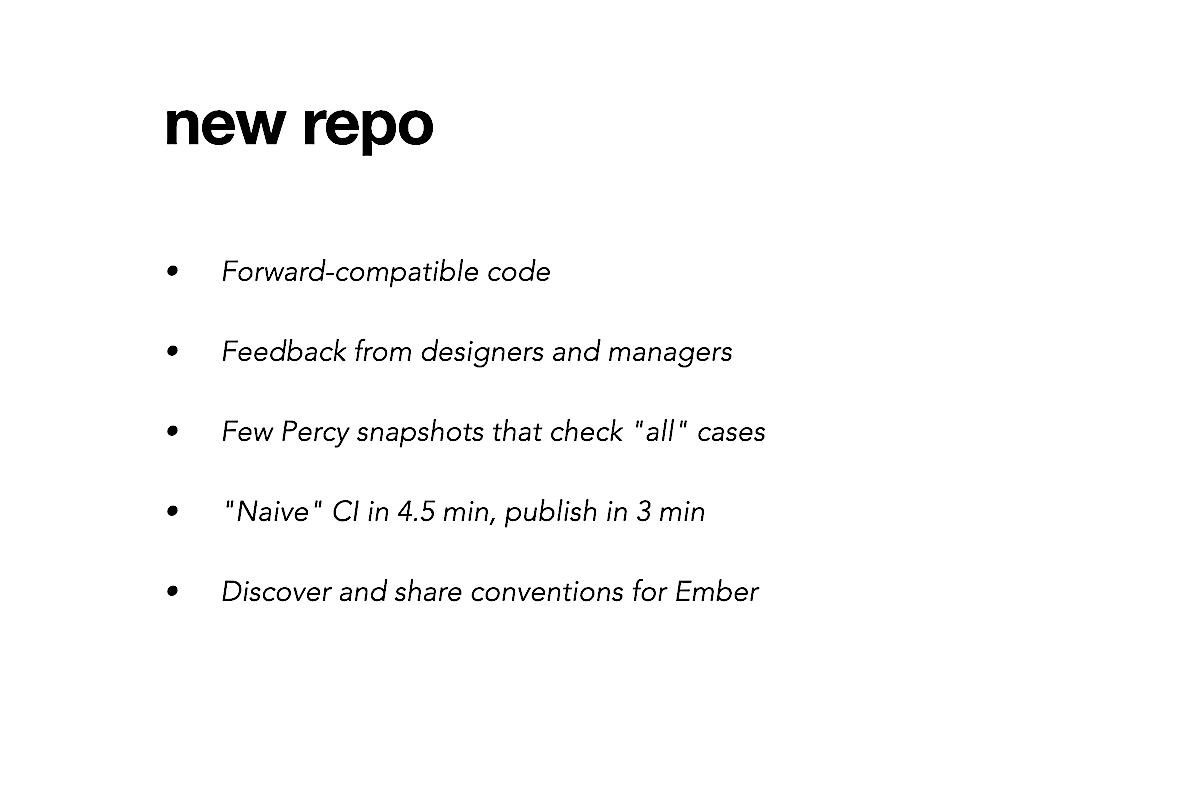
The docs-app can be deployed in a couple of minutes, so designers and managers can easily check components and provide developers feedback. Right now, CI and publish do take a while, because our implementation is naive and builds all addons to be safe. In year 3, I hope to look into high-performance tools, filtering, and caching.
What I find to be the most rewarding: Even when our project was behind, we could discover good practices and share them with you and the rest of the community. I want you to know that, regardless of the project state, there's a place in Ember for you to contribute.
3. Moving many repos
Now that we have a working recipe, I want to empower everyone to use it.
If we can all create repos, addons, and docs- and test-apps in the same way, in less than a second, we could easily file bug reports with reproductions, convert more v1 addons that are open-sourced to v2, and accelerate the adoption of Embroider apps.
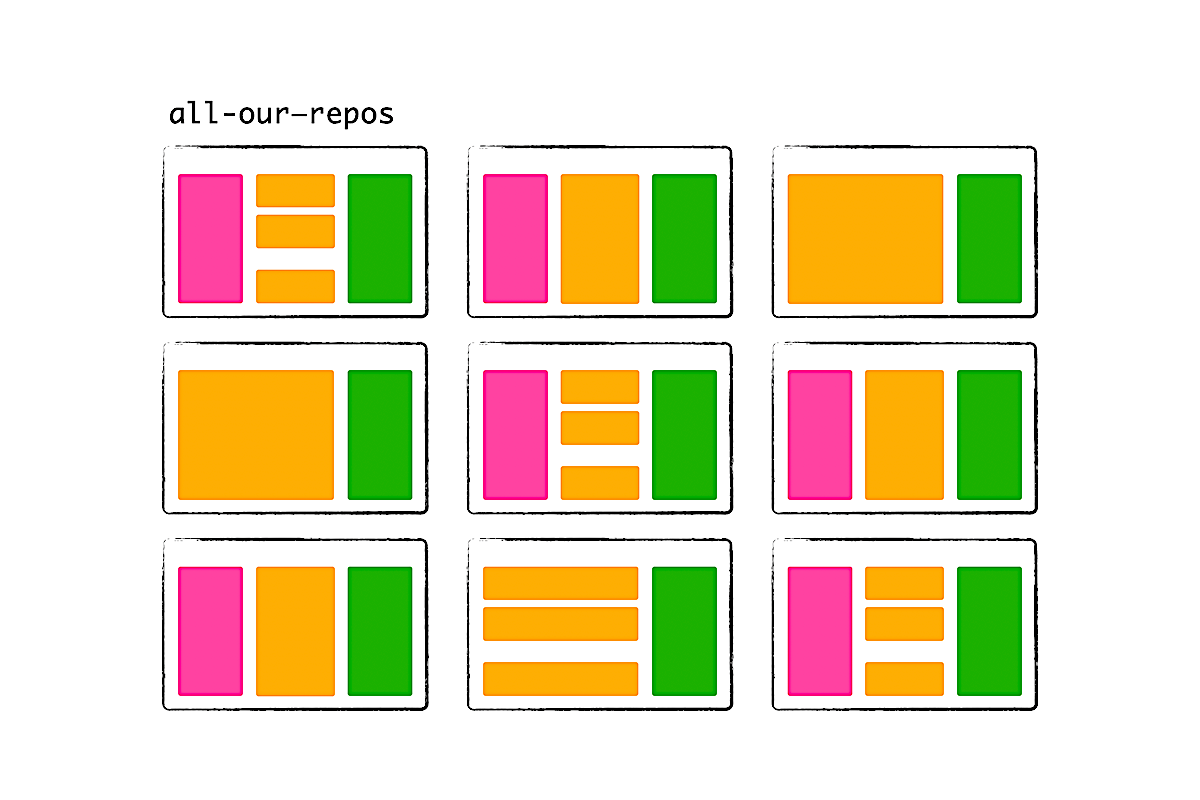
To make this happen, I wrote a codemod (again).
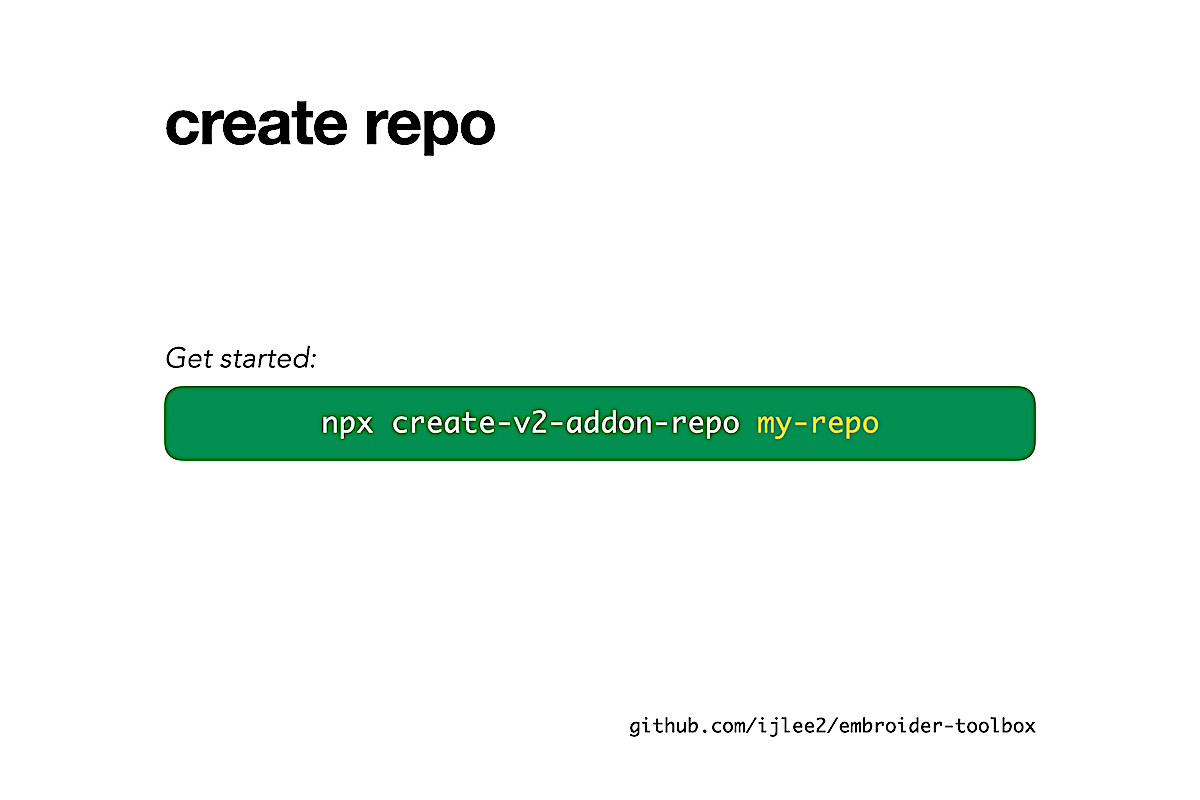
3a. create-v2-addon-repo
With create-v2-addon-repo, you can create a repo with as many v2 addons as you want. The repo that you get is a closed system. This means, to create and maintain v2 addons, it doesn't need extra dependencies like @embroider/addon-blueprint, gember, ember-cli, and ember-cli-update.
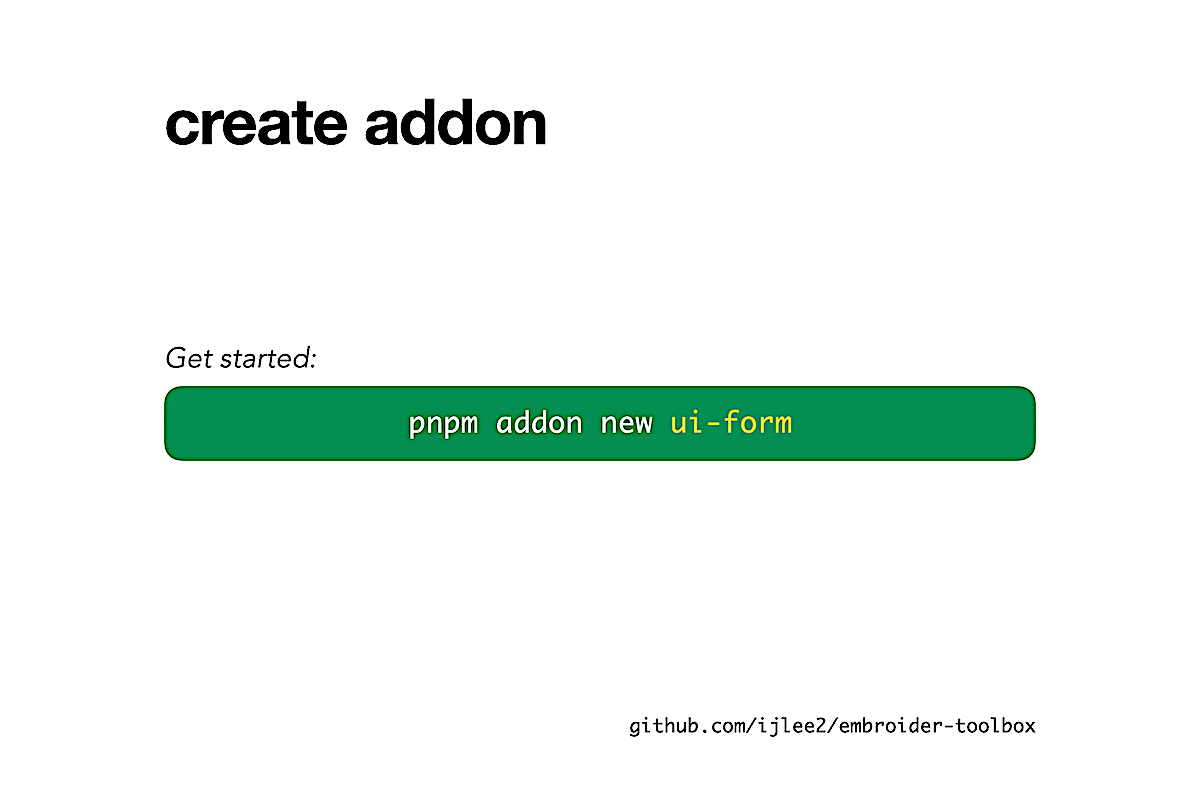
To create an addon, you run the command new from the workspace root. It's similar to how you use ember new to create an app.
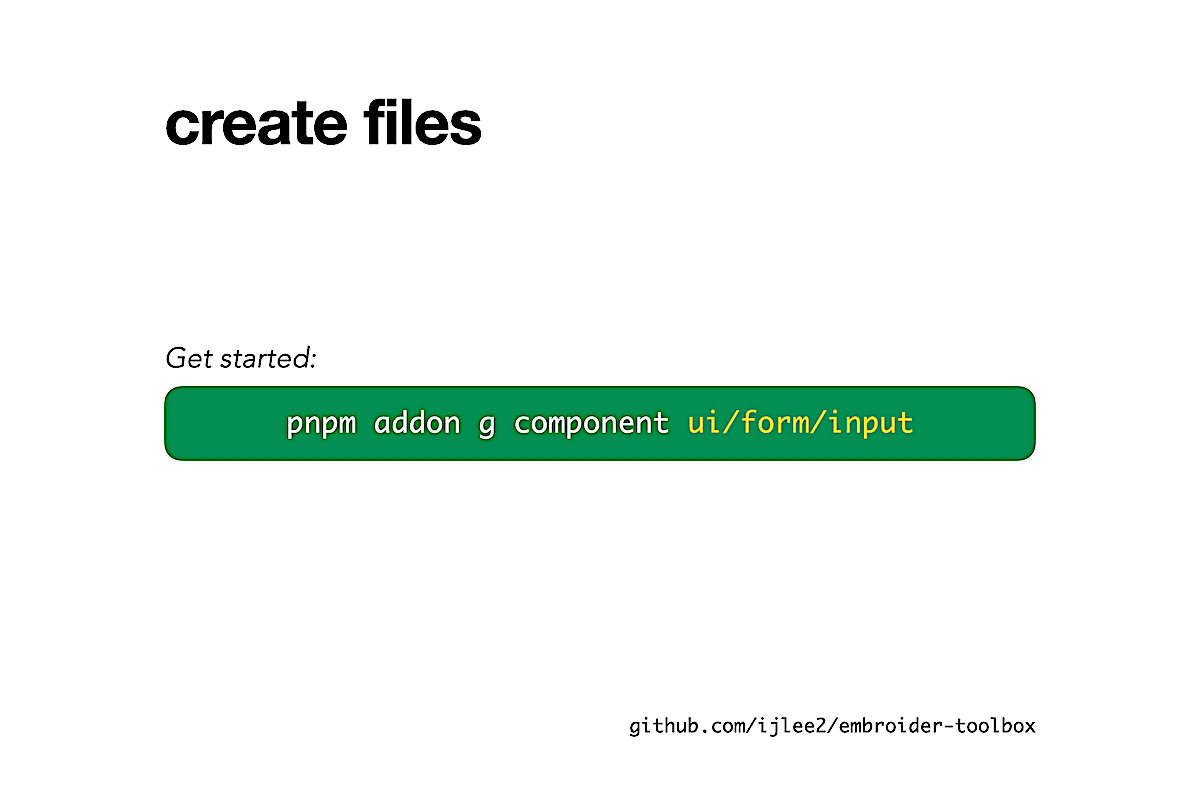
After you install the addon's dependencies, you can run generate—anywhere inside the addon—to create components, helpers, modifiers, services, and utilities. In addition to creating source files with signature for Glint, the codemod will take care of updating the barrel file and template registry, and creating the test file in test-app. You will never want to go back to manually creating files and typing code that are often case-sensitive.
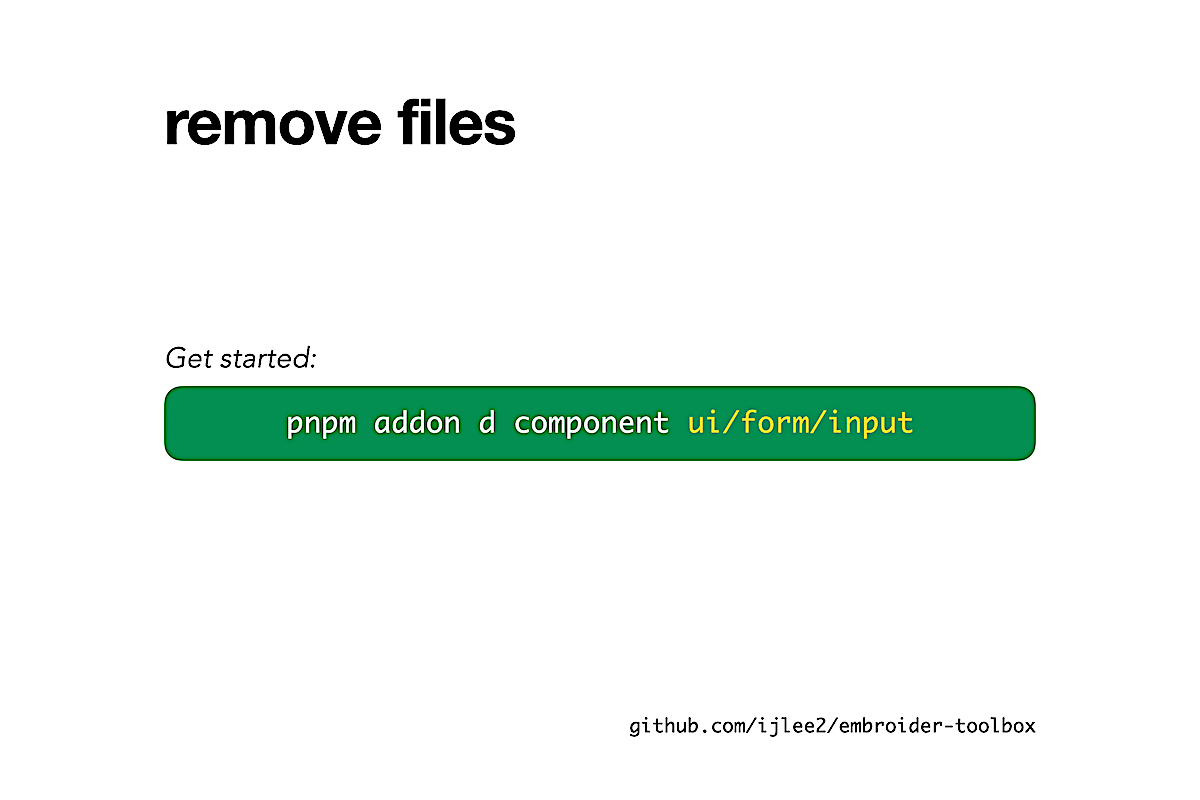
And, of course, where there is generate, there is destroy to remove all evidence.
How do these commands work? In the repo, you get a codemod called blueprints-v2-addon. Fun fact: create-v2-addon-repo was born from a codemod, @codemod-utils/cli, and its output bears a codemod, blueprints-v2-addon. There's some serious Alien/Inception thing going on here.
Anyway, these blueprints are yours, so you can change them however you'd like to meet your needs.
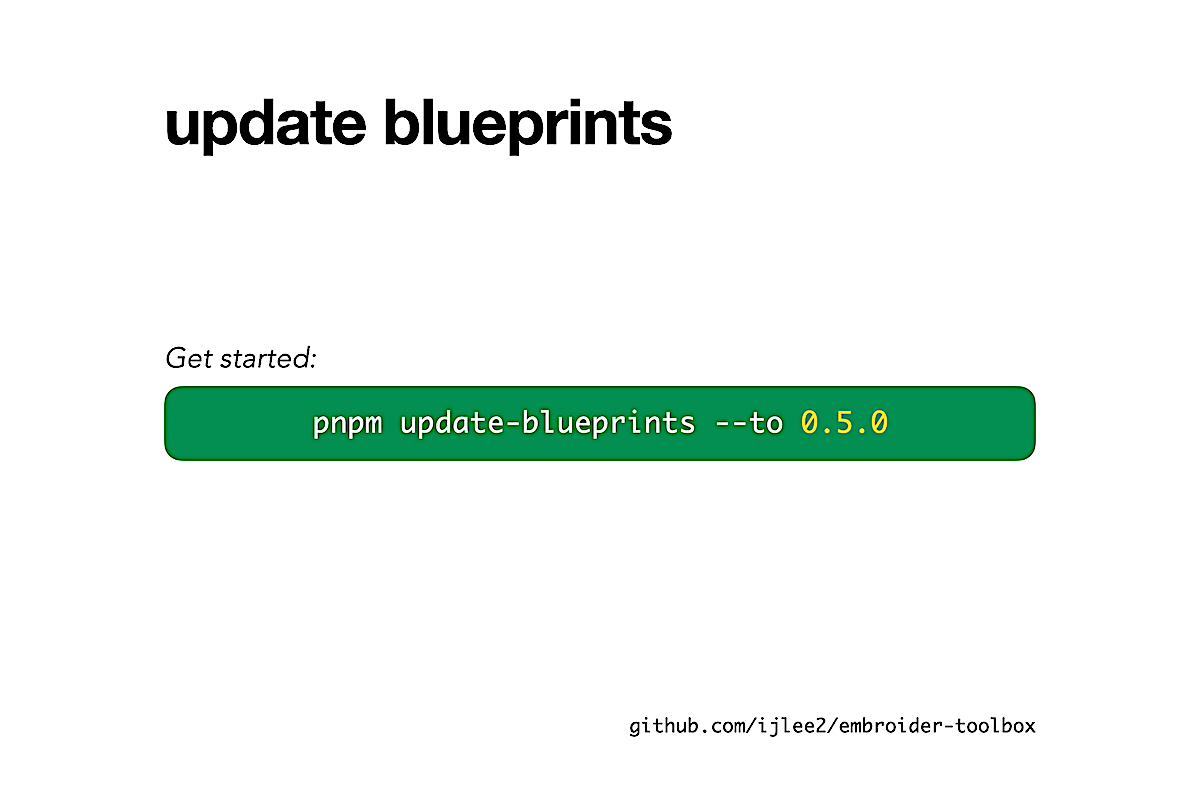
If you want to stay close to the default, you can run update-blueprints to get the latest version from me. You can definitely see the influence from ember-cli-update, but I mention it again: ember-cli and ember-cli-update are not used here to create and maintain v2 addons. I'll tell you why shortly.
3b. More problems
Higher dimensions, more problems. The first two are more for me to solve as a maintainer of create-v2-addon-repo. It's the last two where I want you to take action.
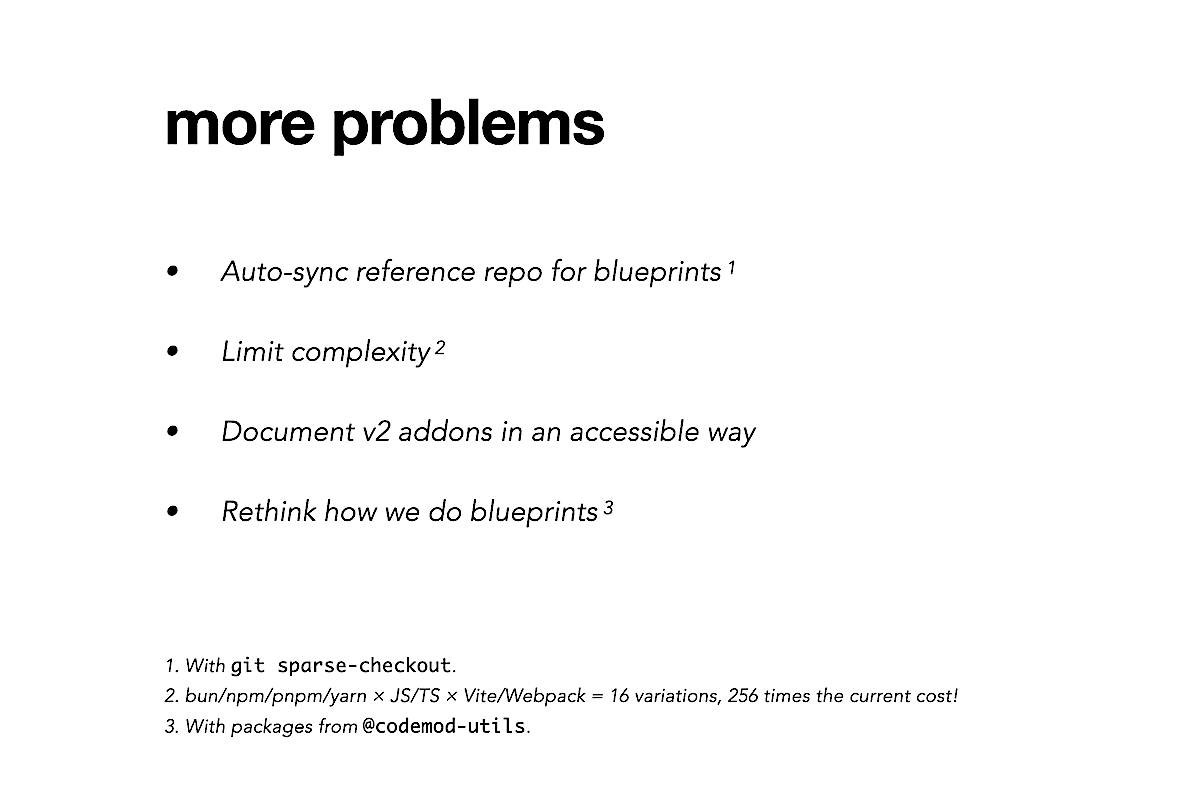
You might have noticed that we lack documentation and tutorials for v2 addons. The Ember Guides and Ember CLI Guides don't mention what v2 addons are, and it's up to individuals to find out common migration patterns (like ones that I showed you today) from RFCs, source code in the Embroider repo, and Discord, where it can be hard to search messages due to fuzzy search. If we want Embroider to be a success, we need to write down what we know and make it easy to understand and find for everyone.
A larger-scale project is to reconsider how we do blueprints. Right now, the blueprints for classic apps, v1 addons, v2 addons, and Embroider apps all depend on ember-cli and ember-cli-update in the name of composition. I believe composition comes at a high cost right now, because these two dependencies:
- Are 7 years old (maybe older)
- Have many dependencies in return (i.e. many failure points)
- Grew in size to support more features
- Have zero types
- Discourage change due to slow CI (used to take ~45 min, currently ~20 min)
Given that create-v2-addon-repo provides a complete solution for v2 addons without ember-cli and ember-cli-update, it's worth asking ourselves: In ember-cli, can we separate blueprints from the part that actually runs an Ember app? By removing blueprints and other unnecessary files, I think we can reduce the package size, which is 1.23 MB, by a third and make installing Ember more attractive. Are there modern solutions for composing blueprints? Should we do composition at all, when duplication could be cheaper?
4. Closing
I want to thank my frontend team, because they're really the ones who are moving the mountain, while delivering features, fixing bugs, and giving me feedback on our new repo.
If you want to know what I like to work on, you can follow me on GitHub. And if you have interesting problems that we can solve, you can reach out to me on Discord.
Notes
Update (Nov 22, 2024): The old repo runs now on pnpm@v9 with less than 100 packages.